A Practical Guide to Using an SEO Site Auditor for Growth

An SEO site auditor is essentially a tool or a process for giving your website a full health check. It's how you see your content through the eyes of a search engine like Google. But it’s not just about flagging errors; it’s your strategic blueprint for scalable growth, especially if you're getting into programmatic SEO. This is the foundation you need to build a sustainable organic traffic engine.
Why a Strategic Site Audit Is Your Growth Blueprint

Think of a site audit less like a technical chore and more like a diagnostic check-up for your website. It’s the very first step to figuring out what’s working, what's completely broken, and where your biggest growth opportunities are hiding. Without one, you're just guessing.
And when you're scaling with programmatic SEO, this process becomes non-negotiable. What's the point of creating thousands of pages if they're riddled with technical issues that stop search engines from even finding them? Regular audits are what prevent tiny glitches from turning into massive traffic drains down the line.
Moving Beyond a Simple Checklist
A truly strategic audit goes way beyond ticking boxes on some generic checklist. It's about connecting the dots between technical data and actual business goals. For instance, instead of just logging "45 broken internal links," a strategic mindset identifies that those broken links are leaking authority and stopping users from reaching key conversion pages.
The idea is to shift the audit from a reactive clean-up job to a proactive growth strategy. It helps you:
- Prioritise Fixes: Pinpoint the issues that are throttling your performance the most.
- Optimise Resources: Aim your team’s time and energy at changes that will actually move the needle.
- Prevent Future Problems: Set a technical health baseline to maintain as you scale.
To really get a handle on this, it’s worth digging into what SEO audits are and why your ecommerce store needs them. This understanding is the bedrock of any solid organic growth plan.
An audit reveals how search engines perceive your site's structure and authority. Ignoring its findings is like building a house on a shaky foundation—it might look fine for a while, but it won't withstand pressure or support significant growth.
The Economic Case for Auditing
Here in Germany, the rationale for using an SEO site auditor is crystal clear when you look at the booming German SEO software market. Revenue in this sector shot up to USD 4.7 billion in 2024 and is on track to hit USD 9.8 billion by 2030. While the big enterprises are leading the charge, it’s the small and medium-sized businesses that are the fastest-growing segment, increasingly relying on automated auditors to fuel their growth.
Ultimately, a proper site audit ensures none of your effort is wasted. It confirms that search engines can find and understand your content efficiently, which ties directly into managing your site’s crawl budget—an absolutely critical factor for large-scale programmatic sites. You can learn more about how to get a handle on your crawl budget effectively in our detailed guide.
Assembling Your Essential SEO Audit Toolkit
You wouldn't show up to build a house with just a screwdriver, right? The same logic applies to a proper site audit. You need a solid toolkit, but that doesn't mean you have to break the bank. The real goal is to build a smart, efficient stack that gives you a complete picture of your website's health, without bogging you down with features you’ll never touch.
Let’s move past a simple software list and think about the job each tool actually does. A truly effective SEO site auditor process is all about piecing together data from different sources to see the full story.
The Core Pillars of Your Audit Toolkit
I like to think of a good toolkit as having three main pillars: technical crawling, performance and backlink analysis, and direct feedback from the search engines themselves. Each one gives you a unique lens to view your site through. If you ignore one, you're auditing with a massive blind spot.
- Technical Site Crawlers: These are the real workhorses of any audit. They act like a search engine bot, methodically crawling your site page-by-page to map out its structure and flag technical gremlins.
- All-in-One SEO Platforms: These tools give you the bigger picture—the market context. They track keyword rankings, dissect your backlink profile, and spy on competitors. This is how you understand your site's authority and visibility from a market-level perspective.
- Search Engine Data Sources: This is your direct, unfiltered line to Google. Tools like Google Search Console offer priceless, first-party data on how Google actually sees your site, from indexing status right through to user experience signals.
Must-Have Tools for Every SEO Site Auditor
Okay, let's get practical. These are the tools that form the bedrock of a robust audit process, along with some real-world examples of how you'd use them.
Screaming Frog SEO Spider This is the undisputed industry standard for desktop crawlers. It’s your go-to for getting deep into the weeds of your site’s architecture. For example, let's say you just launched a batch of 1,000 programmatic pages. You can fire up a Screaming Frog crawl and instantly check for broken internal links, rogue canonical tags, or missing titles across the entire set. It's simply the fastest way to QA a technical implementation at scale.
Google Search Console (GSC)
This free tool is completely non-negotiable. It's literally Google telling you what it thinks of your website. A classic GSC workflow is checking the "Pages" report under "Indexing." This is where you'll discover why certain pages aren't showing up in search. GSC will tell you flat out if they're blocked by robots.txt, are considered duplicates, or have a noindex tag.
So many people make the mistake of relying solely on third-party tools. Google Search Console is your ground truth. If GSC reports an indexing issue, it’s a real problem that needs your immediate attention, no matter what other tools might be telling you.
Ahrefs or Semrush You need one of these all-in-one platforms for anything off-page. Imagine your organic traffic suddenly tanks. You could jump into Ahrefs' "Site Explorer" to see if you recently lost a chunk of important backlinks. Or maybe you'll discover a competitor just landed a ton of powerful links, pushing you down the rankings. These tools are absolutely essential for understanding your site's authority within the wider web ecosystem.
Google PageSpeed Insights Site speed is everything for user experience. You might feel like your site is fast, but PageSpeed Insights gives you the cold, hard data. It breaks down your performance on both mobile and desktop and serves up specific fixes, like "reduce initial server response time." This is especially crucial for checking your Core Web Vitals. We dive much deeper into this in our guide to understanding Core Web Vitals.
Your Core SEO Site Auditor Toolkit
To make it even clearer, here's a simple breakdown of the essential tool categories and where each one fits into your workflow.
| Tool Category | Example Tool | Primary Function | Best For |
|---|---|---|---|
| Technical Crawler | Screaming Frog | On-page technical analysis, architecture mapping | Deep, granular site-wide health checks |
| Search Engine Data | Google Search Console | Indexing status, performance data, crawl errors | Getting direct, first-party feedback from Google |
| All-in-One Platform | Ahrefs or Semrush | Backlink analysis, keyword tracking, competitor research | Understanding off-page authority and market position |
| Performance Tester | PageSpeed Insights | User experience metrics, speed optimisation | Diagnosing Core Web Vitals and loading issues |
This combination gives you a 360-degree view, covering your site's internal health, how Google perceives it, and its standing in the competitive landscape.
Advanced Tools for Deeper Insights
Once you’ve mastered the basics, you can start layering in more specialised tools for specific jobs.
- Log File Analysers (e.g., Screaming Frog Log File Analyser): These tools read your server logs to show you exactly how Googlebot is interacting with your site. This is gold for programmatic SEO, as it can reveal if Google is wasting its crawl budget on low-value pages.
- Content Optimisation Tools (e.g., SurferSEO): These tools analyse the on-page elements of top-ranking content, giving you a data-backed blueprint for your own pages.
Building your toolkit is an ongoing process. Start with the core four—a crawler, GSC, an all-in-one platform, and a speed tool. Then, as your audits get more complex, you can bolt on specialised tools. This way, you end up with a powerful, cost-effective stack that’s ready for anything.
A Practical Framework for Your Site Audit
Running a thorough site audit can feel like trying to drink from a fire hose. Data is coming at you from all angles, and it’s way too easy to get lost in a sea of spreadsheets and minor "errors". To stop this from happening, any effective SEO site auditor needs a solid framework—a repeatable system to organise findings into logical, manageable pillars.
Instead of chasing every single flag the tools throw at you, we’ll break the audit into four distinct but interconnected areas. This method helps you see the bigger picture, prioritise what actually matters, and understand how one part of your site’s health affects another. It's about building a system, not just ticking off a generic checklist.
The process flow below shows the basic loop of any audit: you gather data (crawl), you make sense of it (analyse), and you keep an eye on it over time (monitor).
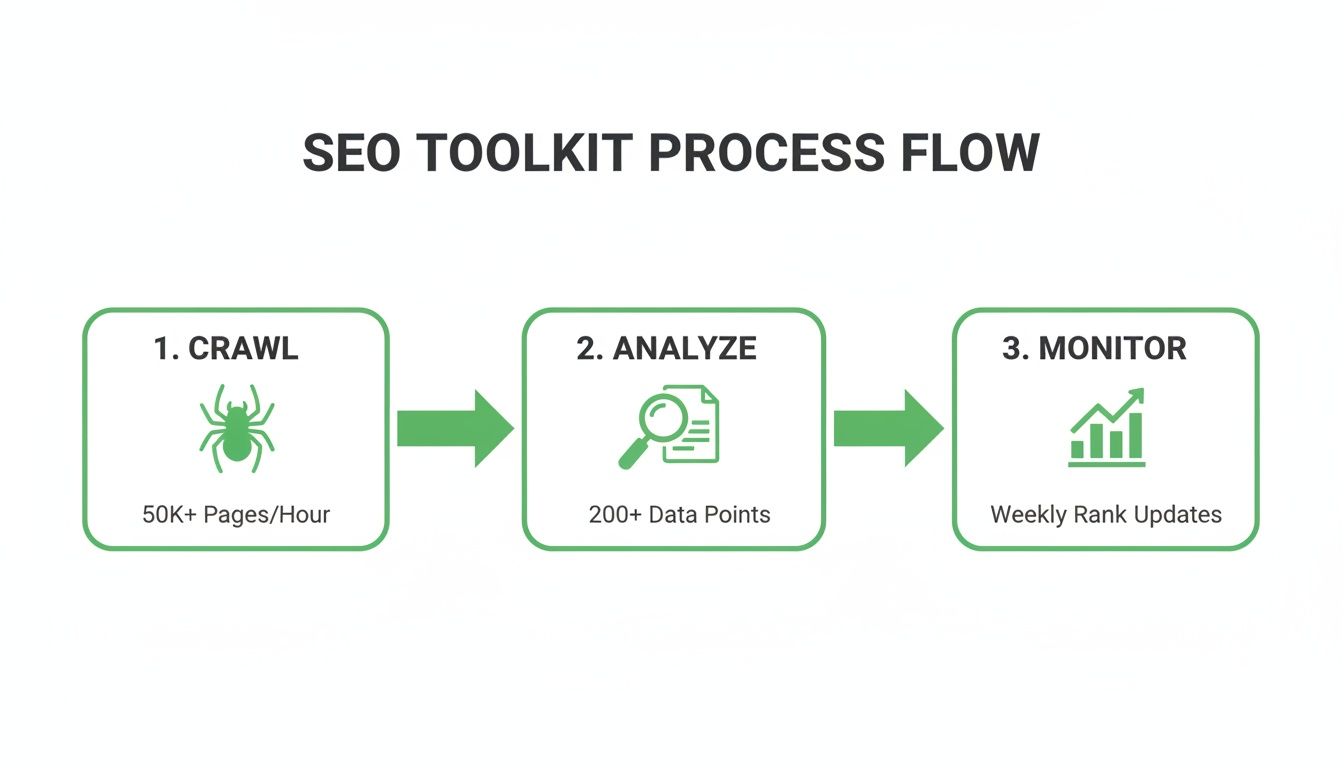
This simple cycle highlights that an audit isn't a one-off task. It's a continuous loop of improvement, which is absolutely vital for scalable programmatic SEO projects.
Pillar 1: Technical Health
This is your website's foundation. If search engines can't crawl and understand your site efficiently, even the most brilliant content will stay invisible. Technical health is all about clearing any and all roadblocks between your pages and Googlebot.
Your main focus here should be on:
- Crawlability and Indexability: Can search engines find all your important pages? Are you accidentally blocking them with
robots.txtor a sneakynoindextag? A classic programmatic SEO mistake is launching thousands of pages, only to realise a bad setting is stopping them from ever getting indexed. - Site Architecture: Is your site structured logically? A flat, well-organised architecture with minimal click depth helps both users and search engines get around. Long redirect chains (A → B → C → D) are a perfect example of an issue that eats up your crawl budget and creates a sluggish user experience.
- Site Speed: How fast does your site load? Slow pages are frustrating for users and act as a negative ranking signal. You'll want to hunt down oversized images, bloated code, and slow server response times.
A technically sound website is like having clear, well-maintained roads. It allows search engine crawlers to travel efficiently, discover new content quickly, and index it without getting stuck in dead ends or traffic jams.
Pillar 2: On-Page and Content Elements
Okay, so your site is technically accessible. Now it’s time to look at the content on the pages themselves. This pillar is all about optimising individual pages to clearly signal their topic and relevance to search engines. For programmatic SEO, this means putting your templates under the microscope.
Here, you're looking at things like:
- Title Tags and Meta Descriptions: Are they unique, compelling, and actually relevant to the page's content? In a programmatic build, this means checking if your variables are populating correctly and not creating duplicate or nonsensical titles.
- Content Quality and Relevance: Does the content genuinely answer a user's question? For programmatic pages, you need to ensure the template combines data and text in a way that creates a valuable, unique resource—not just thin, repetitive fluff.
- Internal Linking: Are your pages well-connected? Strong internal linking distributes authority throughout your site and guides both users and crawlers to important content. This is a critical area that often gets overlooked in large-scale projects. Building a logical and robust network of internal links is fundamental for programmatic success, and you can explore our guide on mastering internal linking strategies for more detailed advice.
Here's a real-world scenario: you diagnose a batch of programmatic pages that just aren't getting indexed. After checking the technical basics (Pillar 1), you might discover the on-page content is too similar across the set, causing Google to see them as duplicates. The fix isn't technical—it's about refining the content template to generate more uniqueness.
Pillar 3: Off-Page Authority
This pillar looks outward. It's all about how other websites on the internet perceive your site. A site’s authority is largely shaped by its backlink profile—the collection of links pointing to it from other domains. A strong profile acts as a vote of confidence, telling search engines your content is trustworthy.
Your audit should analyse:
- Backlink Quality: Are your links coming from reputable, relevant websites, or from spammy, low-quality directories? A sudden drop in rankings can sometimes be traced back to a negative SEO attack involving toxic backlinks.
- Referring Domains: It's generally better to have 100 links from 100 different domains than 100 links from a single domain. A diverse profile suggests broader authority.
- Anchor Text Distribution: Is the text used to link to your site natural and varied? Over-optimised anchor text (like every single link saying "best seo site auditor") can be a major red flag for search engines.
Analysing your off-page authority helps you spot both risks (like toxic links that might need disavowing) and opportunities (like competitors' backlinks you could replicate).
Pillar 4: User Experience and Engagement
Finally, everything has to connect back to the user. A site can be technically perfect, packed with great content, and have a stellar backlink profile, but if it's confusing or frustrating for a human to use, it will fail. This pillar is about auditing the site from a user's perspective.
Key areas to investigate include:
- Core Web Vitals (CWV): These metrics—LCP, INP, and CLS—measure loading performance, interactivity, and visual stability. Poor scores can directly ding your rankings.
- Mobile-Friendliness: How does your site look and work on a smartphone? With mobile-first indexing, this is non-negotiable.
- Navigability and Design: Can users easily find what they're looking for? Is the design clean and uncluttered, or is it filled with intrusive pop-ups and annoying elements?
By breaking your audit into these four pillars, you create a structured process. You can tackle one area at a time, see how they all influence each other, and build a prioritised to-do list that will actually make a difference to your site's performance.
Turning Audit Data Into Actionable Priorities
Getting a massive data export from a powerful SEO site auditor can feel like a bit of a double-edged sword. On one hand, you’ve got everything you need. On the other, you're now staring down the barrel of thousands of potential issues, and it's easy to get stuck in analysis paralysis.
The real trick isn't to fix everything at once. It's to figure out what to fix first.
This is the moment you switch gears from data collector to strategist. An audit's true value isn't the data itself, but the prioritised action plan it produces—a plan that actually drives business results. Without this crucial step, your audit is just a data dump, an interesting document that will inevitably gather digital dust.
Introducing the Impact vs. Effort Framework
To cut through all that noise, I rely on a simple but incredibly effective model: the "Impact vs. Effort" framework. This mental model forces you to evaluate every potential fix through two critical lenses.
You just plot each task on a grid with two axes:
- Impact: How much will this fix actually improve our SEO performance, user experience, or bottom-line business goals?
- Effort: How much time, developer resource, or budget will it take to get this done?
This simple exercise helps sort your massive to-do list into four very clear buckets. It makes it obvious where to start.
Identifying Your Quick Wins
The most valuable bucket here is High-Impact, Low-Effort. These are your quick wins. They’re the low-hanging fruit that can deliver noticeable results without draining your resources. Nailing these first builds momentum and, just as importantly, shows stakeholders the value of your work.
Let's take a real-world example. Imagine your audit uncovers a site-wide canonical tag error pointing thousands of pages back to the homepage.
- Impact: Extremely high. Fixing this could resolve massive duplicate content problems and consolidate link equity correctly. You're talking about a potential ranking boost for countless pages.
- Effort: Very low. This often just needs a developer to tweak a single line of code in a template. It could literally be a ten-minute job.
This is a classic high-impact, low-effort task that should shoot straight to the top of your list. In contrast, something like a complete site redesign is a high-effort project. While it might be high-impact, it belongs in a long-term strategic plan, not your immediate action list.
Don't underestimate the power of starting with a few quick wins. Successfully fixing a critical, low-effort issue provides immediate positive feedback, builds confidence in the audit process, and makes it easier to get buy-in for more resource-intensive projects later on.
Creating a Strategic Audit Report
Your final audit report needs to be a strategic document, not just a spreadsheet full of errors. Your job is to translate technical jargon into tangible business outcomes that resonate with everyone, from the devs to the marketing director. You have to frame your findings in a way that answers the "so what?" question.
So, instead of just stating:
- "There are 500 broken internal links."
You reframe it with business impact:
- "We've found 500 broken internal links that are creating a poor user experience and causing us to lose an estimated 2,000 pageviews a month. Fixing these will improve user navigation and help us reclaim valuable link equity."
This reframing is absolutely essential for actually getting things done.
Providing Crystal-Clear Instructions
Finally, if you want your recommendations to actually get implemented, you need to provide crystal-clear instructions. A developer doesn't need a lecture on why Core Web Vitals matter; they need a specific, actionable task.
Your implementation plan should break it down for them:
- The Issue: A quick, non-technical summary of the problem.
- The Solution: A precise, step-by-step guide on what needs to happen.
- Who Is Responsible: Clearly assign ownership (e.g., developer, content writer, UX team).
- Examples: Provide specific URLs or screenshots showing the problem in the wild.
By turning raw audit data into a prioritised, strategic plan with clear instructions, you transform the SEO site auditor process from a simple technical check into a powerful engine for growth. This is how you make sure your hard-earned insights lead to real-world improvements.
Powering Programmatic SEO With Automation and AI

A one-off audit is useful, but for a large-scale programmatic SEO operation, the real power comes from turning your audit into an automated, ongoing system. This is how you shift from fixing problems after they appear to proactively improving your site 24/7. Think of it as putting your site's health on autopilot.
How to Use AI for Programmatic SEO in 3 Simple Steps
Let's demystify this. Using AI to boost your programmatic SEO isn't about complex code; it's about connecting your data to a smart assistant. Here’s a practical, non-technical way to think about it:
Step 1: Gather Your Data First, you need the raw material. Use an SEO site auditor tool like Screaming Frog to crawl your website. A crawl gives you a giant list of all your pages along with details like their titles, headings, and any technical errors. Export this information as a simple spreadsheet (like a CSV file).
Step 2: Give the Data to an AI Next, you feed this spreadsheet to an AI, like ChatGPT or a similar tool. You can literally upload the file or copy-paste the data. The goal is to give the AI context about your site’s structure and content.
Step 3: Ask the Right Questions (Prompts) This is the most important part. You give the AI specific instructions, or "prompts," to analyze your data and find opportunities. Instead of manually sifting through thousands of rows, you let the AI do the heavy lifting.
Automation transforms your audit from a defensive chore into an offensive strategy. It stops being about plugging leaks and starts being about building a smarter, self-optimizing content system.
Practical Examples of AI in Action
Here are a few real-world prompts you could use to turn your crawl data into actionable insights:
- Automated Internal Linking: "Here is a list of all my blog post URLs and their H1 titles. Find any mention of the phrase 'Core Web Vitals' in these titles and suggest I add a link to my main page:
www.example.com/what-are-core-web-vitals." The AI will instantly generate a to-do list of internal links to build. - Competitor Template Analysis: "I've crawled a competitor's programmatic pages. Here is the data on their headings (H1, H2s). What common patterns or templates do you see? How can I create a better, more comprehensive structure for my own pages?" The AI acts as a strategist, deconstructing their success for you.
- Finding Content Gaps: "This spreadsheet contains pages from my site that rank between positions 11-20. Can you group them by topic and suggest which ones have the highest potential for improvement based on their titles?" This helps you prioritize which content to refresh for a quick ranking boost.
You can get started with our ready-to-use prompt for internal linking analysis.
By building these simple automated workflows, you create a powerful cycle. The more content you publish, the more data your SEO site auditor gathers. The more data you feed to the AI, the smarter your programmatic content strategy becomes. This is how you build a truly scalable and resilient organic growth engine. For more ideas, you can explore various AI automation strategies to streamline business processes.
A Few Common Questions About SEO Site Audits
Even with a solid system in place, you’re bound to hit a few tricky questions once you’re deep in the data. Let’s clear up some of the most common ones I hear.
How Often Should I Run an SEO Site Audit?
Honestly, there’s no single right answer here—it all comes down to the size of your site and how often things change.
For a large, dynamic site, especially one using programmatic SEO, I’d recommend a monthly automated crawl as a baseline. This rhythm catches new issues almost as soon as they pop up. On the other hand, for a smaller, more static website, a really thorough audit every quarter is usually more than enough.
The goal is to get into a proactive rhythm. Your SEO site auditor process should be about constant monitoring and improvement, not just a frantic reaction when your traffic takes a nosedive.
Can I Do a Site Audit Myself, or Do I Need to Hire an Agency?
You can absolutely do a comprehensive site audit on your own. A few years back, this felt like a huge mountain to climb, but the tools we have today make it incredibly accessible.
With a crawler like Screaming Frog, analysis tools like Semrush or Ahrefs, and the goldmine of data in Google Search Console, you've got everything you need. An agency can still be a huge help for incredibly complex sites or if you just don't have the bandwidth, but learning this process yourself gives you a deep, invaluable understanding of your own site's mechanics.
What's the Most Common Problem You Find in an Audit?
Every site has its own unique quirks, but if I had to pick one thing, it's a messy internal linking structure. It’s the silent killer of so many otherwise great content strategies.
This isn't just one problem, but a family of related issues:
- Broken internal links pointing to 404s, which is a dead end for users and crawlers.
- Long redirect chains that bleed crawl budget and add unnecessary load time.
- Orphaned pages with zero internal links pointing to them, making them practically invisible to Google.
Fixing your internal linking is one of those high-impact tasks that can deliver surprisingly quick wins for both crawlability and user experience.
How Long Does a Site Audit Usually Take?
The time commitment can swing wildly. It really depends on the scale and complexity of the website you’re digging into.
For a small business site with a few hundred pages, an automated crawl might only take a couple of hours to run and a few more to analyse. But for a massive e-commerce platform or a programmatic site with millions of pages? A proper, deep-dive audit could easily stretch over several days or even a full week to complete, analyse, and turn into a prioritised action plan. In some cases, a site might also need a manual check to steer clear of penalties; you can learn more about how to check for manual actions in our detailed guide.
Ready to scale your content without sacrificing quality? At Programmatic SEO Hub, we provide the templates, systems, and practical advice you need to master programmatic SEO and GEO. Start building your organic growth engine today at https://programmatic-seo-hub.com/en.
Related Articles

Mobile friendly test google: A Practical Guide to Master Mobile SEO
Even though Google’s standalone Mobile-Friendly Test tool is a thing of the past, the principle behind it is more critical than ever. The simple truth is that Google now overwhelmingly uses its...

A Practical Guide to Competitive Analysis Keywords
When we talk about competitive analysis keywords, we're really talking about the search terms that are already making money for your rivals. By digging into these, you uncover their entire...

Landing Pages SEO A Practical Guide to Rank and Convert
When we talk about SEO for landing pages, we're not just talking about general website optimisation. We're getting hyper-specific. This is the art of building and refining standalone pages...