Your Practical Guide to SEO With ChatGPT
Using ChatGPT for SEO isn't about letting a robot take over your content strategy. Think of it as giving your team a ridiculously powerful assistant. It makes complex, large-scale tasks—like creating hundreds of highly targeted web pages—achievable for everyone, not just for developers who can code. This guide will show you exactly how to do it, step-by-step.
How AI Makes Programmatic SEO Easy for Anyone
Picture this: you run a plumbing company and want a unique webpage for every single service you offer in every city you cover. That means pages for "emergency plumbing in London," "boiler repair in Manchester," and "drain unblocking in Birmingham." Trying to build these one by one would be an absolute nightmare.
This is exactly the problem programmatic SEO was born to solve.
At its heart, programmatic SEO is about using a single page template and a database (think a simple spreadsheet of cities or products) to automatically create hundreds, or even thousands, of unique pages. Historically, though, you needed a fair bit of technical know-how to pull this off.
Now, tools like ChatGPT have become the engine that makes this process incredibly straightforward. You feed it the template and the data, and the AI handles the content generation. It's like having a junior copywriter who works at the speed of light, transforming your spreadsheet data into natural-sounding, optimised text.
Demystifying the AI-Powered Workflow
But this isn’t just about churning out repetitive content with a few swapped-out words. The real magic happens when you use ChatGPT to inject unique, valuable details into each page. Instead of just changing the city name, you can prompt the AI to weave in local landmarks, reference common neighborhood issues, or tweak the service description to match that specific area's needs.
This blend of scale and customisation unlocks some serious opportunities:
- Hyper-Local Targeting (GEO SEO): A cleaning company can create landing pages for "end-of-tenancy cleaning in Camden" and "office cleaning in Shoreditch," each with slightly different messaging that truly speaks to the local audience.
- E-commerce at Scale: An online shop with thousands of products can generate unique descriptions for every single item, like "men's waterproof hiking boots size 10" and "women's trail running shoes size 6," avoiding duplicate content penalties.
- Informational Content Hubs: A pet food website could create pages answering thousands of specific, long-tail questions like "best food for a Golden Retriever puppy" and "nutritional needs of a senior Labrador."
The fundamental shift here is moving away from manual, page-by-page creation and toward system-based content generation. Your job evolves from writing every word yourself to designing the "content machine"—the templates, the data, and the prompts that run it.
This approach is sometimes called Generative Engine Optimisation, and it's all about working smarter. You can dive deeper into this evolving field with our guide on the core concepts of Generative Engine Optimisation. It’s not just about using AI for creation, but for deeply understanding and satisfying user intent at a massive scale. By pairing a solid SEO strategy with powerful SEO ChatGPT workflows, you can build an incredible organic presence that was once completely out of reach for smaller teams.
A Practical Guide to Building Your AI Content Machine
Alright, let's get our hands dirty and build a repeatable system. This is where your strategic data and ChatGPT's processing power combine to create your very own programmatic content engine.
Think about a common goal, like ranking for "home cleaning services in [city]". The aim is to have a unique, optimised page for every single location you cover. Doing this one by one is a soul-crushing, repetitive task. But with a programmatic approach? It becomes a streamlined, almost automated process.
The entire system really boils down to two things: a structured spreadsheet and a master prompt template.
The diagram below nails this workflow. Your template is the mold, your data is the raw material, and the output is a whole lot of unique pages.
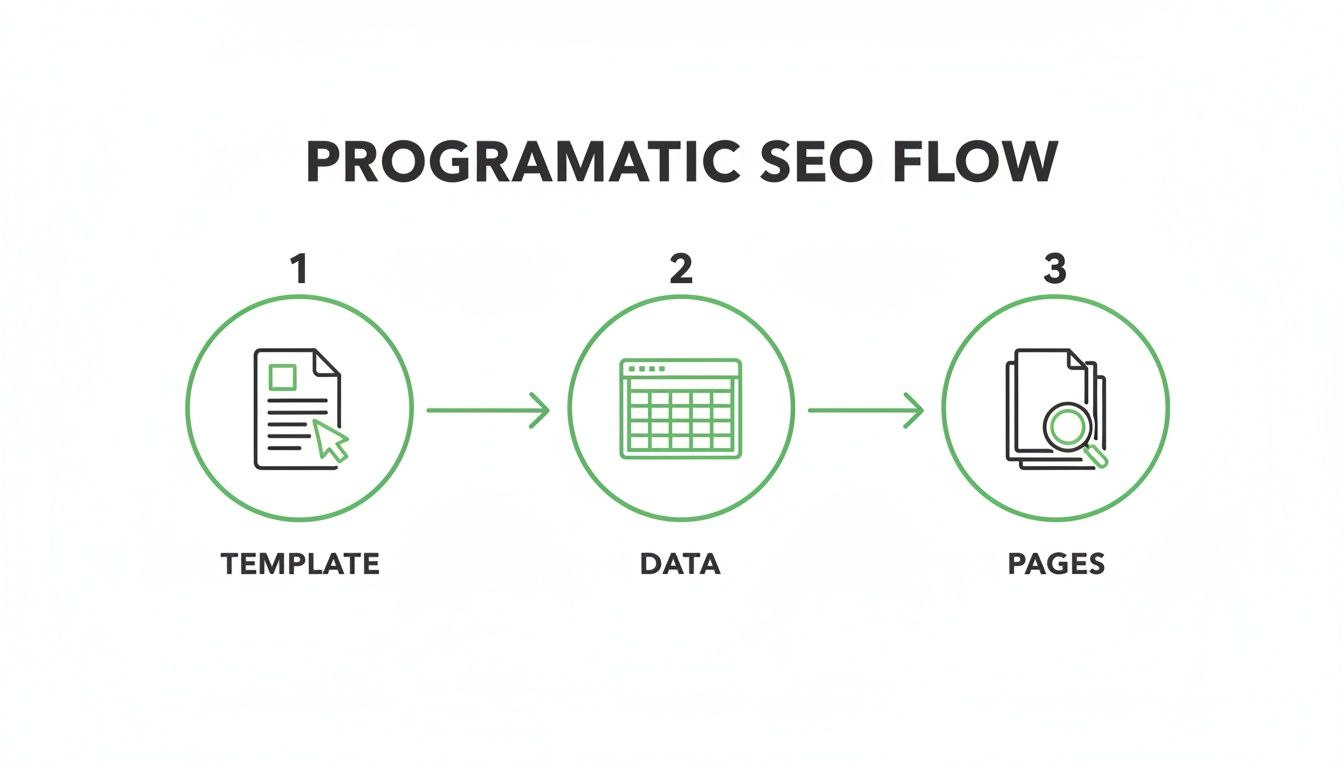
As you can see, programmatic SEO is simply a system of inputs (your template and data) that produces a scalable output (your pages). It's that straightforward.
Step 1: Prepare Your Data in a Spreadsheet
Your data is the fuel. The richer and more organised it is, the more unique and genuinely valuable your final pages will be. You don't need anything fancy here; a simple Google Sheet or Airtable base is perfect.
For our "home cleaning services" example, your spreadsheet columns might look something like this:
- City Name: The main variable (e.g., Manchester, Birmingham, Leeds).
- Unique Selling Point (USP): A specific local hook (e.g., "Eco-friendly products perfect for Manchester's city-centre flats").
- Local Landmark: Something recognisable to ground the content (e.g., "Near the Bullring Shopping Centre").
- Call to Action (CTA) Number: A local phone number for better tracking.
The real goal is to move beyond just swapping a city name. By adding these unique data points for each row, you give ChatGPT the ingredients it needs to create something genuinely different for every page. Nailing down a robust dataset is your first critical step. If you want to go deeper on this, check out our guide on building a pSEO data pipeline.
Step 2: Create Your Master Prompt Template
Once your data is ready, it's time to build your master prompt. Think of this as a highly detailed set of instructions for ChatGPT, packed with placeholders that pull directly from your spreadsheet. These placeholders, like [City Name] or [USP], are where the data for each row will be inserted.
A well-crafted prompt is both a style guide and a task list. It ensures every single piece of content comes out consistent, on-brand, and SEO-ready. It's infinitely more reliable than just winging it with a new, simple instruction for every page.
This isn't just a niche trick anymore; it's becoming standard practice. Around 60% of marketers are already using ChatGPT for content ideation, and 49% are using it to create SEO outlines. This isn't just for fun—it's driving real efficiency. In fact, 25% of organisations report saving between $50,000 and $70,000 annually by folding tools like this into their workflows.
To get started, your master prompt needs a few essential elements to guide the AI effectively.
Core Components Of A Programmatic SEO Prompt
Here’s a breakdown of what every solid master prompt should include to ensure you get consistent, high-quality results every time.
| Component | Purpose | Example Snippet |
|---|---|---|
| Persona & Role | Tells the AI who it should be, defining its expertise and voice. | You are an expert SEO copywriter for a company called 'SparkleClean'. |
| Tone of Voice | Specifies the desired writing style to maintain brand consistency. | Your tone is friendly, professional, and trustworthy. |
| Task Definition | Clearly states the specific output you need. No ambiguity. | Generate the following for me: 1. An SEO Title... 2. A Meta Description... |
| Data Placeholders | Marks where unique data from your spreadsheet should be inserted. | - City Name: [City Name]- USP: [USP] |
| Specific Constraints | Sets clear rules and limitations, like character counts or keywords. | SEO Title (max 60 characters)Meta Description (max 155 characters) |
| Structural Instructions | Guides the format and flow of the output. | `Must end with " |
| Call to Action (CTA) | Ensures a specific, action-oriented phrase is included. | End with a clear call to action like "Get your free quote today!" |
Getting these components right from the start saves a massive amount of time on edits and ensures your programmatic engine runs smoothly.
A Practical Prompt Example You Can Use
Let's put this into practice. Here’s a starter prompt for generating meta titles and descriptions for our cleaning service. Feel free to copy, paste, and adapt this for your own projects.
You are an expert SEO copywriter for a company called 'SparkleClean'. Your tone is friendly, professional, and trustworthy.
Using the data provided below, generate the following for me:
- An SEO Title (max 60 characters)
- A Meta Description (max 155 characters)
Here is the data:
- City Name:
[City Name]- USP:
[USP]- Local Landmark:
[Local Landmark]Instructions for SEO Title:
- Must include
[City Name].- Must include the keywords "Home Cleaning Services".
- Must end with "| SparkleClean".
Instructions for Meta Description:
- Start with a compelling hook.
- Must mention the
[USP].- Include the
[Local Landmark]to add local flavour.- End with a clear call to action like "Get your free quote today!"
Now, when you feed this template the data for your "Birmingham" row, ChatGPT will grab the corresponding USP and landmark to generate perfectly optimised metadata just for that page. Run this for every city in your spreadsheet, and you'll have hundreds of unique, ready-to-use drafts in minutes, not weeks.
Congratulations, you’ve just built your first functional programmatic content engine.
Crafting Prompts for High-Quality Content
Just asking ChatGPT to "write an article about [topic]" is a guaranteed way to get bland, forgettable content. If you want to unlock its real power for programmatic SEO, you need to move beyond simple commands and start giving it highly detailed instructions. This is often called prompt engineering.
Think of it this way: a generic prompt is like asking a chef to "make some food." A well-engineered prompt is like handing them a detailed recipe, complete with ingredients, cooking times, and a photo of the final dish. You get exactly what you want because you left nothing to chance.
The aim here is to generate content that reads as if a human expert wrote it, perfectly matching your brand’s voice and quality standards. This is becoming more important as professionals bake AI into their workflows. While general research makes up 36.8% of its use, specialised tasks like marketing copywriting are on the rise. We're talking about a user base of roughly 803 million people who are forming strong habits with the tool. You can read more about these ChatGPT usage statistics and what they mean for marketers.
Setting the Stage with Voice and Constraints
Before you even think about the content itself, you have to define the AI's persona and the rules of the game. These are the guardrails that ensure consistency across hundreds or thousands of pages.
First, give ChatGPT a role. Don't just tell it to write; tell it who to be.
- Bad prompt:
Write about home cleaning services. - Good prompt:
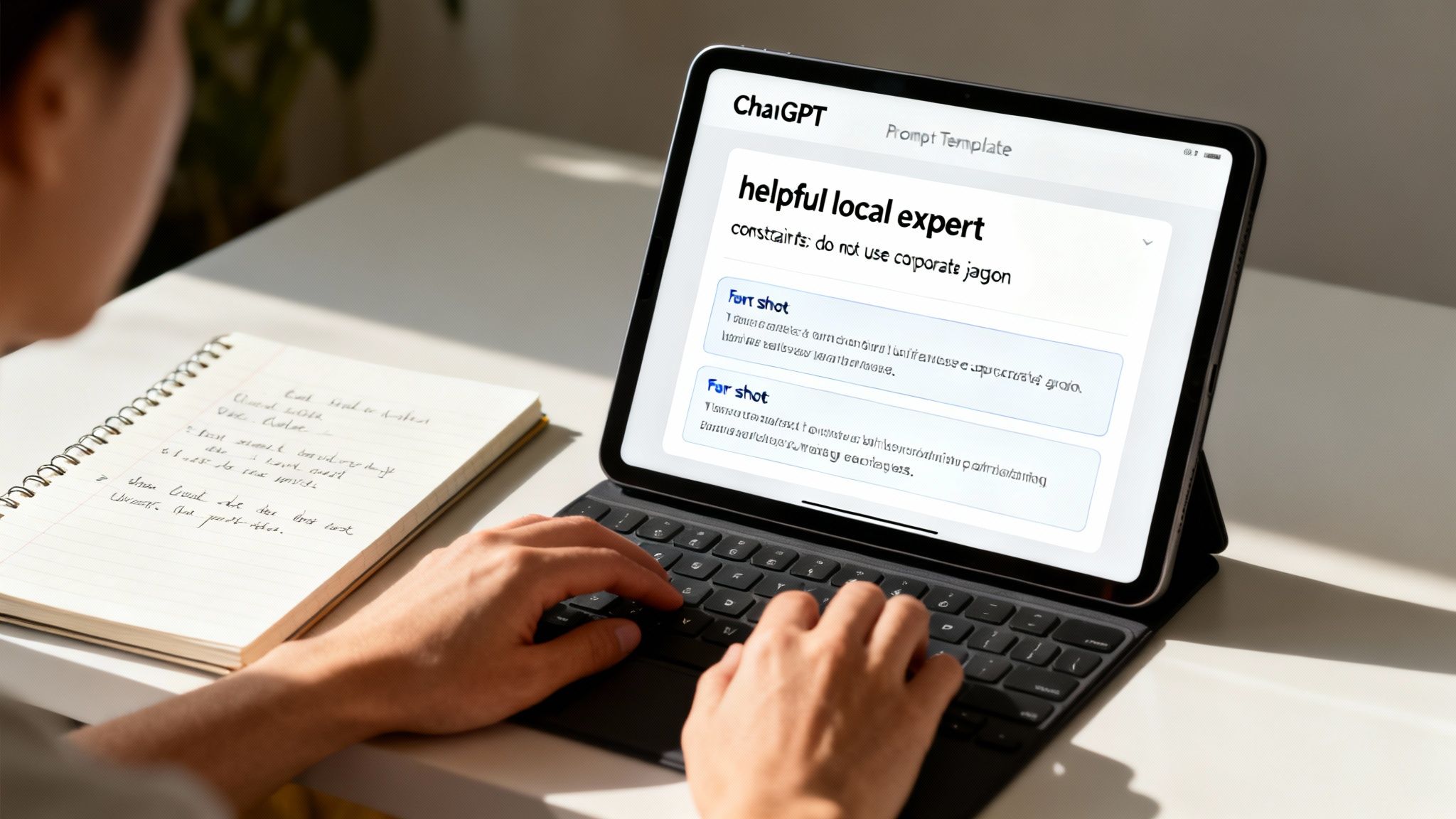
You are a helpful local expert and the friendly voice of 'SparkleClean', a family-owned business. Your tone is reassuring, trustworthy, and professional.
Next, you need to set clear constraints. Tell the AI what not to do. This is critical for preventing it from slipping into generic AI-speak or unhelpful phrases.
Do not use corporate jargon like 'synergy' or 'optimise'.Avoid making specific price promises.Keep all paragraphs to a maximum of three sentences.
These initial instructions form the foundation of your prompt. They establish a consistent brand voice from the outset and prevent common AI writing mistakes, which will save you an enormous amount of editing time later on.
Using Examples to Guide the AI (Few-Shot Prompting)
One of the most powerful techniques is to show, not just tell. By providing ChatGPT with one or two perfect examples of the output you’re looking for, the model learns to mimic that style, structure, and quality.
This is a game-changer for creating nuanced content sections that need to feel unique on every single page, like a compelling introduction or a location-specific value proposition.
Expert Tip: Providing examples trains the AI on your specific requirements in real-time. It's like giving a junior writer a style guide and a completed example to follow—they'll get what you're after much faster.
Let's say you need to generate a unique value proposition for each city your cleaning service operates in. You can bake examples directly into your master prompt.
Example of a "Few-Shot" Prompt Section:
Here are two examples of the kind of unique value proposition I need. Follow this format and tone.
Example 1:For our clients in **Manchester**, we know city-centre living means fighting dust and pollution. That’s why our teams use HEPA-filter vacuums and eco-friendly products, ensuring your apartment isn’t just clean—it's a healthy sanctuary from the urban hustle.
Example 2:In the leafy suburbs of **Cheshire**, our clients value discretion and attention to detail. Our uniformed, background-checked professionals provide a meticulous service that respects your home and privacy, leaving every surface spotless without disrupting your peace.
By providing these examples, you're teaching the AI to connect the [City] variable to a genuine local insight, rather than just mechanically inserting the city's name. For a deeper dive, our guide on AI page content generation prompts offers more advanced templates.
This technique is what transforms your output from cookie-cutter text into content that feels genuinely localized and valuable. It’s the secret to making each programmatic page feel distinct and hand-crafted, even when you're generating them at a massive scale.
The Human Touch: Keeping Quality High
Let’s be honest: using ChatGPT for programmatic SEO can feel like strapping a rocket to your content strategy. It’s incredibly powerful for scaling, but if you don't have guardrails, you’re just creating a high-speed mess. The secret to doing this right isn't about replacing your team; it's about giving them AI-powered speed while keeping a skilled human editor firmly in the driver's seat.
This "human-in-the-loop" model is non-negotiable. Think of your editor as the final quality checkpoint. They’re there to review, fact-check, and add real depth to every single piece of AI-generated content. If you skip this step, you’re not just risking bland, generic articles—you’re risking factual errors that could seriously damage your brand's reputation and sink your search performance.
The E-E-A-T Checklist for AI-Assisted Content
Google's guidelines on quality don't care how you make your content, only that it's good. The E-E-A-T framework—Experience, Expertise, Authoritativeness, and Trustworthiness—should be your north star for turning those AI drafts into genuinely helpful pages.
Your human review process should check for:
- Fact-Checking Everything: ChatGPT is known for "hallucinating"—it can invent facts, statistics, or sources that sound plausible. You have to verify every single claim, data point, or technical detail against reliable sources. No exceptions.
- Injecting First-Hand Experience: This is where a human editor is irreplaceable. An AI can tell you the steps to fix a leaky tap, but it has never actually felt the frustration of getting soaked. Add real anecdotes, personal stories, or unique insights that prove you’ve been there.
- Showcasing Real Expertise: Does the content actually sound like it was written by someone who knows their stuff? Your editor's job is to refine the language, add nuance, and make sure the information isn't just correct, but insightful. This might mean adding quotes from experts or citing original research.
- Building Authority and Trust: Who wrote this? Make sure every article has a clear author byline with a bio that shows off their credentials. Just as important, link out to other reputable, authoritative sources. It shows you’ve done your homework.
Simple Tactics for Building Trust
Beyond the core E-E-A-T framework, a few straightforward strategies can make a huge difference in how trustworthy your programmatic pages feel. The goal is to create something people value, not something that gets flagged as low-effort spam.
Establish Clear Authorship
Especially for sensitive "Your Money or Your Life" (YMYL) topics like finance or health, a named author with a solid bio is a must. Link the author’s name to a dedicated bio page that details their qualifications, experience, and even links to their social profiles. It’s a small thing, but it sends a powerful signal to both Google and your readers that a real expert stands behind the content.
Maintain a Consistent, Helpful Tone
Your prompt engineering should set the stage for a helpful, user-focused tone. But it's during the final edit that you lock it in. Read it aloud. Does the article genuinely sound like it's trying to help someone solve a problem, or does it just sound like it's trying to rank for a keyword? Your readers can tell the difference instantly.
Your AI can generate the body of the article, but a human must provide its soul. The final edit is where you add the unique perspective, credibility, and genuine helpfulness that AI alone cannot replicate.
At the end of the day, using ChatGPT for SEO content is a partnership. The AI gives you a solid first draft at scale, but the human editor provides the critical thinking, lived experience, and final polish that creates something truly helpful. For more structured approaches, you can learn about ensuring content quality at scale in our detailed guide. This combination lets you build a massive library of valuable content without ever sacrificing the quality that builds real trust with your audience.
Real-World Examples: Two Programmatic SEO Blueprints
Theory is one thing, but seeing a strategy in action is where it really clicks. Let’s walk through two practical case studies that show you exactly how to use SEO Chat GPT workflows. Think of these as simple blueprints you can adapt for your own projects.
We’ll start with a classic local business example, then shift gears to building out a massive informational content hub.

Blueprint 1: The Local Landscaping Company
Imagine you're running "EverGreen Landscaping." You want to be the go-to choice in every single town and neighborhood you serve. Creating 50+ unique, high-quality landing pages by hand would be a massive amount of work. With a programmatic approach? It’s a week’s project, tops.
Step 1: Structure the Data in a Spreadsheet
It all starts with a simple spreadsheet. Each row is a future landing page, and every column is a piece of information that will make the page feel genuinely local and specific.
- City: Austin
- Service: Residential Landscaping
- Local Landmark: "near Zilker Park"
- Local Challenge: "managing clay soil and intense summer heat"
- Unique Selling Point (USP): "We specialise in native, drought-resistant plants perfect for the Austin climate."
See what we did there? By including columns like Local Challenge and a tailored USP, you’re feeding ChatGPT the ingredients it needs to create something truly helpful—not just another bland page where "Austin" is swapped in.
Step 2: Craft the Master Prompt Template
Next, you build a master prompt that will process each row of your data. This prompt is your set of instructions for ChatGPT, your recipe for success.
Prompt Snippet Example
You are an expert copywriter for EverGreen Landscaping. Write a 150-word introductory section for our service page targeting **[City]**. Your tone is helpful and professional. Start by acknowledging the unique local challenge of **[Local Challenge]**. Then, explain how **[USP]**. Mention that we serve homeowners **[Local Landmark]**.
Run this with your "Austin" data, and bam—ChatGPT generates a perfectly tailored paragraph that speaks directly to Austin residents about their specific gardening woes. Repeat this for all 50+ locations, and you've just knocked out the core content for your landing pages in minutes.
Blueprint 2: The Dog Food Informational Hub
Now for a completely different project: an informational website. Let’s build a resource hub around "best food for [dog breed]". This kind of project targets thousands of long-tail keywords, pulling in hyper-specific traffic from pet owners who know exactly what they’re looking for.
This is where the scale of the task really highlights the need for efficient content tools. It's no surprise that Germany, for example, accounts for 2.4% of global ChatGPT visits, with users often tackling productivity and research tasks just like this one. You can find more data about how European countries are using ChatGPT on drwebseo.com.
Step 1: Structure the Data in a Spreadsheet
For this project, your spreadsheet needs to be filled with structured data about different dog breeds.
- Dog Breed: Golden Retriever
- Size: Large
- Common Health Issue: "prone to hip dysplasia"
- Energy Level: High
- Ideal Diet Feature: "food rich in glucosamine for joint support"
This structured approach is crucial. It ensures every article you generate is grounded in facts and directly addresses the specific needs of each breed.
Step 2: Craft the Master Prompt Template
The prompt here needs to generate a helpful, well-structured answer, not just a block of text.
Expert Insight: For informational content, structure is everything. Use prompts that ask for specific sections like "Key Nutritional Needs," "Ingredients to Look For," and "Feeding Tips" to create a consistent, easy-to-read format across all pages.
Your prompt would guide ChatGPT to use your data points to write a specific section about dietary needs.
Write a section titled 'Nutritional Needs for a **[Dog Breed]**'. Explain why a diet with **[Ideal Diet Feature]** is important, especially since they are a **[Size]** breed that is **[Common Health Issue]**. Mention their **[Energy Level]** requires quality protein sources.
This turns your raw data into hundreds of useful, SEO-friendly articles. The final human review is still vital for accuracy and adding those E-E-A-T signals, but the heavy lifting of drafting gets done in a tiny fraction of the time. These blueprints prove that programmatic SEO is just a system—and it’s a system that ChatGPT makes more accessible than ever.
Your Top Questions About ChatGPT for SEO, Answered
Whenever you bring a new tool into your workflow, questions are bound to come up. Let’s tackle the most common concerns people have when using ChatGPT for programmatic SEO, so you can move forward with confidence.
Will Google Penalise Me for Using AI Content?
This is the big one, and the answer is surprisingly straightforward: Google cares about quality, not how the content was made. Their issue is with spammy, low-value content, whether a person or an AI created it.
If you're using ChatGPT as an assistant to produce original, helpful, and human-reviewed articles that solve a real problem for the user, you're playing by the rules. The red flag goes up when you start mass-producing unedited, generic articles just to game the search rankings. For a much deeper dive on this, it's worth reading up on handling auto-generated content according to quality guidelines.
How Do I Stop Programmatic Pages from Sounding Repetitive?
Variety is your best friend here. It all starts with your data source. Don't just rely on a city name; enrich your spreadsheet with unique details for each entry. Think local landmarks, common regional challenges, or a surprising local statistic.
Next, you need to build that variety directly into your prompts. Instead of a single, rigid instruction, give ChatGPT options to choose from.
- "Write an opening paragraph using one of these three angles..."
- "Weave in a surprising local fact about [City]..."
- "Vary the call-to-action between 'Get a Quote' and 'Schedule a Visit'..."
And finally, the human review stage is your secret weapon. This is your chance to add that final polish, rephrase an awkward sentence, or inject a quick personal story to make sure every page feels distinct and valuable.
Is the Free Version of ChatGPT Good Enough for This?
Absolutely. You can get started and learn the entire workflow using the free version of ChatGPT. It’s perfect for running small-scale tests, building out your first prompt templates, and getting a feel for the process without spending a penny.
However, once you get serious about a programmatic project, upgrading to a paid plan like ChatGPT Plus or using the API is a massive step up. The paid tiers give you:
- Access to more advanced models (like GPT-4), which tend to produce more nuanced, higher-quality output.
- Fewer usage limits, so you can generate content at a much greater scale without getting cut off.
- API access, which is the real game-changer. This is what lets you automate everything with tools like Zapier or custom scripts.
What Are the Best Tools to Use with ChatGPT?
While you can get incredibly far with just Google Sheets and ChatGPT, a few other tools can seriously level up your process.
SEO platforms like Ahrefs or Semrush are goldmines during the research phase. They'll help you uncover thousands of scalable, long-tail keyword opportunities that are the perfect fuel for a programmatic engine.
For automation, tools like Zapier or Make.com are the glue between your spreadsheet and the ChatGPT API. They let you generate content automatically without writing a line of code. When it's time to publish, WordPress users can lean on plugins like WP All Import to upload hundreds of AI-assisted pages from a single CSV file, closing the loop on the entire workflow.
At Programmatic SEO Hub, we provide the templates, systems, and practical advice you need to master these workflows and scale your content effectively. Explore our free guides and resources to build your own powerful content engine.
Related Articles
Mobile friendly test google: A Practical Guide to Master Mobile SEO
Even though Google’s standalone Mobile-Friendly Test tool is a thing of the past, the principle behind it is more critical than ever. The simple truth is that Google now overwhelmingly uses its...
A Practical Guide to Competitive Analysis Keywords
When we talk about competitive analysis keywords, we're really talking about the search terms that are already making money for your rivals. By digging into these, you uncover their entire...
Landing Pages SEO A Practical Guide to Rank and Convert
When we talk about SEO for landing pages, we're not just talking about general website optimisation. We're getting hyper-specific. This is the art of building and refining standalone pages...