Meta Information Definition: A Clear, Simple SEO Guide
Think of meta information as the digital "cover" of your webpage. Just like a book cover, your meta title and meta description give search engines and potential visitors a sneak peek of what's inside before they ever click. A good one grabs their attention and sums up the story, convincing them it's worth the read.
What Is Meta Information, Really?
Meta information, or metadata, is simply data about data. In the world of websites, it's all the behind-the-scenes information that describes the content on your pages. While your visitors see the articles, images, and videos, search engines like Google see all of that plus this crucial descriptive layer.

Picture a search engine as a gigantic library and your webpages as the books lining its shelves. The librarian (Google) needs a fast way to figure out what each book is about without reading it cover-to-cover every single time. Meta information is that book's catalogue card—it provides a quick, clean summary that helps the librarian organise the collection and point the right person to the right book.
To make this even clearer, let's stick with the book analogy.
Meta Information: The 'Book Cover' of Your Webpage
This table breaks down how each piece of meta information acts like a part of a book's cover, signalling its contents to both people and search algorithms.
| Book Cover Component | Corresponding Meta Information | Its Job for Search Engines & Users |
|---|---|---|
| The Title on the Spine | Meta Title | Tells everyone the main topic at a glance. It’s the first thing people see in search results and what appears in the browser tab. |
| The Blurb on the Back | Meta Description | A short, compelling summary that teases the content, encouraging users to "open the book" and click through to the page. |
| The 'Do Not Touch' Sign | Robots Meta Tag | Instructions for the librarian (search engine), telling them if they can add the book to the public catalogue (index) or follow references inside (follow). |
| The ISBN/Catalogue Info | Structured Data (Schema) | Provides highly organised, specific details like the author, genre, and page count, making it easier for search engines to categorise and feature the content. |
As you can see, each element has a distinct role in making your content understandable and appealing from the outside.
Why Context Is Everything
This whole "data about data" thing isn't just an SEO quirk; it's fundamental to how we make sense of information everywhere. Raw numbers and isolated facts are basically useless without context.
For example, metadata is the backbone of statistical data management across Europe. A number like 3,566,833 means nothing on its own. But add its metadata, and you learn it represents the total number of women in Bulgaria on a specific date. Suddenly, it’s a meaningful statistic. You can see exactly how Eurostat uses metadata to organise complex information to see this in practice.
The same idea applies directly to your website. Without proper meta information, a search engine sees your page as just a jumble of words and images. With it, the engine understands:
- Topic: What is this page actually about?
- Purpose: What will a user get from visiting this page?
- Relevance: Is this page a good answer for what someone is searching for?
Key Takeaway: Meta information isn't just a technical box to tick. It’s a communication tool. It translates what's on your page into a language that search engines can easily understand, categorise, and recommend to users.
Getting a handle on this is your first real step toward effective SEO. For a deeper dive into how this fits into the bigger picture, check out our guide on the core concepts of programmatic SEO. Next up, we’ll break down the specific types of meta information and show you how to use them to get your website seen by more people.
The Most Important Meta Tags for SEO
Now that we've got the big picture—seeing meta information as the 'cover' for our webpages—let's zoom in on the specific elements that actually move the needle in your search performance. While there are dozens of meta tags out there, only a handful directly influence how Google sees and presents your content.
Think of these as the absolute essentials in your SEO toolkit.
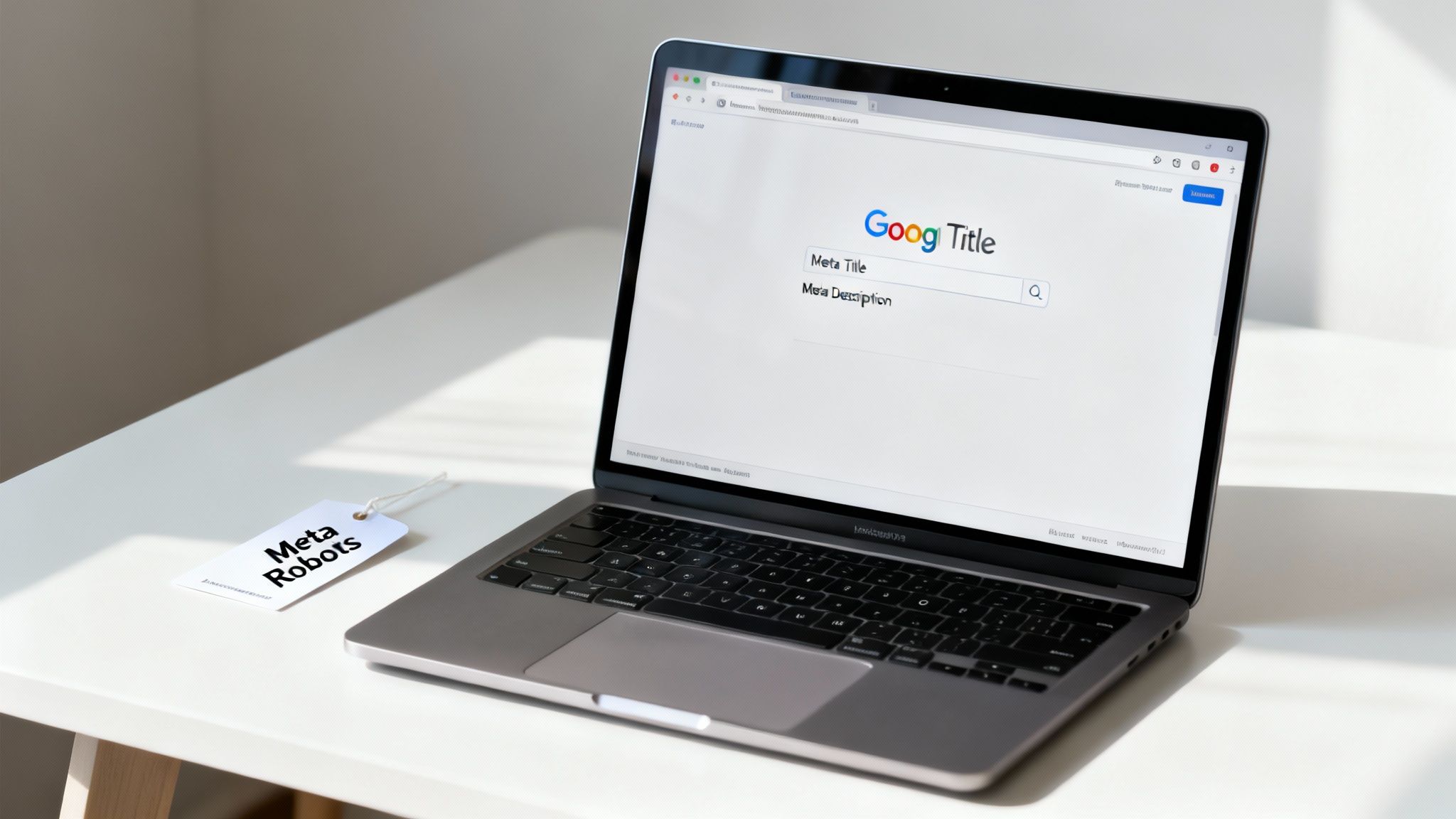
We're going to break down the "Big Three": the Meta Title, the Meta Description, and the Meta Robots tag. Getting their distinct jobs right is fundamental to communicating clearly with search engines and pulling in the right crowd.
The Meta Title: Your Digital Headline
First up, the meta title, also known as the title tag. This is, without a doubt, the single most important piece of meta information for SEO. It’s the clickable blue link everyone sees in the search results and the text that appears in your browser tab.
Its job is simple: tell both people and search engines what your page is about in a clear, snappy way. A well-crafted title tag can seriously boost your click-through rate, because it’s the very first thing a user reads when deciding if your page has the answer they're looking for.
Here’s how it looks in your site's HTML:<title>The Best Meta Information Definition for Beginners</title>
This snippet becomes the main event on the search engine results page (SERP), making it your best shot at grabbing a searcher's attention.
The Meta Description: Your Search Engine Sales Pitch
If the meta title is the headline, the meta description is the short sales pitch that sits right underneath it. It's a quick summary, usually around 155 characters, that builds on the title and gives users a compelling reason to click.
Now, Google has said that meta descriptions aren't a direct ranking factor. But don't let that fool you—they have a massive indirect impact. A great description improves your click-through rate (CTR), and a high CTR sends a strong signal to Google that your page is a fantastic result for that search query. Over time, that can absolutely lead to better rankings.
Here’s the meta description tag in the HTML:<meta name="description" content="A simple guide to understanding meta information. Learn the definition of meta tags, see practical examples, and discover how to improve your SEO.">
Key Insight: Treat your meta description like free ad space on Google. Use an active voice, pop in a call to action (like "Learn more" or "Discover how"), and make sure your main keyword is in there to catch the user's eye.
The Meta Robots Tag: Your Instructions for Search Engines
The meta robots tag works a bit differently. It's completely invisible to users on the SERP, but it gives direct commands to search engine crawlers—the "bots"—on how to treat your page.
This tag tells a search engine two critical things: whether to add the page to its library (index or noindex) and whether to follow the links on that page to find other content (follow or nofollow). These instructions are vital for controlling which parts of your website show up in search results.
index, follow: This is the default. It tells Google, "Show this page in your results and feel free to follow the links on it."noindex, follow: This tells Google, "Don't show this page in search results, but you can still follow its links to discover other pages." This is perfect for things like 'thank you' pages or internal search results that you don't want clogging up the SERPs.noindex, nofollow: This is the most restrictive command. It basically tells Google to ignore the page and all of its links entirely.
The HTML for a robots tag looks like this:<meta name="robots" content="noindex, follow">
To help you keep these straight, here's a quick-reference table summarising the key players and what they do.
Key Meta Tags and Their SEO Impact
| Meta Tag Type | Primary Function | Key Best Practice | Where It's Seen |
|---|---|---|---|
| Meta Title | Defines the page's main topic and acts as the headline in search results. | Keep it under 60 characters. Include the primary keyword near the front. Make it unique and compelling. | Search Results (blue link), Browser Tab |
| Meta Description | Provides a brief summary of the page to entice clicks from the SERP. | Keep it around 155 characters. Include a call-to-action and target keyword. | Search Results (snippet below the title) |
| Meta Robots | Gives instructions to search engine crawlers about indexing and following links. | Use noindex for thin or private pages. Use nofollow for untrusted outbound links. |
Only in the page's HTML <head> section. |
This table covers the essentials you'll need for 99% of your SEO work.
Mastering these three meta tags gives you a huge amount of control over your site's visibility. For those ready to dive even deeper, you can learn more about the technical implementation of meta tags in our more advanced guide.
Next, we'll move beyond these basics and explore how structured data can take your search results from standard to standout.
Going Beyond the Basics with Structured Data
Meta titles and descriptions are your bread and butter for talking to search engines, but there's another layer of meta information that can seriously boost your visibility. This is where structured data comes into play. It lets you give search engines a much richer, more detailed map of your content.
Think of it like this: a meta description tells Google you have a page about a chocolate cake recipe. Structured data, often called Schema markup, provides the entire recipe card. It explicitly tells Google the cooking time is 45 minutes, the calorie count is 300 per serving, and the user rating is a stellar 4.8 stars.
This extra detail allows search engines to show off your page in much more eye-catching ways right there in the search results. These beefed-up listings are called "rich snippets," and they're what make things like star ratings, event dates, or product prices pop up.
What Is Structured Data in Practice?
Structured data is essentially a standardised vocabulary you add to your page’s HTML. You’re not just telling Google about your content; you're slapping labels on specific pieces of it so its computers can understand the context perfectly.
Instead of just hoping Google figures out that "€25" is a price, you use structured data to explicitly state: "This is the price, and the currency is Euros." It completely removes the guesswork for the search engine and dramatically improves how it can feature your content.
Key Takeaway: Structured data turns your page from a flat document into a neat, organised database that search engines can read in a heartbeat. This clarity is the engine behind rich snippets, giving your page a real competitive edge in the search results.
How Rich Snippets Drive Clicks
The most obvious win from using structured data is earning those coveted rich snippets. These enhanced search results just give people more information at a glance, making them far more tempting to click.
You’ve definitely seen these around:
- Review Snippets: Flash those star ratings and review counts right under your title. It's an instant trust signal for products, recipes, or local businesses.
- Product Snippets: Show key details like price, availability, and brand, helping shoppers make a decision before they even click.
- FAQ Snippets: Create a dropdown accordion of common questions and answers directly on the search results page. This takes up more screen real estate and immediately positions you as an authority.
Because rich snippets are more visually engaging and informative, they can lead to a much higher click-through rate (CTR)—even if your page isn't sitting in the number one spot. If you're ready to dive in, you can learn more about the specifics of implementing Schema markup for SEO in our detailed guide.
Controlling Your Social Media Appearance
Beyond search engines, another type of meta information helps you manage how your content looks when it gets shared on platforms like Facebook, X (formerly Twitter), or LinkedIn. This is all handled with social meta tags, and the most common standard is the Open Graph protocol.
Open Graph tags let you dictate the exact title, description, and image that should show up when someone posts your link.
Without them, the platform just takes a wild guess, often grabbing the wrong image or a clunky bit of text. By setting these tags, you're basically creating a custom "business card" for your content on social media. It ensures every single share is polished, on-brand, and designed to get that click. This kind of consistency is crucial for building brand recognition and driving traffic back from your social channels.
How to Create Meta Information at Scale Using AI
Let’s get practical. Manually writing unique meta titles and descriptions for hundreds or thousands of pages is a nightmare. It’s slow, tedious, and rarely gets done right. This is where programmatic SEO, powered by AI, completely changes the game. You can generate high-quality, optimised meta information for your entire website in minutes.
The idea is simple: you use an AI tool, like ChatGPT, as a super-smart assistant. You give it your data (like product names and features from a spreadsheet) and a clear set of instructions. The AI then writes compelling meta tags for you, perfectly matching your brand voice and SEO goals.
This isn’t about replacing humans; it’s about automating the repetitive work so you can focus on strategy. Understanding how to set up an AI-powered content creation workflow is key to getting consistent, high-quality results every time.
Step 1: Get Your Data Ready
First, you need your data. This is the raw material the AI will work with. The easiest way to organize this is in a simple spreadsheet (like Google Sheets or Excel).
Imagine you run an online store that sells coffee. Your spreadsheet might have columns like Coffee Name, Origin, Tasting Note 1, and Roast Level. This structured data is the fuel for your AI.
Step 2: Write a Great Prompt
The "prompt" is the instruction you give the AI. This is the most important part. A good prompt tells the AI exactly what you want, leaving no room for confusion. Think of it as a detailed creative brief for your AI copywriter.
Here’s a practical, copy-and-paste prompt template you can use in a tool like ChatGPT.
AI Prompt Template:
Your Role: You are an expert SEO copywriter for a premium coffee brand. Your tone is [insert your brand voice, e.g., "warm and inviting"]. Your goal is to write meta tags that make people want to click and try our coffee.
Your Task: For each coffee I list below, generate one unique Meta Title and one unique Meta Description.
Meta Title Rules:
- Keep it between 50-60 characters.
- Use this format: [Coffee Name] - [Roast Level] Roast | [Your Brand Name]
Meta Description Rules:
- Keep it between 140-155 characters.
- Start by mentioning the [Coffee Name] and its [Origin].
- Highlight [Tasting Note 1].
- End with a friendly call to action like "Discover your new favorite brew" or "Order a bag today."
- Don’t sound robotic. Vary your sentences.
Here is the data:
[Now, just copy and paste the rows from your spreadsheet here]
This prompt gives the AI clear rules (character counts), a specific format to follow, and brand voice guidelines. You can adapt this for any business, whether you sell software, real estate, or dog toys. For more examples, check out this ready-to-use meta description generator prompt.
This simple process lets you create thousands of optimized meta tags without the manual grind, freeing you up to focus on the bigger picture.
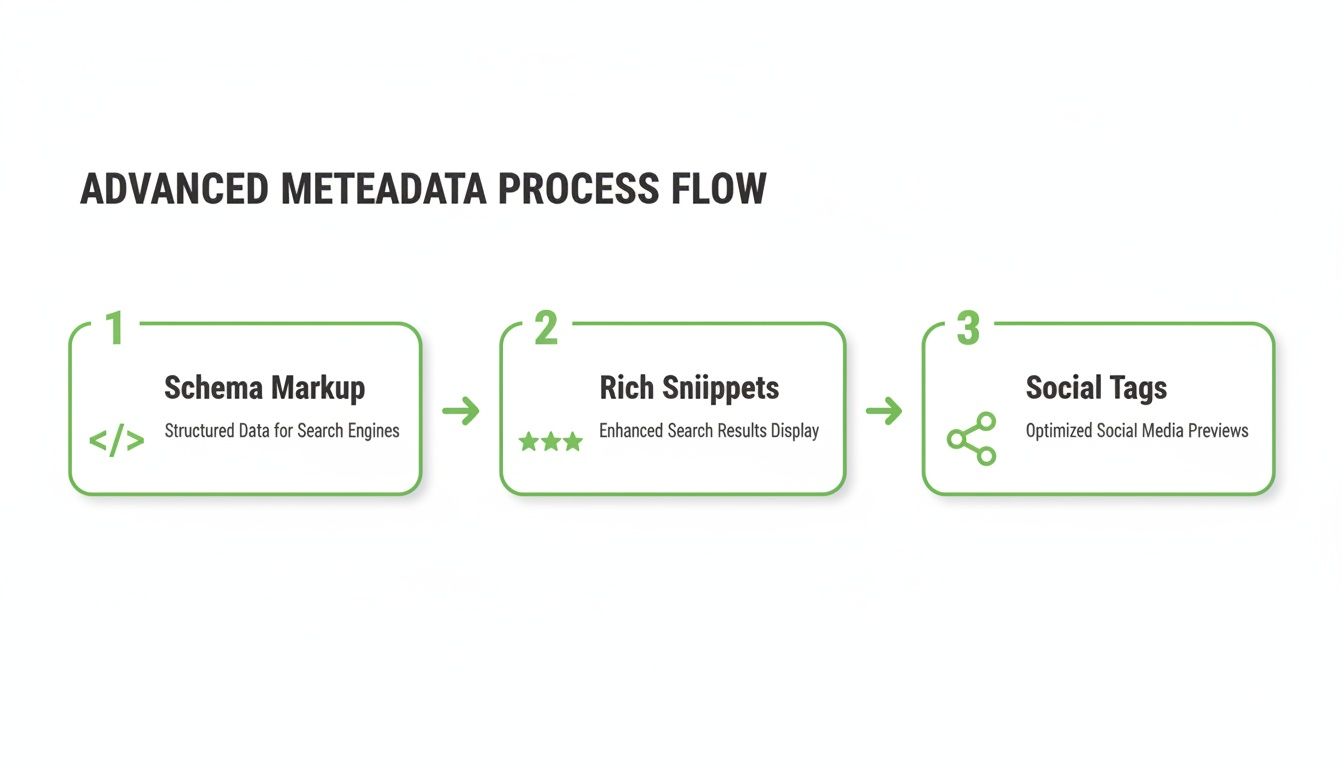
As you can see, this workflow can be expanded to include other metadata like schema markup, which helps you get those eye-catching rich snippets and ensures your content looks polished when shared on social media.
Common Meta Information Mistakes to Avoid
You can have a perfectly crafted website, but if the meta information is a mess, it’s going to struggle. Simple mistakes here are like giving search engines a blurry map—they might get lost, or worse, just ignore your pages completely. Knowing what good meta information looks like is one thing; actually sidestepping the common pitfalls is what makes it work.

The good news is that most of these errors are easy to make but also surprisingly simple to fix once you know what to look for. Let's walk through the most frequent and damaging mistakes so you can spot and correct them on your own site.
The Problem of Duplicate Content
One of the most common blunders is slapping the same meta title or description across multiple pages. This just confuses Google. It makes it incredibly difficult for the search engine to figure out what makes each page unique. If all your "book covers" look the same, how can it recommend the right one?
- Don't Do This: Using a generic title like "Our Products | Your Brand Name" for every single product page.
- Do This Instead: Craft a unique, descriptive title for each one, such as "Handcrafted Leather Wallet | Your Brand Name." This immediately tells everyone what the page is about.
Making each title and description unique is just fundamental stuff. Honestly, if you're tight on time, it’s better to have no meta description and let Google generate one than to use duplicate content.
Ignoring Character Limits
Search engine results pages (SERPs) are prime real estate with limited space. If your meta titles and descriptions are too long, they'll get unceremoniously chopped off, often mid-sentence. Not only does this look unprofessional, but it can hide the most persuasive part of your message or your call to action.
Rule of Thumb: Keep meta titles under 60 characters and meta descriptions around 155 characters. This gives you the best shot at having your full message displayed, maximising its impact on potential visitors.
Getting truncated can absolutely kill your click-through rate. An incomplete sentence doesn't deliver the compelling promise that gets a user to click your link instead of a competitor's.
Mismatching Content and Meta Tags
Your meta information sets an expectation. If someone clicks a link promising a "Beginner's Guide to SEO" but lands on a hard-sell page for consulting services, they’re going to hit the back button instantly. That behaviour, known as a bounce, is a huge negative signal to search engines.
It tells Google your page failed to satisfy the user's intent, which will damage your rankings over time.
- Don't Do This: Writing a clickbait-style description that exaggerates or completely misrepresents what's actually on the page.
- Do This Instead: Make sure your meta description is an honest, accurate summary of what people will find. This builds trust and, more importantly, attracts the right audience.
By sidestepping these common blunders, you’re ensuring your carefully crafted meta information can actually do its job: guiding both search engines and real people to your valuable content.
Why Your Meta Information Is Now Critical for AI Search
With search engines weaving AI-driven summaries and conversational answers directly into their results, your website's meta information has suddenly become more important than ever. It's no longer just about grabbing a user's attention on a results page. Your carefully crafted meta tags are now direct training data for the AI models powering modern search.
Think of it like this: if an AI is a researcher tasked with summarising the internet, your meta information is the abstract it reads first. Clear, concise, and accurate metadata gives the AI a reliable shortcut to understanding your content's context, purpose, and value. This makes your page a prime candidate to be featured in those AI-generated answers and overviews.
Feeding the AI High-Quality Signals
A page with vague or missing meta information is like a book with a blank cover. The AI has to work much harder to figure out what’s inside, which dramatically increases the risk of it getting things wrong. In contrast, well-optimised meta tags provide clean, structured signals that an AI can process efficiently.
This isn't some brand-new concept; it's about treating data with precision. For instance, the European statistical community long ago established mandatory frameworks like the European Statistics Code of Practice. The code insists that data must always be supported by metadata because information without context is incomplete. Just as statisticians need that context, so do search AIs.
Key Takeaway: By optimising your meta information for traditional SEO, you are simultaneously future-proofing your content for the next generation of AI search. You're not just speaking to algorithms; you're teaching the AI what your content is about and why it matters.
Practical Steps for AI-Ready Meta Information
Getting your meta information ready for an AI-driven world doesn’t mean you need a radical new strategy. It’s about doubling down on the fundamentals and prioritising absolute clarity and relevance.
Your goal is to make it incredibly easy for both humans and AI to understand what your page delivers. Mastering modern search means understanding how AI influences the algorithms. This is true everywhere, from Google to other platforms; a comprehensive guide on leveraging AI in SEO on Amazon, for example, shows just how deeply this is changing e-commerce.
Here are three core principles to follow:
- Be Explicit: Clearly state the page's main topic and the benefit to the user in your title and description. Cut the vague language.
- Stay Accurate: Make sure your meta tags perfectly reflect the on-page content. A mismatch is a major red flag for both users and AI.
- Embrace Structure: Use structured data (Schema) to explicitly label key information like prices, ratings, or event dates. This gives the AI a perfectly organised dataset to work with.
Following these best practices ensures your website remains a trusted and visible source in a rapidly evolving search landscape. This proactive approach is the very heart of what's now known as Generative Engine Optimisation. You can learn more about this by exploring our guide to GEO fundamentals.
Frequently Asked Questions About Meta Information
Alright, we’ve walked through the what, why, and how of meta information. But theory is one thing, and practice is another. Let's tackle some of the most common, real-world questions that come up when you're in the trenches, trying to get this stuff right.
Can I Use the Same Meta Description on Multiple Pages?
In a word: no. Please don't do this. Reusing the same meta description across multiple pages is more than just a missed opportunity—it's actively unhelpful.
Think of it like this: if every book in a library had the exact same summary on its back cover, you'd have no idea which one to pick up. It would be useless. The same goes for your web pages.
Every page has a unique job to do, a unique story to tell. Your meta description is your one shot to pitch that specific page's value to someone scrolling through search results. Writing a unique description for every important page isn’t just a nice-to-have; it's a cornerstone of good SEO. If you're really pressed for time, you're better off leaving the description blank and letting Google take a guess than pasting in a duplicate.
How Often Should I Update My Meta Information?
There’s no magic schedule here, like "the first Tuesday of every month." Instead, think of your meta information as a living, breathing part of your content strategy that should evolve when needed.
It's time for a refresh when:
- You've overhauled the page content: If you've rewritten an article or added a bunch of new features to a product page, your meta description needs to reflect that. Keep it honest.
- The click-through rate (CTR) is in the gutter: Is your page ranking on page one but getting almost no clicks? That's a huge red flag. Your title and description are probably failing to connect with searchers, and a rewrite could be a massive, quick win.
- Your brand messaging has changed: Your meta tags are a reflection of your brand. Make sure they align with your current voice, tone, and the value you're promising customers.
Pro Tip: Get into the habit of checking your top pages in Google Search Console. If you spot a page with high impressions but a painfully low CTR, the first thing you should do is experiment with its meta information.
Do Keywords in the Meta Description Still Matter for Ranking?
This is a classic point of confusion, so let's clear it up. Officially, Google has said that keywords in your meta description are not a direct ranking factor. Jamming a bunch of keywords in there won't magically push you up the results.
But—and this is a big but—they are still incredibly important for getting people to click.
When a person's search query includes words that are also in your meta description, Google often bolds them. This simple visual cue makes your listing pop off the page and instantly signals to the searcher, "Hey, this page has what you're looking for!"
So, while keywords in the description don't directly boost your rank, they have a massive impact on your click-through rate. And a higher CTR tells Google that your page is a great answer for that query, which can absolutely have a positive, indirect effect on your rankings over time.
At Programmatic SEO Hub, we provide the educational resources and toolkits you need to master scalable SEO in an AI-driven world. Explore our guides and templates to future-proof your content strategy at https://programmatic-seo-hub.com/en.
Related Articles
Mobile friendly test google: A Practical Guide to Master Mobile SEO
Even though Google’s standalone Mobile-Friendly Test tool is a thing of the past, the principle behind it is more critical than ever. The simple truth is that Google now overwhelmingly uses its...
A Practical Guide to Competitive Analysis Keywords
When we talk about competitive analysis keywords, we're really talking about the search terms that are already making money for your rivals. By digging into these, you uncover their entire...
Landing Pages SEO A Practical Guide to Rank and Convert
When we talk about SEO for landing pages, we're not just talking about general website optimisation. We're getting hyper-specific. This is the art of building and refining standalone pages...