A Practical Site Audit SEO Guide for Real Results
A site audit for SEO is just a health check for your website. Think of it like a doctor's check-up: it helps you find and fix the hidden problems that are stopping you from getting more visitors from search engines like Google. It’s the essential first step before you try any other SEO strategy. Get this right, and everything else you do will work much better.
Why a Site Audit Is Your SEO Starting Point
Imagine your website is a car. You wouldn't enter a race without checking the engine, tires, and fuel. It's the same with SEO. Starting a new content plan or advertising campaign without a site audit is like racing with a flat tire—you'll put in a lot of effort but won't get very far.
An audit removes the guesswork. It shows you exactly what's wrong by systematically uncovering technical glitches, content gaps, and other issues holding you back.

Uncovering the Hidden Roadblocks
Many people get stuck creating more and more content, but often, the biggest improvements come from fixing what you already have. A good audit highlights these critical problems before they cause real damage.
Here are a few common issues an audit will uncover:
- Crawlability Problems: This is the most basic thing. Can search engines like Google even find your pages? If they can't "crawl" your site, they can't show it in search results. It’s that simple.
- Indexability Errors: So, Google found your pages, but can it add them to its huge library (its "index")? If a page isn't indexed, it's completely invisible to searchers.
- Poor User Experience: Things like slow-loading pages or a confusing website layout don't just annoy your visitors; they also tell search engines that your site isn't very good.
- Content Weaknesses: An audit will flag pages with thin, duplicated, or irrelevant content that doesn't help users. This kind of content can actually hurt your site's reputation with Google.
Before we dive deeper, let's look at the key parts of an effective audit. These are the areas you absolutely need to check.
Core Components of a Comprehensive SEO Audit
Here’s a quick look at the main areas a thorough site audit SEO process should cover to make sure you don’t miss anything important.
| Audit Area | What It Checks | Why It Matters for SEO |
|---|---|---|
| Technical SEO Health | If Google can find your site, how fast it is, if it works on phones, and its structure. | This is the foundation. If search engines can't access your site correctly, nothing else matters. |
| On-Page SEO | Page titles, descriptions, headings, internal links, and keyword use. | This makes sure your individual pages are set up to appear for the right searches. |
| Content Quality | Thin/duplicate content, relevance to topics, and if it's helpful and trustworthy. | High-quality, valuable content is what answers user questions and earns high rankings. |
| Backlink Profile | The quality and number of other sites linking to you, and whether any are spammy. | Links from other sites are a major signal to search engines that your site is trustworthy. |
Checking these areas one by one ensures you're not just fixing small problems but building a strong and competitive website.
The Competitive Edge in a Crowded Market
In today's digital world, having a technically solid and user-friendly website isn't a bonus; it's a basic requirement. Take the German market, for example. With a huge 93.5% internet penetration rate, you're competing for the attention of nearly 78.9 million online users. That's a lot of competition.
And since Google has a massive 87.24% search market share there, following its technical rules is essential. You can get a better sense of the landscape from these Germany-focused findings.
A site audit isn't just a task to check off a list; it's the most powerful thing you can do for long-term SEO success. It gives you a clear, prioritized to-do list of exactly what to fix to get the biggest boost in traffic and rankings.
Ultimately, running a regular site audit for SEO isn't about finding mistakes. It's about building a stronger, faster, and more effective website that pleases both your visitors and search engines. It sets you up for success in all your other marketing efforts.
Your Practical Technical SEO Checklist
Technical SEO can sound complicated, but it’s really just about making sure search engines can find, read, and understand your website without any trouble. Think of it as checking the foundations of a house—if they aren't solid, anything you build on top is at risk. Let's walk through the most important checks you can do yourself.
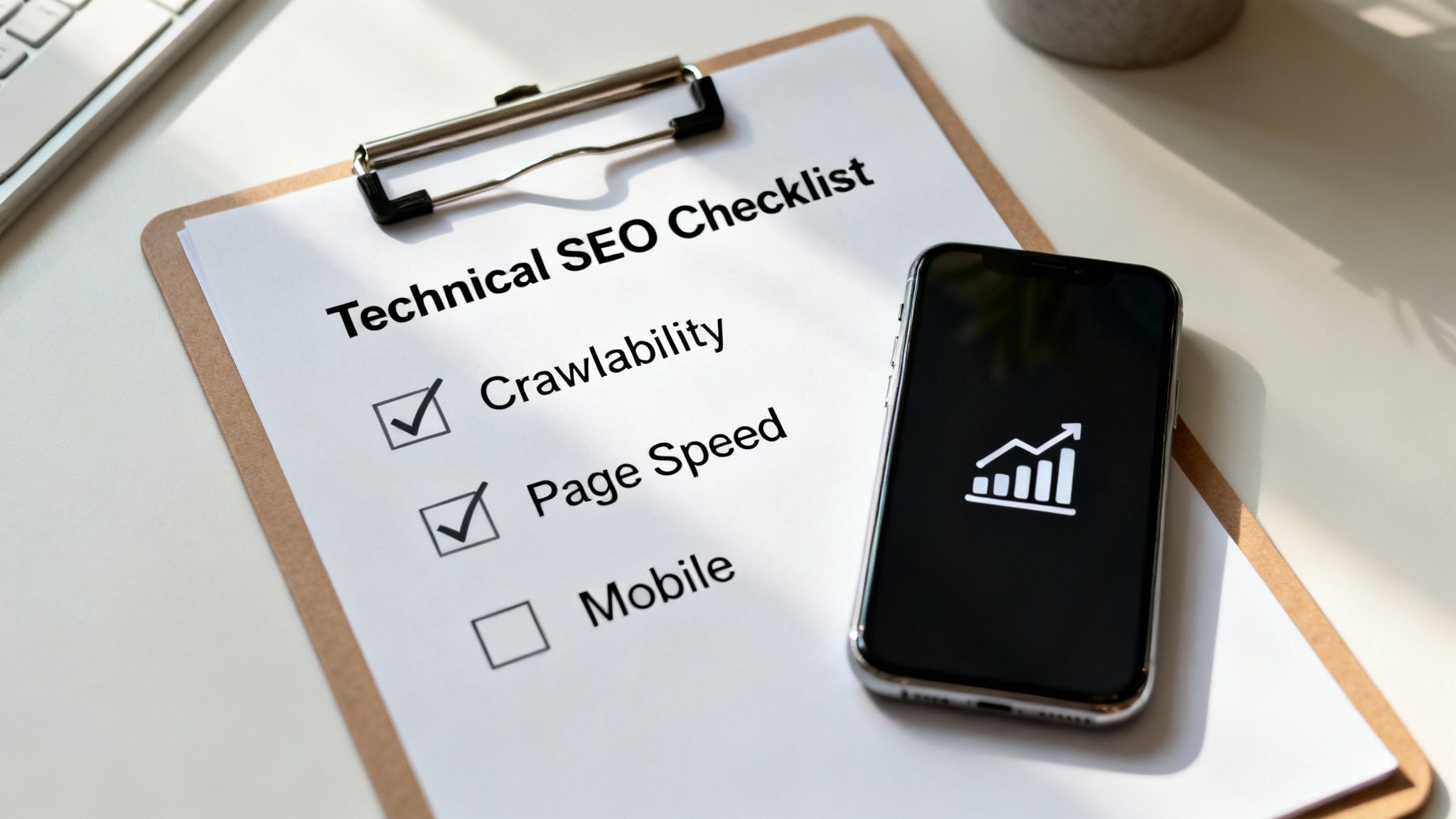
Getting these basics right is crucial. The German SEO market alone is projected to hit USD 9.8 billion by 2030, but many sites fail on the fundamentals. A recent report found that a surprising 15% of sites don't even have a proper sitemap (a map for search engines), and 17% have broken redirects that waste Google's time. You can see more on this from these German market insights.
Can Search Engines Find Your Pages?
The very first step in any site audit seo is checking crawlability and indexability. In simple terms: can Google’s bots access your site, and are you allowing them to add your pages to their search results?
Your best friend for this is the free tool Google Search Console. Once you've set it up, go to the "Pages" report. This dashboard is a goldmine. It tells you which of your pages are in Google's index and, more importantly, which ones aren't, and why.
You'll quickly spot common problems:
- "Blocked by robots.txt": This means you’ve accidentally put up a "Do Not Enter" sign for search engines.
- "Noindex tag": There’s a piece of code on a page telling Google not to add it to its library.
- "Not found (404)": The page doesn't exist anymore. This is sometimes okay, but you need to check if important pages are showing this error by mistake.
Fixing these is often a huge, quick win. Pages that were invisible can suddenly start appearing in search results.
Are You Sending Clear Signals?
Redirects are like mail forwarding for websites. They send users and search bots from an old address to a new one. But if you create long chains of redirects (like Page A sends you to Page B, which then sends you to Page C), you confuse search engines and waste their time.
Similarly, duplicate content can be a problem. This happens when the same page exists at multiple addresses (like http://, https://, www., and non-www.). You need to tell Google which one is the main version, or the "canonical" one. This guide on how to properly implement canonical tags is a great resource if you want to learn more.
The goal is simple: have one main, secure (HTTPS) version for every page. All other versions should automatically forward to it. This creates a clean, simple structure that search engines understand easily.
How Fast Is Your User Experience?
Page speed isn't just a technical detail; it directly affects how much people enjoy using your site. Google has a set of measurements for this called Core Web Vitals. You don't need to be a developer to understand them.
Here's the simple breakdown:
- Largest Contentful Paint (LCP): How fast does the main thing on the screen (like a big image or block of text) appear?
- Interaction to Next Paint (INP): When someone clicks a button, how quickly does the page react? Is it instant or does it lag?
- Cumulative Layout Shift (CLS): Does the page content jump around as it loads, causing you to accidentally click the wrong thing?
You can test any page for free with Google's PageSpeed Insights tool. It gives you a score and specific suggestions like "compress your images" or "reduce unused code." Just making your images smaller can often give you a big speed boost.
Is Your Site Built for Mobile?
Google now uses "mobile-first indexing," which means it looks at the mobile version of your site first when deciding how to rank it. Your site absolutely must work perfectly on a phone.
It's not complicated. Just ask yourself:
- Can I read the text without pinching to zoom in?
- Are the buttons big enough to tap easily with my thumb?
- Do I have to scroll sideways to see everything?
A "responsive" design that works on any screen size isn't a luxury anymore; it's a necessity. Fixing mobile usability problems during your site audit seo can lead to quick improvements by making both your users and Google happy.
Analysing Your Content and On-Page SEO
Once your technical foundation is solid, it's time to look at your content. A technically perfect website with weak or unhelpful content is like a fancy store with empty shelves—it won't attract anyone.
This part of your site audit seo focuses on what your audience actually sees and reads. It's the heart of your SEO—the part that answers questions, solves problems, and earns trust. But not all content is helpful. Some pages might even be hurting your rankings.

Finding Your Weakest Links
First, you need to find the pages that are weighing your site down. We're looking for common problems that hurt your site's authority and don't help users.
These problem pages usually fall into a few categories:
- Thin Content: Pages with very little text that don't cover a topic well. Think of a product page with just a picture and a price, or a 200-word blog post.
- Duplicate Content: The exact same, or very similar, content appearing on multiple pages. This confuses search engines about which page to show.
- Underperforming Content: These are "zombie pages"—they get almost no visitors from Google and serve no real purpose.
A quick way to find these is to go into Google Analytics or Google Search Console and sort your pages by organic traffic. The pages at the bottom of the list are the first ones you should look at.
A Practical On-Page SEO Checklist
On-page SEO is about fine-tuning individual page elements to make them clear for both people and search engines. As you do your audit, check your most important pages against this simple list.
- Title Tags: Is your main keyword near the beginning? Is the title interesting and under 60 characters so it doesn't get cut off in search results?
- Meta Descriptions: Does it accurately describe the page? This is your ad in the search results—a good one gets more clicks.
- Headings (H1, H2, H3): Is there one clear H1 heading? Are subheadings used to break up the content and make it easy to skim?
- Internal Linking: Are you linking to other relevant pages on your own site? This helps users and search engines find more of your content.
A common mistake is writing for robots instead of people. Your titles and headings should sound natural. If it reads awkwardly just to fit in a keyword, you've gone too far.
Evaluating Content That Actually Connects
Beyond the technical checks, you have to be honest about whether your content is truly helpful. Search engines are getting very good at telling the difference between content that solves a person's problem and content that just fills a page.
Ask yourself these questions for each key page:
- Does this page completely answer the question a searcher would have?
- Is the information accurate and up-to-date?
- Does it offer something unique—like new data, an expert opinion, or a different perspective?
A page that just repeats what the top ten results already say is unlikely to ever rank well. Your goal is to provide the best answer, not just another one. When you focus on creating valuable resources, many of the important content quality signals that search engines look for will naturally follow.
Uncovering What Your Competitors Know
A powerful part of any content audit is a "content gap analysis." This is just a simple way of finding important keywords that your competitors rank for, but you don't. It gives you a ready-made list of new content ideas.
Imagine you sell eco-friendly cleaning supplies. You might see a competitor ranking for "DIY natural all-purpose cleaner." If you don't have an article about that, you've just found a content gap.
Tools like Ahrefs or Semrush make this easy. You enter your website, add a few competitors, and the tool gives you a list of keywords they rank for that you don't. This isn't about copying them. It’s about finding topics your audience cares about so you can create an even better resource. Filling these gaps is how you systematically grow your site's authority.
How to Review Backlinks and Site Authority
A perfect site with great content is a good start, but without authority, it's like an expert talking to an empty room. Backlinks—links from other websites to yours—are how you build authority online. Think of them as votes of confidence. The more high-quality votes you get, the more search engines will trust your website.
Auditing your backlinks is a crucial part of any serious site audit seo. It's not just about counting links. It’s about understanding their quality and who is recommending you.
Differentiating Good Links from Bad Links
Let's be clear: not all backlinks are equal. A single link from a respected industry website can be worth more than hundreds of low-quality links from spammy sites.
On the other hand, "toxic" links from irrelevant or untrustworthy sites can actually hurt your rankings. Finding and dealing with these harmful links is essential.
Here’s a quick way to tell the difference:
- High-Quality Links: Come from trustworthy, relevant websites in your field that have a real audience.
- Low-Quality Links: Come from spammy blog comments, random forums, or sites built only to manipulate search rankings.
Your goal isn't to get the most links. It's to earn the most authoritative and relevant links. Quality always beats quantity.
Using Tools to Analyse Your Backlink Profile
Checking every link manually is impossible. This is where tools like Ahrefs and Semrush are essential. They constantly crawl the web and give you a detailed report on who is linking to you.
When you enter your domain into one of these tools, you'll see a lot of data. Don't get overwhelmed. To start, just focus on these key things:
- Referring Domains: This is the number of different websites linking to you. It's almost always better to have 100 links from 100 different sites than 100 links from just one site.
- Authority Score: The tools have different names for this (Domain Rating, Authority Score), but it’s an estimate of your site's overall authority on a 0-100 scale. Use it as a benchmark to track your progress.
- Anchor Text: This is the clickable text in a link. A natural profile has a mix of your brand name (e.g., "Programmatic SEO Hub"), the URL itself, and some keyword-focused text.
For a deeper look at how these signals work, you can explore the core concepts of backlinks in our fundamentals guide.
Spotting Competitor Opportunities
Here's where a backlink audit gets fun: spying on your competitors. By looking at who links to them, you can discover their strategy for building authority.
Look for patterns. Do they get mentioned in industry news? Do they publish original research that others cite? Which websites do they write guest posts for?
Tools like Semrush’s Backlink Gap feature are perfect for this. It shows you websites that link to several of your competitors but not to you. If a site has already linked to three of your rivals, they're clearly interested in your topic. This gives you a warm lead for reaching out and trying to get a link for yourself.
This simple tactic turns your site audit seo from a clean-up task into a proactive growth strategy.
Building a Scalable Audit System for Growth
A single site audit gives you a great snapshot in time. But its real power comes when you make it a regular, ongoing process.
For any business serious about growth, moving from occasional manual checks to an automated, scalable system is essential for staying ahead. This is how you shift from just finding problems to proactively preventing them.
Moving Beyond Manual Checks
The idea is simple: let technology handle the boring, repetitive work so you can focus on strategy. You don’t need to be a programmer to start automating your site audit seo process. Most modern SEO tools have built-in alerts that can act as your early warning system.
Imagine getting an email the moment an important page breaks (a 404 error), or when your traffic suddenly drops. This proactive approach means you can fix big issues in minutes, not weeks.
For example, you can set up a tool to automatically check your most important pages every week for:
- Unexpected changes to titles or descriptions.
- New pages being accidentally blocked from Google.
- A sudden slowdown in page load times.
This kind of automation acts like a smoke alarm for your website's health, giving you peace of mind.
Prioritising Fixes with an Impact vs Effort Matrix
Once your automated system starts finding issues, you’ll have a new challenge: what do you fix first?
Not all SEO problems are equally important. Fixing a typo has a very different impact than fixing a site-wide indexing problem. This is where a simple prioritization grid helps.
An Impact vs Effort Matrix is a simple way to organize your to-do list. You just place each task on a grid based on how much effort it will take versus how much positive impact it will have.
This grid helps you avoid wasting hours on small tweaks while big opportunities are ignored. It turns a long, scary list of "errors" into a clear, actionable plan.
Prioritisation Matrix for SEO Audit Findings
Here's a simple framework to help you decide which SEO issues to tackle first based on their potential impact and the effort required to fix them.
| Priority | Impact | Effort | Example Fixes |
|---|---|---|---|
| Quick Wins | High | Low | Updating titles on key pages, fixing important broken links. |
| Major Projects | High | High | A complete website redesign, overhauling your site's structure. |
| Fill-ins | Low | Low | Correcting minor typos, adding alt text to a few images. |
| Thankless Tasks | Low | High | Manually redesigning every old blog post for a minor visual change. |
By always focusing on the "Quick Wins" and "Major Projects," you ensure your team is working on changes that actually make a difference. This is the core of a scalable site audit seo system.
How AI Can Help You Do SEO at Scale (Without Being Technical)
Don't let the term "AI" scare you. In this context, it just means using smart tools to handle tasks that would be impossible to do manually, especially for large websites. This is the heart of programmatic SEO: using data and automation to create and manage hundreds or thousands of pages efficiently.
Here’s a practical, non-technical way to think about it:
- Find the Pattern: Identify a type of page you could create many versions of. For example, a real estate site could have a page for "3-bedroom homes for sale in [City Name]." The [City Name] is the variable.
- Gather Your Data: You'll need a spreadsheet with all your variables. In our example, this would be a simple list of cities: New York, Los Angeles, Chicago, etc. You could also add columns for average price or neighborhood.
- Create a Template: Design one master page template. It would have placeholders like
<h1>3-Bedroom Homes for Sale in {{CITY}}</h1>and{{AVERAGE_PRICE}}. - Let AI Do the Work: This is where modern tools come in. You don't need to code. You can use platforms that connect your spreadsheet to your template. The AI then automatically generates a unique, optimized page for every single city in your list. It can even help write unique descriptions for each page to avoid duplicate content.
This structured approach, powered by automation, allows you to create highly targeted content at a scale no human could ever match, turning one idea into thousands of potential entry points for searchers.
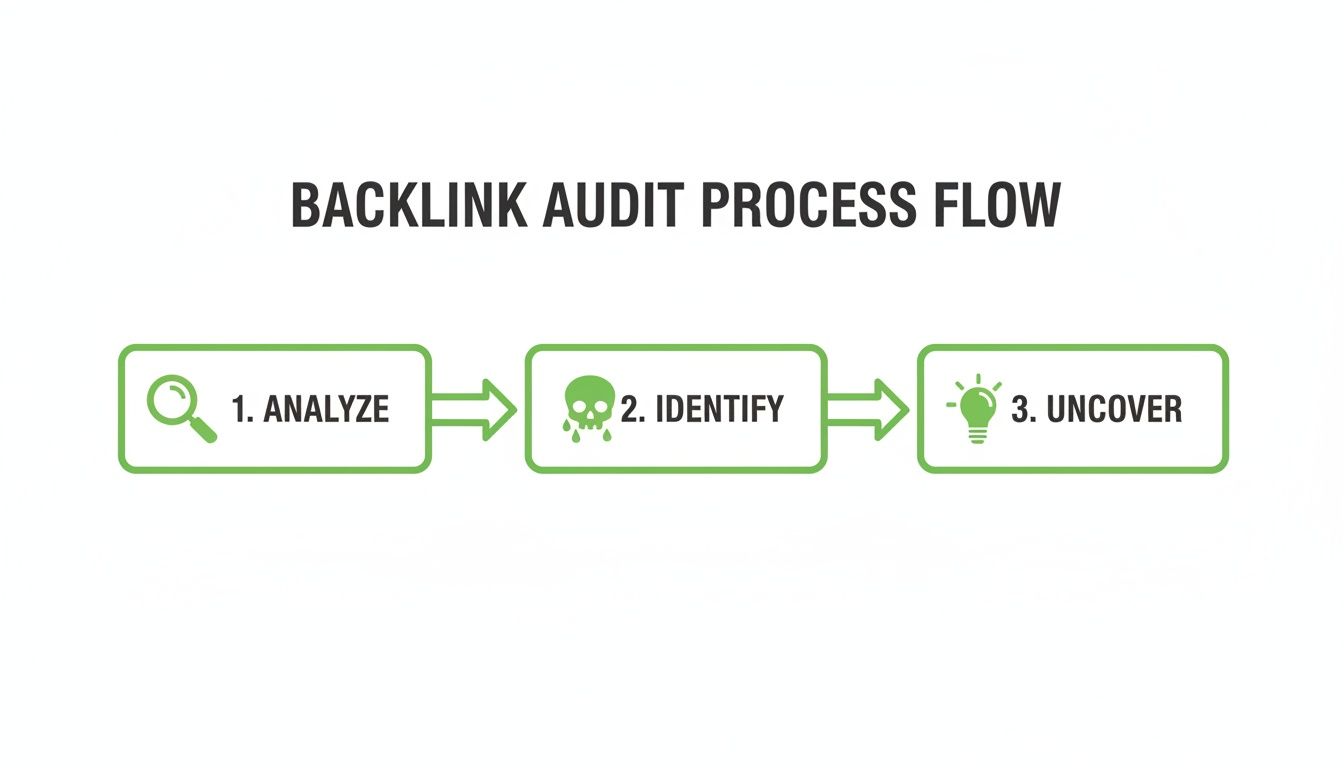
A scalable audit system isn't about having the fanciest tools; it’s about having a repeatable process that automatically finds problems and a simple framework for deciding what to do next.
Ultimately, building this system is how you manage SEO for large websites without getting overwhelmed. You become less of a firefighter and more of a strategist. For more detail on this, you can learn about setting up effective monitoring and alerts to keep your system running smoothly.
Common Questions About Site Audit SEO
Even with a detailed guide, starting your first site audit can feel overwhelming. A few common questions always come up, so let's clear them up so you can get started with confidence.
How Often Should I Perform a Site Audit?
For most websites, a deep, full audit every six to twelve months is a good schedule. This gives you a solid benchmark to track your progress and catch problems before they get out of hand.
But you shouldn't just set it and forget it. For larger sites that change often, doing smaller, more focused audits every three months is a better idea. You should also run an immediate audit after a major event, like:
- A big website redesign to make sure nothing broke in the process.
- A sudden, unexplained drop in traffic to figure out what went wrong.
- A major Google algorithm update to see how the changes affected you.
Beyond these scheduled checks, continuous weekly monitoring of the basics is a must.
What Are the Best SEO Audit Tools for a Beginner?
You don't need a huge budget to start. In fact, the best tools for beginners are often the free ones that give you direct, actionable data.
Your starter toolkit should include these:
- Google Search Console: This is non-negotiable. It's your direct line of communication with Google, showing you how it sees your site, including errors and indexing issues.
- Google Analytics: This shows you what people do after they arrive on your site. It’s essential for understanding user behavior.
- Screaming Frog SEO Spider: This is a tool that "crawls" your site like a search engine bot. The free version checks up to 500 pages, which is perfect for smaller sites to find broken links, redirect issues, and other technical problems.
- Google PageSpeed Insights: A simple, free tool to check your site's speed. It gives you a clear list of what to fix.
Once you're comfortable, you can explore paid tools like Ahrefs or Semrush. But honestly, these free tools are more than enough to conduct a very effective audit.
Can I Do a Site Audit Myself or Do I Need an Expert?
You can absolutely do a great site audit on your own. By following a clear process and using the tools mentioned above, you can find and fix most common SEO issues. It’s more about being methodical than having deep technical expertise.
However, there are times when hiring an expert is a good idea. For huge or very complex websites—like e-commerce stores with thousands of products—an expert can spot subtle problems. They can also help create a long-term strategy that goes beyond just fixing errors.
You'd be surprised how often the biggest issues found in a site audit are the simplest. Two of the most common problems are poor internal linking, which leaves pages "orphaned" and invisible to search engines, and slow page speeds that frustrate users and hurt rankings.
Fixing just one of these foundational problems can often deliver the biggest and fastest improvements.
At Programmatic SEO Hub, we're dedicated to helping you scale your content strategy on a solid foundation. Our resources demystify complex topics, providing actionable systems for sustainable growth. Discover our full range of guides and tools at https://programmatic-seo-hub.com/en.
Related Articles
Mobile friendly test google: A Practical Guide to Master Mobile SEO
Even though Google’s standalone Mobile-Friendly Test tool is a thing of the past, the principle behind it is more critical than ever. The simple truth is that Google now overwhelmingly uses its...

A Practical Guide to Competitive Analysis Keywords
When we talk about competitive analysis keywords, we're really talking about the search terms that are already making money for your rivals. By digging into these, you uncover their entire...
Landing Pages SEO A Practical Guide to Rank and Convert
When we talk about SEO for landing pages, we're not just talking about general website optimisation. We're getting hyper-specific. This is the art of building and refining standalone pages...