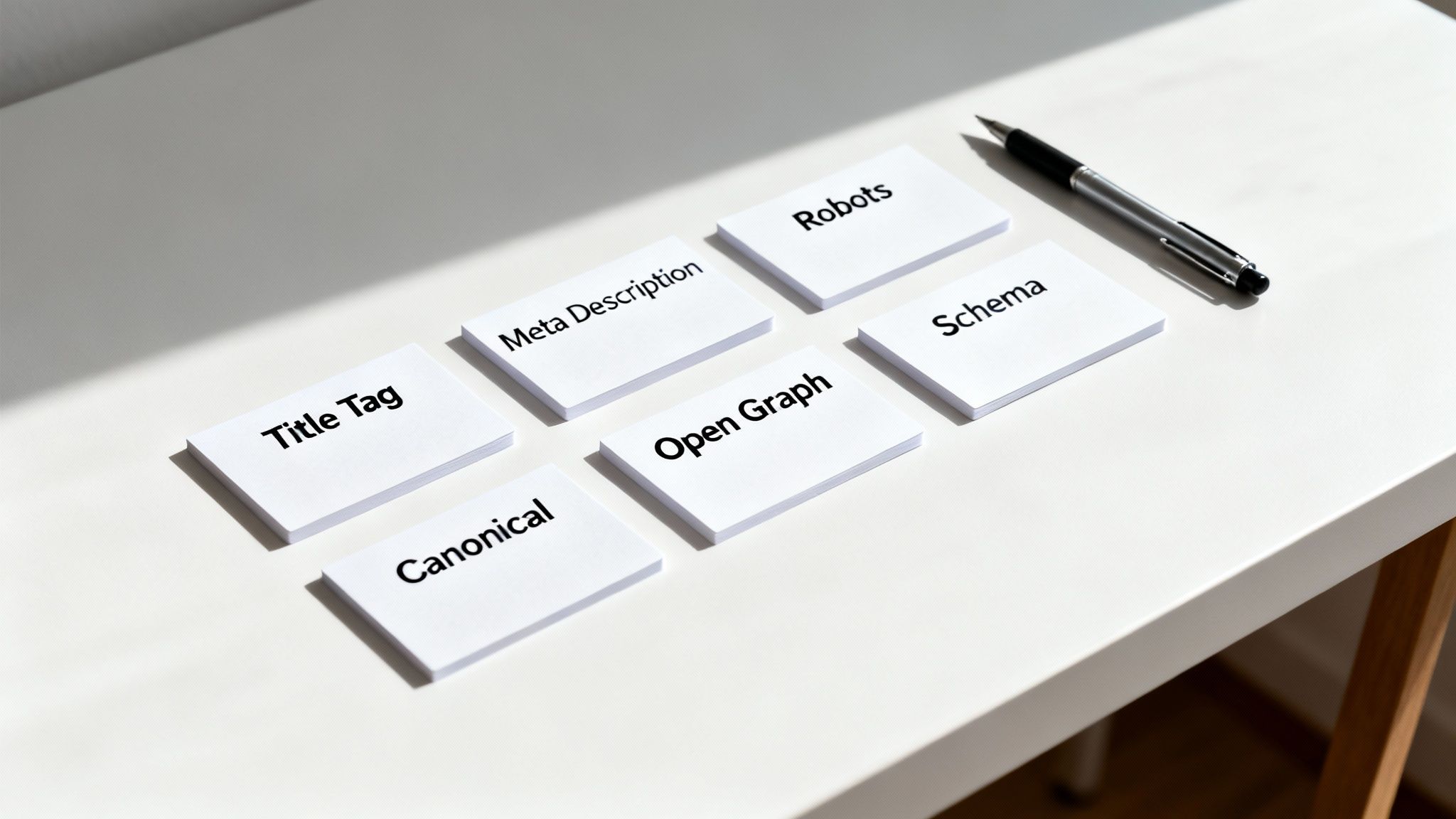
| Title Tag |
The main headline in SERPs; a major ranking factor. |
`The Ultimate Guide to Meta Tags (2024)</td>
</tr>
<tr>
<td align="left"><strong>Meta Description</strong></td>
<td align="left">A summary of the page's content; influences CTR.</td>
<td align="left"><code><meta name="description" content="Master the most important SEO meta tags. Our guide covers best practices for title, description, robots, canonical, and schema."></code></td>
</tr>
<tr>
<td align="left"><strong>Robots</strong></td>
<td align="left">Instructs search engines on how to crawl and index a page.</td>
<td align="left"><code><meta name="robots" content="noindex, follow"></code></td>
</tr>
<tr>
<td align="left"><strong>Canonical</strong></td>
<td align="left">Specifies the "master" version of a page to avoid duplicate content.</td>
<td align="left"><code><link rel="canonical" href="https://yourdomain.com/master-page-url"></code></td>
</tr>
<tr>
<td align="left"><strong>Open Graph</strong></td>
<td align="left">Controls how your content appears when shared on social media.</td>
<td align="left"><code><meta property="og:title" content="Your Catchy Social Title"></code></td>
</tr>
<tr>
<td align="left"><strong>Schema Markup</strong></td>
<td align="left">Helps search engines understand content for rich snippets.</td>
<td align="left"><code><script type="application/ld+json">{...}</script></code></td>
</tr>
</tbody></table>
<p>By mastering these essential tags, you're building a solid foundation that helps search engines understand, rank, and present your content in the best possible way.</p>
<h2>How to Write Meta Tags That Actually Stick</h2>
<aside class="inline-cta my-8 relative overflow-hidden rounded-2xl not-prose bg-teal-600">
<div class="absolute inset-0 bg-gradient-to-br from-emerald-600 via-teal-500 to-cyan-500"></div>
<div class="absolute inset-0 opacity-30">
<div class="absolute top-0 right-0 w-64 h-64 bg-white/20 rounded-full blur-3xl -translate-y-1/2 translate-x-1/2"></div>
<div class="absolute bottom-0 left-0 w-48 h-48 bg-emerald-300/30 rounded-full blur-2xl translate-y-1/2 -translate-x-1/4"></div>
</div>
<div class="absolute inset-0 bg-[linear-gradient(rgba(255,255,255,0.05)_1px,transparent_1px),linear-gradient(90deg,rgba(255,255,255,0.05)_1px,transparent_1px)] bg-[size:24px_24px]"></div>
<div class="relative z-10 px-6 py-8 md:px-10 md:py-10 text-center">
<h3 class="font-display text-2xl md:text-3xl text-white mb-4 drop-shadow-sm">Get started with pSEO using Outrank</h3>
<p class="text-white/90 text-lg md:text-xl max-w-xl mx-auto mb-6 leading-relaxed">Publish high quality blog posts daily <em>and</em> grow your domain rating on auto-pilot.</p>
<div class="flex flex-col sm:flex-row items-center justify-center gap-3">
<a href="https://outrank.so/?via=pseohub" target="_blank" rel="noopener noreferrer"
class="inline-flex items-center gap-2 px-6 py-3 bg-surface-950 hover:bg-surface-900 font-semibold rounded-xl transition-all duration-200 shadow-lg hover:shadow-xl hover:scale-105 no-underline hover:no-underline"
style="color: white !important; text-decoration: none !important;">
Try Outrank
<svg class="w-5 h-5" fill="none" stroke="currentColor" viewBox="0 0 24 24">
<path stroke-linecap="round" stroke-linejoin="round" stroke-width="2" d="M17 8l4 4m0 0l-4 4m4-4H3"></path>
</svg>
</a>
<a href="/en/reviews/outrank"
class="inline-flex items-center gap-2 px-6 py-3 bg-white/10 hover:bg-white/20 font-semibold rounded-xl transition-all duration-200 backdrop-blur-sm border border-white/20 hover:border-white/40 no-underline hover:no-underline"
style="color: white !important; text-decoration: none !important;">
Read Review
<svg class="w-5 h-5" fill="none" stroke="currentColor" viewBox="0 0 24 24">
<path stroke-linecap="round" stroke-linejoin="round" stroke-width="2" d="M9 12h6m-6 4h6m2 5H7a2 2 0 01-2-2V5a2 2 0 012-2h5.586a1 1 0 01.707.293l5.414 5.414a1 1 0 01.293.707V19a2 2 0 01-2 2z"></path>
</svg>
</a>
</div>
</div>
</aside>
<p>It’s a classic SEO headache. You spend ages crafting the perfect title tag and meta description, only to check the search results and find Google has completely ignored your work and written its own. Frustrating, right?</p>
<p>But what if you reframed it? Instead of a penalty, think of it as a signal. When Google rewrites your <strong>SEO meta tag</strong>, it’s basically telling you there’s a gap between what you’re saying and what people are actually looking for.</p>
<p>And this isn't a minor issue. Recent data shows Google is rewriting titles on a massive <strong>76%</strong> of pages in Q1 2025, with the German market feeling this pretty heavily. This rewrite epidemic means we have to get smarter. We know that titles between 40-60 characters that nail the target keyword can see up to a <strong>45%</strong> higher click-through rate. That's a huge deal when the top result gobbles up nearly <strong>39.8%</strong> of all clicks. You can discover more insights about these SEO statistics.</p>
<p>The fix requires a simple shift in mindset: write for curious humans first, algorithms second.</p>
<h3>A Playbook for Rewrite-Proof Meta Tags</h3>
<p>Creating meta tags that Google wants to keep comes down to three core principles. This isn't about getting lost in code; it’s just about clear, honest communication.</p>
<ol>
<li><strong>Lead With Your Keyword:</strong> Put your main keyword right at the start of your title tag. This does two things instantly: it tells a user scrolling the results that you have what they want, and it signals clear relevance to Google’s crawlers. It’s the fastest way to show you’re a good match.</li>
<li><strong>Match Your Content's Promise:</strong> Your meta tags are a promise to the user. If your title screams "Quick 5-Minute Recipe," your page had better deliver exactly that. Clickbait or misleading tags just lead to people hitting the back button, telling Google your result wasn't helpful and making a rewrite almost certain.</li>
<li><strong>Answer the Search Intent:</strong> This is the big one. You have to get inside the searcher's head. What do they <em>really</em> want? Are they trying to learn something ("what is"), find a tutorial ("how to"), or are they ready to buy ("best price")? Your meta tags need to speak directly to that goal. To really nail this, check out our deep dive on <strong><a href="http://programmatic-seo-hub.com/en/programmatic-seo-fundamentals/core-concepts/search-intent">understanding search intent</a></strong>.</li>
</ol>
<h3>Before and After Examples</h3>
<p>Let's look at how a few small tweaks can make a world of difference.</p>
<blockquote>
<p><strong>Before:</strong> <em>Our Newest Running Shoes Collection</em><br><strong>After:</strong> <em>Buy Lightweight Running Shoes for Men & Women | Free Shipping</em></p>
</blockquote>
<p>See the difference? The "Before" title is vague and frankly, a bit lazy. The "After" version gets straight to the point. It leads with the keyword ("Running Shoes"), clarifies the audience, hits the transactional intent ("Buy"), and throws in a juicy offer ("Free Shipping"). Much better.</p>
<blockquote>
<p><strong>Before:</strong> <em>A Blog About Baking at Home</em><br><strong>After:</strong> <em>Easy Sourdough Bread Recipe for Beginners (Step-by-Step Guide)</em></p>
</blockquote>
<p>Again, a huge improvement. The "After" title is super specific, targets a clear user need ("easy recipe for beginners"), and even sets expectations about the format ("Step-by-Step Guide"). This kind of alignment not only avoids a rewrite but also makes your result far more clickable.</p>
<h2>How to Create Meta Tags at Scale Using AI</h2>
<iframe width="100%" style="aspect-ratio: 16 / 9;" src="https://www.youtube.com/embed/otfUm4p8lDE" frameborder="0" allow="autoplay; encrypted-media" allowfullscreen></iframe>
<p>Writing a great <strong>SEO meta tag</strong> for every single page is straightforward when your site is small. But what happens when you’re dealing with hundreds, or even thousands, of pages? Suddenly, the manual approach becomes a massive bottleneck.</p>
<p>This is where programmatic SEO, powered by AI, comes in. Don't let the term "programmatic" scare you. It simply means using a system to automate a repetitive task. In this case, we'll use a simple template and a spreadsheet to automatically generate unique meta tags for every page on our site.</p>
<p>By adding AI to the process, we can create high-quality, optimised tags almost instantly. This approach turns a painfully tedious job into an efficient workflow, freeing you up to focus on big-picture strategy. It’s all about working smarter, not harder.</p>
<h3>A Practical Step-by-Step Guide to AI-Powered Meta Tags</h3>
<p>Let's demystify this process with a simple, practical example. Imagine you have an e-commerce store that sells different types of coffee beans. Manually writing a unique meta description for every coffee is slow. Here’s how to automate it.</p>
<p><strong>Step 1: Prepare Your Data in a Spreadsheet</strong></p>
<p>First, gather your core information in a simple spreadsheet (like Google Sheets or Excel). All you need are a few columns with key details about each product.</p>
<table>
<thead>
<tr>
<th align="left">Product Name</th>
<th align="left">Origin</th>
<th align="left">Flavor Profile</th>
</tr>
</thead>
<tbody><tr>
<td align="left">Morning Buzz Blend</td>
<td align="left">Colombia</td>
<td align="left">Chocolate, Nutty</td>
</tr>
<tr>
<td align="left">Midnight Espresso</td>
<td align="left">Brazil</td>
<td align="left">Dark Cocoa, Smoky</td>
</tr>
<tr>
<td align="left">Sunrise Light Roast</td>
<td align="left">Ethiopia</td>
<td align="left">Berry, Floral</td>
</tr>
</tbody></table>
<p><strong>Step 2: Create a Prompt for an AI Tool</strong></p>
<p>Next, you'll write an instruction—or "prompt"—for an AI tool like <a href="https://chat.openai.com/">ChatGPT</a>. This prompt tells the AI exactly what you want it to do. The key is to be specific and provide clear examples.</p>
<p>Here’s a copy-and-paste prompt you can use. Just swap out the bracketed info with your own data.</p>
<blockquote>
<p><strong>AI Prompt Example:</strong><br>Act as an expert SEO copywriter. I will give you a <strong>Product Name</strong>, its <strong>Origin</strong>, and its <strong>Flavor Profile</strong>. Your job is to write a unique and compelling meta description under <strong>155</strong> characters for it. The description should sound natural, mention the flavor, and end with a call to action like "Shop now" or "Discover the taste."</p>
<p>Here are the details:<br><strong>Product Name:</strong> [Product Name from your spreadsheet]<br><strong>Origin:</strong> [Origin from your spreadsheet]<br><strong>Flavor Profile:</strong> [Flavor Profile from your spreadsheet]</p>
</blockquote>
<p><strong>Step 3: Generate Your Meta Descriptions</strong></p>
<p>Now for the magic. You'll take the information from your spreadsheet, one row at a time, and plug it into your AI prompt.</p>
<p>For your first coffee, "Morning Buzz Blend," the prompt would look like this:</p>
<blockquote>
<p><strong>Product Name:</strong> Morning Buzz Blend<br><strong>Origin:</strong> Colombia<br><strong>Flavor Profile:</strong> Chocolate, Nutty</p>
</blockquote>
<p>The AI might generate a description like:<br><em>“Experience the rich taste of Colombia with our Morning Buzz Blend. Enjoy smooth notes of chocolate and nuts in every sip. Discover your new favorite coffee today!”</em></p>
<p>You repeat this process for every row in your spreadsheet. For larger sites, you can use add-ons for Google Sheets that connect directly to AI tools, letting you generate hundreds of descriptions with a single click.</p>
<p><figure class="wp-block-image size-large"><img src="https://cdn.outrank.so/32cc03c7-d3c8-48ac-89b5-fa10b5daca20/4fb26c78-fe30-439c-b943-96de554a676e/seo-meta-tag-meta-tag-steps.jpg" alt="Three-step process diagram for meta tag writing: Keyword Research, Align with Content, Humanize & Refine." /></figure></p>
<p>This simple, three-step system of gathering data, writing a clear prompt, and letting AI do the writing is the core of programmatic SEO. It’s a practical way to create unique, high-quality <strong>SEO meta tags</strong> for your entire website without the manual effort. For a more advanced template, check out our ready-to-use <strong><a href="http://programmatic-seo-hub.com/en/templates-and-systems/meta-description-generator-prompt">meta description generator prompt</a></strong>.</p>
<h2>Going Deeper: Advanced Meta Tags for Technical SEO</h2>
<p><figure class="wp-block-image size-large"><img src="https://cdn.outrank.so/32cc03c7-d3c8-48ac-89b5-fa10b5daca20/03e70fc8-0f03-4b47-84d1-0b95811aa4e2/seo-meta-tag-global-localization.jpg" alt="A globe, smartphone, and pinned cards for English, German, French, illustrating global language translation and communication." /></figure></p>
<p>Once you’ve nailed the basics of titles and descriptions, it's time to get into the really interesting stuff: the specialised meta tags that solve complex technical SEO problems. These tags are less about grabbing clicks and more about giving search engines crystal-clear instructions for tricky situations, like handling international audiences or multiple device types.</p>
<p>Getting a handle on these advanced tags helps you deliver a much smoother user experience and, ultimately, capture traffic you might otherwise be missing out on. Let's dig into two of the most critical ones for any modern website.</p>
<h3>Directing Global Traffic With Hreflang Tags</h3>
<p>Imagine your website has separate versions for users in Germany and France. The <strong>hreflang tag</strong> is like a skilled multilingual concierge, making sure German-speaking visitors are directed to the German content and French-speaking visitors to the French one. Without it, Google might get confused and show the wrong language to the wrong person.</p>
<p>This is a massive opportunity that most companies get wrong. In a market like Germany, a staggering <strong>18%</strong> of multilingual sites implement these tags correctly. That means countless global brands are leaking valuable regional traffic because they haven't set this up properly. Getting your <code>hreflang</code> <strong>SEO meta tag</strong> right is non-negotiable because German users expect and prefer a fully localised experience. You can <a href="https://seomator.com/blog/seo-benchmarks-report">read the full research about these SEO benchmarks</a> to see just how common these mistakes are.</p>
<blockquote>
<p>In simple terms, the hreflang tag tells Google: "This page is for German speakers in Germany, but hey, here's the equivalent page for French speakers in France." It cuts out the language confusion and ensures the right page ranks in the right country.</p>
</blockquote>
<p>While <code>hreflang</code> is perfect for managing different language versions of a page, it goes hand-in-hand with canonical tags to avoid creating duplicate content headaches. You can dive deeper into that relationship in our guide to <strong><a href="http://programmatic-seo-hub.com/en/programmatic-seo-fundamentals/technical-implementation/canonical-tags">implementing canonical tags correctly</a></strong>.</p>
<h3>Optimising for Every Screen With the Viewport Tag</h3>
<p>The <strong>viewport meta tag</strong> is a simple but powerful instruction that tells a browser how to control the page's dimensions and scaling. In plain English, it’s the bit of code that makes sure your website looks great and works perfectly on any device, from a massive desktop monitor right down to the smallest smartphone screen.</p>
<p>If you forget this tag, mobile users might see a tiny, shrunken-down version of your desktop site. They’ll be forced to pinch and zoom just to read anything—a frustrating experience that will send them straight to a competitor. Since Google now prioritises mobile-friendly sites (and has for years), a missing or incorrect viewport tag can directly kneecap your search rankings.</p>
<p>This one line of code isn't optional. It's a fundamental requirement for modern SEO success.</p>
<h2>Frequently Asked Questions About SEO Meta Tags</h2>
<aside class="inline-cta my-8 relative overflow-hidden rounded-2xl not-prose bg-teal-600">
<div class="absolute inset-0 bg-gradient-to-br from-emerald-600 via-teal-500 to-cyan-500"></div>
<div class="absolute inset-0 opacity-30">
<div class="absolute top-0 right-0 w-64 h-64 bg-white/20 rounded-full blur-3xl -translate-y-1/2 translate-x-1/2"></div>
<div class="absolute bottom-0 left-0 w-48 h-48 bg-emerald-300/30 rounded-full blur-2xl translate-y-1/2 -translate-x-1/4"></div>
</div>
<div class="absolute inset-0 bg-[linear-gradient(rgba(255,255,255,0.05)_1px,transparent_1px),linear-gradient(90deg,rgba(255,255,255,0.05)_1px,transparent_1px)] bg-[size:24px_24px]"></div>
<div class="relative z-10 px-6 py-8 md:px-10 md:py-10 text-center">
<h3 class="font-display text-2xl md:text-3xl text-white mb-4 drop-shadow-sm">Get started with pSEO using Outrank</h3>
<p class="text-white/90 text-lg md:text-xl max-w-xl mx-auto mb-6 leading-relaxed">Publish high quality blog posts daily <em>and</em> grow your domain rating on auto-pilot.</p>
<div class="flex flex-col sm:flex-row items-center justify-center gap-3">
<a href="https://outrank.so/?via=pseohub" target="_blank" rel="noopener noreferrer"
class="inline-flex items-center gap-2 px-6 py-3 bg-surface-950 hover:bg-surface-900 font-semibold rounded-xl transition-all duration-200 shadow-lg hover:shadow-xl hover:scale-105 no-underline hover:no-underline"
style="color: white !important; text-decoration: none !important;">
Try Outrank
<svg class="w-5 h-5" fill="none" stroke="currentColor" viewBox="0 0 24 24">
<path stroke-linecap="round" stroke-linejoin="round" stroke-width="2" d="M17 8l4 4m0 0l-4 4m4-4H3"></path>
</svg>
</a>
<a href="/en/reviews/outrank"
class="inline-flex items-center gap-2 px-6 py-3 bg-white/10 hover:bg-white/20 font-semibold rounded-xl transition-all duration-200 backdrop-blur-sm border border-white/20 hover:border-white/40 no-underline hover:no-underline"
style="color: white !important; text-decoration: none !important;">
Read Review
<svg class="w-5 h-5" fill="none" stroke="currentColor" viewBox="0 0 24 24">
<path stroke-linecap="round" stroke-linejoin="round" stroke-width="2" d="M9 12h6m-6 4h6m2 5H7a2 2 0 01-2-2V5a2 2 0 012-2h5.586a1 1 0 01.707.293l5.414 5.414a1 1 0 01.293.707V19a2 2 0 01-2 2z"></path>
</svg>
</a>
</div>
</div>
</aside>
<p>Even when you've got the basics down, a few questions about <strong>SEO meta tags</strong> always seem to come up. Let's clear up some of the most common ones so you can move forward with total confidence.</p>
<h3>Are Meta Keywords Still Relevant For SEO?</h3>
<p>In a word: no. The meta keywords tag is a relic from a bygone era of the internet. Major search engines like Google and Bing confirmed years ago that they don't use it as a ranking factor at all.</p>
<p>Spending time filling it out is just wasted effort. Your focus is much better spent on the tags that actually move the needle—your title tag, meta description, and structured data. Those are the ones that directly influence your visibility and how many people click on your links.</p>
<h3>How Can I Check The Meta Tags On Any Website?</h3>
<p>It's actually pretty easy to peek under the hood of any website. Just right-click on a page and choose 'View Page Source' or 'Inspect'. A wall of code will appear, but don't worry—you only need to look for the <code><head></code> section right at the top.</p>
<p>There, you'll find the most important tags laid out:</p>
<ul>
<li>The title is wrapped in <code><title>...</title></code>.</li>
<li>The meta description looks like this: <code><meta name="description" content="..."></code>.</li>
<li>You'll spot others too, like the robots tag: <code><meta name="robots" content="..."></code>.</li>
</ul>
<p>If you don't want to dig through code, there's an even simpler way. Browser extensions like <a href="https://chrome.google.com/webstore/detail/seo-meta-in-1-click/bjogjfinolnhfhkbipphpdlldadpnmhc">SEO Meta in 1 Click</a> do the work for you, presenting all the key <strong>SEO meta tags</strong> for the page you're on in a clean, easy-to-read format.</p>
<h3>How Often Should I Update My SEO Meta Tags?</h3>
<p>You don't need to obsess over them daily, but a regular check-in is smart. For your most valuable pages, it's a good idea to review their meta tags every <strong>6-12 months</strong> to make sure they're still pulling their weight and resonating with searchers.</p>
<blockquote>
<p>Treat your meta tags not as a 'set it and forget it' task, but as a living part of your content strategy. A proactive update is always better than a reactive one.</p>
</blockquote>
<p>There are also specific triggers that should prompt an update. If you've significantly overhauled a page's content, your meta tags need to reflect those changes. A low click-through rate (CTR) in Google Search Console is another big one—it’s a clear signal that your title and description aren't compelling enough. And, of course, if your keyword strategy for a page evolves, the meta tags must follow suit.</p>
<hr>
<p>At <strong>Programmatic SEO Hub</strong>, we provide the guides, templates, and systems you need to scale your content strategy effectively. <a href="https://programmatic-seo-hub.com/en">Explore our resources and future-proof your SEO</a>.</p>
</div>
<!-- Inline CTA at end of article -->
<!--
Inline CTA component for promoting Outrank within content.
Can be placed anywhere in article/page content to break up text
and encourage conversions.
Parameters:
- headline: Main headline text (optional, defaults to standard)
- body: Body text (optional, defaults to standard)
- button_text: Primary button label (optional, defaults to "Try Outrank")
- button_url: Primary button destination (optional, defaults to referral link)
- review_button_text: Secondary button label (optional, defaults to "Read Review")
- review_url: Review page URL (optional, defaults to Outrank review)
-->
<aside class="inline-cta my-8 relative overflow-hidden rounded-2xl not-prose bg-teal-600">
<!-- Gradient background with animated shimmer -->
<div class="absolute inset-0 bg-gradient-to-br from-emerald-600 via-teal-500 to-cyan-500"></div>
<!-- Decorative elements -->
<div class="absolute inset-0 opacity-30">
<div class="absolute top-0 right-0 w-64 h-64 bg-white/20 rounded-full blur-3xl -translate-y-1/2 translate-x-1/2"></div>
<div class="absolute bottom-0 left-0 w-48 h-48 bg-emerald-300/30 rounded-full blur-2xl translate-y-1/2 -translate-x-1/4"></div>
</div>
<!-- Grid pattern overlay -->
<div class="absolute inset-0 bg-[linear-gradient(rgba(255,255,255,0.05)_1px,transparent_1px),linear-gradient(90deg,rgba(255,255,255,0.05)_1px,transparent_1px)] bg-[size:24px_24px]"></div>
<!-- Content -->
<div class="relative z-10 px-6 py-8 md:px-10 md:py-10 text-center">
<!-- Headline -->
<h3 class="font-display text-2xl md:text-3xl text-white mb-4 drop-shadow-sm">
Get started with pSEO using Outrank
</h3>
<!-- Body text -->
<p class="text-white/90 text-lg md:text-xl max-w-xl mx-auto mb-6 leading-relaxed">
Publish high quality blog posts daily <em>and</em> grow your domain rating on auto-pilot.
</p>
<!-- CTA Buttons -->
<div class="flex flex-col sm:flex-row items-center justify-center gap-3">
<!-- Primary Button -->
<a
href="https://outrank.so/?via=pseohub"
target="_blank"
rel="noopener noreferrer"
class="inline-flex items-center gap-2 px-6 py-3 bg-surface-950 hover:bg-surface-900 font-semibold rounded-xl transition-all duration-200 shadow-lg hover:shadow-xl hover:scale-105 no-underline hover:no-underline"
style="color: white !important; text-decoration: none !important;"
>
Try Outrank
<svg class="w-5 h-5" fill="none" stroke="currentColor" viewBox="0 0 24 24">
<path stroke-linecap="round" stroke-linejoin="round" stroke-width="2" d="M17 8l4 4m0 0l-4 4m4-4H3"></path>
</svg>
</a>
<!-- Secondary Button (Read Review) -->
<a
href="/en/reviews/outrank"
class="inline-flex items-center gap-2 px-6 py-3 bg-white/10 hover:bg-white/20 font-semibold rounded-xl transition-all duration-200 backdrop-blur-sm border border-white/20 hover:border-white/40 no-underline hover:no-underline"
style="color: white !important; text-decoration: none !important;"
>
Read Review
<svg class="w-5 h-5" fill="none" stroke="currentColor" viewBox="0 0 24 24">
<path stroke-linecap="round" stroke-linejoin="round" stroke-width="2" d="M9 12h6m-6 4h6m2 5H7a2 2 0 01-2-2V5a2 2 0 012-2h5.586a1 1 0 01.707.293l5.414 5.414a1 1 0 01.293.707V19a2 2 0 01-2 2z"></path>
</svg>
</a>
</div>
</div>
</aside>
<!-- Related Posts -->
<!--
Related posts component for blog detail pages.
Parameters:
- posts: List of related post objects (max 3 recommended)
- lang: Current language
-->
<section class="mt-16 pt-12 border-t border-surface-800/50">
<h2 class="font-display text-2xl text-surface-50 mb-8">
Related Articles
</h2>
<div class="grid grid-cols-1 md:grid-cols-3 gap-6">
<article class="group relative bg-surface-900 rounded-xl overflow-hidden border border-surface-800/50 hover:border-brand-500/50 transition-all duration-300">
<div class="aspect-video overflow-hidden">
<img src="https://cdn.outrank.so/32cc03c7-d3c8-48ac-89b5-fa10b5daca20/2faec234-ee3f-4469-b338-0811ce6abbb6/mobile-friendly-test-google-seo-guide.jpg" alt="Mobile friendly test google: A Practical Guide to Master Mobile SEO" class="w-full h-full object-cover group-hover:scale-105 transition-transform duration-500" loading="lazy">
</div>
<div class="p-4">
<h3 class="font-semibold text-surface-50 group-hover:text-brand-400 transition-colors line-clamp-2">
<a href="/en/blog/mobile-friendly-test-google" class="after:absolute after:inset-0">Mobile friendly test google: A Practical Guide to Master Mobile SEO</a>
</h3>
<p class="mt-2 text-sm text-surface-400 line-clamp-2">Even though Google’s standalone Mobile-Friendly Test tool is a thing of the past, the principle behind it is more critical than ever. The simple truth is that Google now overwhelmingly uses its...</p>
</div>
</article>
<article class="group relative bg-surface-900 rounded-xl overflow-hidden border border-surface-800/50 hover:border-brand-500/50 transition-all duration-300">
<div class="aspect-video overflow-hidden">
<img src="https://cdn.outrank.so/32cc03c7-d3c8-48ac-89b5-fa10b5daca20/f5dc134a-55a2-4556-897b-417a4f944942/competitive-analysis-keywords-analysis.jpg" alt="A Practical Guide to Competitive Analysis Keywords" class="w-full h-full object-cover group-hover:scale-105 transition-transform duration-500" loading="lazy">
</div>
<div class="p-4">
<h3 class="font-semibold text-surface-50 group-hover:text-brand-400 transition-colors line-clamp-2">
<a href="/en/blog/competitive-analysis-keywords" class="after:absolute after:inset-0">A Practical Guide to Competitive Analysis Keywords</a>
</h3>
<p class="mt-2 text-sm text-surface-400 line-clamp-2">When we talk about competitive analysis keywords, we're really talking about the search terms that are already making money for your rivals. By digging into these, you uncover their entire...</p>
</div>
</article>
<article class="group relative bg-surface-900 rounded-xl overflow-hidden border border-surface-800/50 hover:border-brand-500/50 transition-all duration-300">
<div class="aspect-video overflow-hidden">
<img src="https://cdn.outrank.so/32cc03c7-d3c8-48ac-89b5-fa10b5daca20/c1e41ff9-c30e-4d57-b588-06924c46d50f/landing-pages-seo-seo-guide.jpg" alt="Landing Pages SEO A Practical Guide to Rank and Convert" class="w-full h-full object-cover group-hover:scale-105 transition-transform duration-500" loading="lazy">
</div>
<div class="p-4">
<h3 class="font-semibold text-surface-50 group-hover:text-brand-400 transition-colors line-clamp-2">
<a href="/en/blog/landing-pages-seo" class="after:absolute after:inset-0">Landing Pages SEO A Practical Guide to Rank and Convert</a>
</h3>
<p class="mt-2 text-sm text-surface-400 line-clamp-2">When we talk about SEO for landing pages, we're not just talking about general website optimisation. We're getting hyper-specific. This is the art of building and refining standalone pages...</p>
</div>
</article>
</div>
</section>
</div>
<!-- Sidebar with TOC -->
<aside class="lg:col-span-1">
<!--
Table of contents component.
Auto-generated from headings in content.
Parameters:
- headings: List of heading objects with 'id', 'text', 'level' (h2=2, h3=3, etc.)
- lang: Current language
Note: The headings should be extracted server-side from the content HTML
or generated via JavaScript on page load.
-->
<!-- JS-generated TOC placeholder -->
<nav id="toc-container" class="toc bg-surface-900/50 backdrop-blur-sm rounded-xl border border-surface-800/50 p-5 hidden">
<h2 class="font-semibold text-surface-100 mb-4 text-sm uppercase tracking-wide">
Table of Contents
</h2>
<ul id="toc-list" class="space-y-2 text-sm"></ul>
</nav>
</aside>
</div>
</article>
</main>
<!-- Footer -->
<!--
Footer component.
Contains site links, legal pages, and copyright.
-->
<footer class="bg-surface-900 border-t border-surface-800/50 mt-auto">
<div class="max-w-7xl mx-auto px-4 sm:px-6 lg:px-8 py-12">
<div class="grid grid-cols-1 md:grid-cols-4 gap-8">
<!-- Brand Column -->
<div class="md:col-span-1">
<a href="/en/" class="flex items-center gap-2 mb-4">
<div class="w-8 h-8 rounded-lg bg-gradient-to-br from-brand-400 to-brand-600 flex items-center justify-center">
<i class="fa-solid fa-sitemap text-surface-950 text-sm"></i>
</div>
<span class="font-display text-xl text-surface-50">pSEO Hub</span>
</a>
<p class="text-surface-400 text-sm">
Your guide to programmatic SEO and GEO optimization.
</p>
</div>
<!-- Content Links -->
<div>
<h4 class="font-semibold text-surface-100 mb-4">
Content
</h4>
<ul class="space-y-2">
<li><a href="/en/blog" class="footer-link">Blog</a></li>
<li><a href="/en/programmatic-seo-fundamentals" class="footer-link">Fundamentals</a></li>
<li><a href="/en/templates-and-systems" class="footer-link">Templates</a></li>
</ul>
</div>
<!-- Tools Links -->
<div>
<h4 class="font-semibold text-surface-100 mb-4">Tools</h4>
<ul class="space-y-2">
<li><a href="/en/reviews" class="footer-link">Reviews</a></li>
<li><a href="/en/tool-comparisons" class="footer-link">Comparisons</a></li>
<li><a href="/en/free-tools" class="footer-link">Free Tools</a></li>
</ul>
</div>
<!-- Legal Links -->
<div>
<h4 class="font-semibold text-surface-100 mb-4">
Legal
</h4>
<ul class="space-y-2">
<li><a href="/en/imprint" class="footer-link">Imprint</a></li>
<li><a href="/en/privacy" class="footer-link">Privacy Policy</a></li>
</ul>
</div>
</div>
<!-- Bottom Bar -->
<div class="mt-12 pt-8 border-t border-surface-800/50 flex flex-col sm:flex-row justify-between items-center gap-4">
<div class="flex flex-col sm:flex-row items-center gap-2 sm:gap-4">
<p class="text-surface-500 text-sm">
© 2026 Programmatic SEO Hub. All rights reserved.
</p>
<span class="hidden sm:inline text-surface-700">•</span>
<p class="text-surface-500 text-sm flex items-center gap-1">
Built with
<svg class="w-4 h-4 text-red-500" fill="currentColor" viewBox="0 0 24 24">
<path d="M12 21.35l-1.45-1.32C5.4 15.36 2 12.28 2 8.5 2 5.42 4.42 3 7.5 3c1.74 0 3.41.81 4.5 2.09C13.09 3.81 14.76 3 16.5 3 19.58 3 22 5.42 22 8.5c0 3.78-3.4 6.86-8.55 11.54L12 21.35z"/>
</svg>
and powered by
<a href="https://reruption.com" target="_blank" rel="noopener noreferrer" class="text-brand-400 hover:text-brand-300 transition-colors">Reruption GmbH</a>
</p>
</div>
<!-- RSS Feed Link -->
<a href="/en/rss.xml" class="text-surface-500 hover:text-brand-400 transition-colors flex items-center gap-2 text-sm">
<svg class="w-4 h-4" fill="currentColor" viewBox="0 0 24 24">
<path d="M6.18 15.64a2.18 2.18 0 0 1 2.18 2.18C8.36 19 7.38 20 6.18 20 5 20 4 19 4 17.82a2.18 2.18 0 0 1 2.18-2.18M4 4.44A15.56 15.56 0 0 1 19.56 20h-2.83A12.73 12.73 0 0 0 4 7.27V4.44m0 5.66a9.9 9.9 0 0 1 9.9 9.9h-2.83A7.07 7.07 0 0 0 4 12.93V10.1Z"/>
</svg>
RSS Feed
</a>
</div>
</div>
</footer>
<!-- Base JS -->
<script src="/static/js/base.js"></script>
<!-- Page-specific JS -->
</body>
</html>
|