A Practical Guide to Mastering SEO for CMS Platforms
Choosing a Content Management System (CMS) is easily the most critical decision you'll make for your website's SEO. Seriously. Think of your CMS as the foundation of your digital house—it dictates how easily search engines can find, crawl, and ultimately rank your content. A solid SEO for CMS strategy always begins here.
How Your CMS Shapes Your SEO Success

Before you even think about meta tags or keyword research, you have to realise your CMS isn't just a tool for publishing blog posts. It’s the very bedrock of your entire SEO effort. A well-chosen, correctly configured CMS makes optimisation a breeze. A poor choice? It just creates one technical roadblock after another.
Imagine building a house. One is built on solid rock, the other on shifting sand. They might look identical from the outside, but the one with a strong foundation will stand for decades. The other will need constant, frustrating repairs just to stay upright. Your CMS is that foundation.
The Core SEO Functions Your CMS Controls
Your CMS has a huge say in how search engines see and interact with your website. These core functions are often running in the background, but their impact on your search visibility is massive.
- Crawlability: How easily can search engine bots actually navigate your site? A good CMS generates logical URL structures and clean internal links, basically rolling out a red carpet for crawlers.
- Indexability: Can search engines properly store and categorise your pages? Your CMS is what manages files like
robots.txtand meta tags that tell Google what to index and what to ignore. - Mobile-Friendliness: With most traffic coming from mobile devices, a responsive design isn't optional anymore. Modern CMS platforms make it incredibly simple to ensure your site looks and works perfectly on any screen.
In Germany, where the CMS market is expected to hit US$1.05 billion by 2025, these technical choices directly impact your ability to reach an audience of nearly 79 million internet users. A badly set-up CMS can make you invisible to this massive market.
Your CMS should be your biggest SEO ally, not a technical enemy. It's the difference between fighting your platform to get basic tasks done and having a system that actively helps you rank higher.
From Traditional to Headless Architectures
The type of CMS you choose also defines what’s possible. Traditional, monolithic systems like WordPress offer incredible flexibility through plugins, letting you bolt on complex SEO features without touching a line of code. E-commerce platforms like Shopify come with built-in SEO tools designed specifically for product and category pages.
Then there are more advanced setups, known as headless CMS architectures, which separate the content backend from the presentation frontend. This approach can deliver unbelievable site speed and performance—two factors Google absolutely loves. To see this in action, check out our guide on implementing a headless CMS for SEO. The right choice really comes down to your technical resources, budget, and business goals.
Getting the SEO Essentials Right in Any CMS
No matter which CMS you’re using, a few core settings are the absolute foundation for your search visibility. Getting these right from the start is non-negotiable. Think of it as unlocking the front door to your digital shop and putting up clear signs for visitors and search engines.
Thankfully, most modern platforms bundle these settings into a neat "SEO" tab or offer them through a trusted plugin. Your mission is to find these controls and dial them in correctly from day one. Let's break down the fundamentals that are universal across almost any system.
H3: Crafting Clean, Readable URLs
Your URL is often the first thing a user or a search engine bot sees. A clean, descriptive URL gives instant context, and yes, it’s a small but meaningful ranking factor. The problem is, many CMS platforms default to messy, parameter-filled URLs that look like database gibberish.
Your job is to turn chaos into clarity.
- Before:
yourwebsite.de/p?id=4829&cat=blog - After:
yourwebsite.de/blog/seo-for-cms-guide
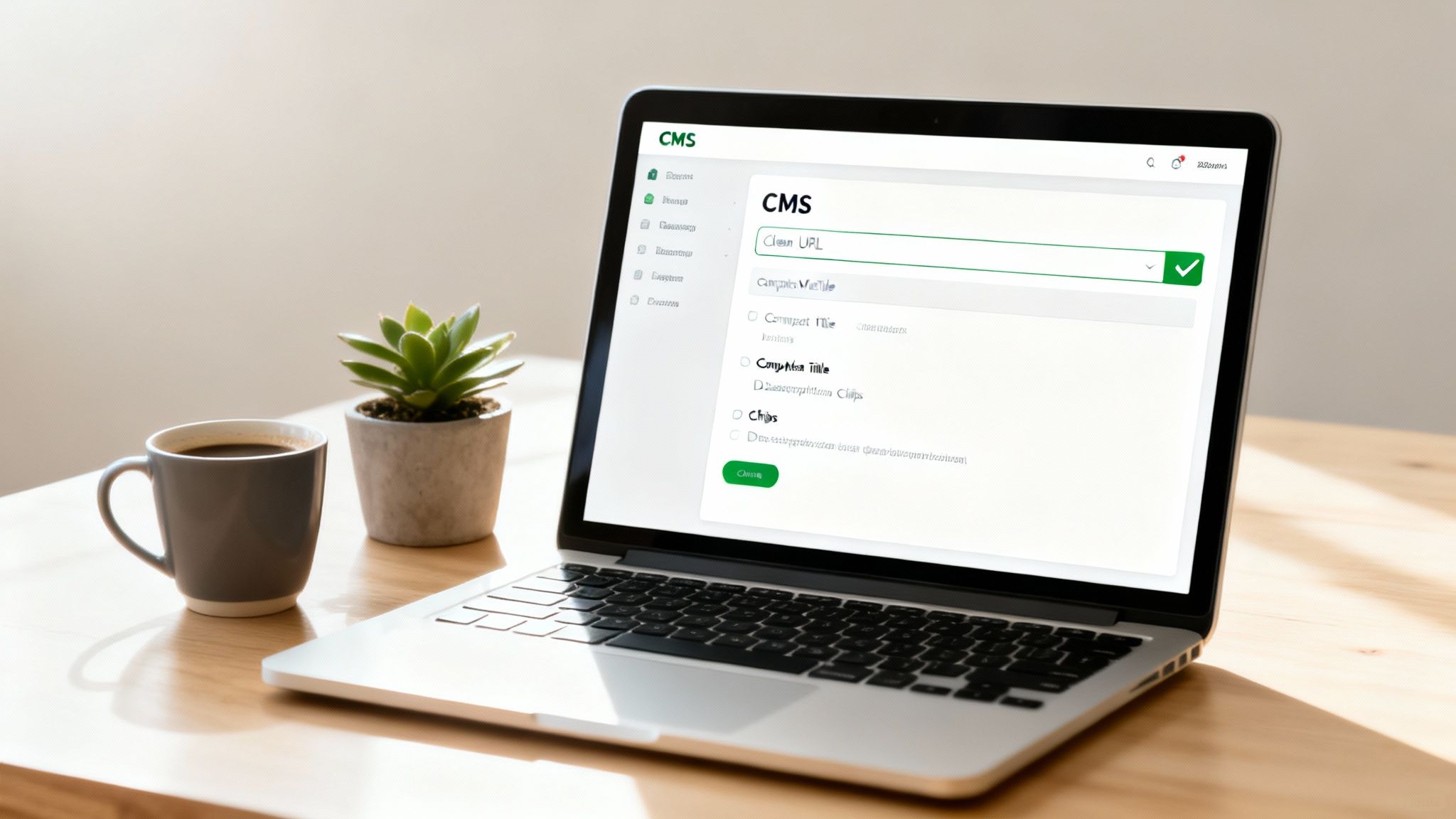
That "after" version—what we call the "slug"—is instantly understandable, contains keywords, and is easy to share. Dive into your CMS dashboard and look for "Permalinks" or "URL Settings." The best practice is to set the structure to use the post or page title by default. Always double-check and edit the slug to be short and focused on your main keyword before hitting publish.
H3: Automating Meta Titles and Descriptions
Manually writing a unique meta title and description for every single page is the gold standard. But let's be realistic—on a site with hundreds or thousands of pages, that’s just not going to happen. This is where templates become an SEO’s best friend.
A well-optimised CMS will let you create rules to automatically generate this crucial metadata.
For instance, you could set a template for all product pages:
[Product Name] - [Category] | [Your Brand Name]
This simple rule ensures every page has an optimised, branded title, even if you forget to write one yourself. You can do the same for meta descriptions by pulling in the first couple of sentences from the product copy. It's a baseline level of optimisation that prevents a sea of duplicate or missing metadata, which can absolutely tank your rankings.
If you're ready to take this a step further, our guide on programmatic meta tag implementation covers advanced techniques for scaling this out.
H3: Understanding and Using Canonical Tags
Duplicate content is a classic SEO headache that splits your ranking authority. It happens when the same (or very similar) content shows up on multiple URLs. A perfect example is an e-commerce product that exists in multiple categories, creating different URLs for the exact same item.
This is where the canonical tag saves the day. It’s a small snippet of code in the page's HTML <head> that points search engines to the "master" copy.
By setting a canonical tag, you’re basically telling Google, "Hey, all these other pages are just copies. Funnel all the ranking power to this main one."
Most SEO-ready CMS platforms have a simple field in the page editor, usually labelled "Canonical URL." All you have to do is paste in the URL of the primary page you want to rank. Done. This one move consolidates your ranking signals and keeps search engines from getting confused.
Think of canonical tags as your way of merging the authority from multiple duplicate pages into one stronger, definitive page. It's an essential tool for keeping your site's SEO architecture clean and powerful.
H3: Essential CMS SEO Settings Checklist
To tie it all together, here’s a quick checklist of the core settings you should configure in any CMS. Getting these right provides a solid foundation for everything else you do.
| Setting | Why It Matters | Best Practice Example |
|---|---|---|
| URL Structure | Creates clean, user-friendly, and keyword-rich URLs that improve crawlability. | Use yourwebsite.de/category/post-name/ instead of yourwebsite.de/?p=123. |
| Meta Title Template | Ensures every page has a unique, optimised title, even on large-scale sites. | [Page Title] | [Site Name] or for products: [Product Name] - [Category] |
| Meta Desc Template | Prevents missing descriptions and provides a default snippet for search results. | Automatically pull the first 155 characters of the page content or a product summary. |
| Canonical Tags | Prevents duplicate content issues and consolidates ranking signals to one main URL. | For a product in two categories, set the canonical on both to point to .../products/the-product. |
Nailing these three essentials—URLs, meta templates, and canonicals—is the bedrock of any successful SEO for CMS strategy. It ensures your platform is working with you, not against you, as you climb the search rankings.
Choosing the Right CMS and SEO Plugins
Picking your Content Management System (CMS) is one of those foundational decisions that echoes for years. It's not just a tech choice; it’s a strategic move that dictates how you implement SEO, scale your content, and react to search engine updates. The right platform feels like a natural extension of your team, while the wrong one feels like you're constantly fighting it.
Your CMS directly shapes your daily SEO workflows. It determines whether key optimisations are built-in or if you're stuck bolting on features just to keep up. It's really about matching the tool to the job.
Matching a CMS to Your Business Model
No two platforms are the same, and each is built for a different purpose. Your business model should be the number one factor driving this decision, because the "best" CMS for SEO is always the one that best fits your specific goals.
- WordPress: The go-to for flexibility. Its massive plugin library lets you add virtually any SEO feature you can think of, from granular schema control to complex redirect management. It’s perfect for content-heavy sites, blogs, and any business that needs total control.
- Shopify: Built from the ground up for e-commerce. It handles the fundamentals of product and collection page SEO right out of the box, making it ideal for businesses that want to focus on selling products, not managing servers.
- Headless CMS (e.g., Contentful, Strapi): The choice for anyone obsessed with performance. By decoupling the content backend from the presentation frontend, you can build exceptionally fast sites. This is a massive advantage for Core Web Vitals, but be warned—it requires more technical expertise to get right.
The platform you land on fundamentally changes your SEO approach. For instance, TYPO3 is used by about 18.2% of Germany’s largest city websites, where the SEO focus is often on robust security and multilingual capabilities. In contrast, WordPress powers around 36% of mobile sites in large web crawls, where effective SEO hinges on smart plugin management, caching for speed, and solid structured markup. You can dig into more data on CMS usage across global city websites.
Evaluating Essential SEO Plugins
Once your CMS is in place, plugins (or modules) become your SEO toolkit. They're what transform a basic platform into a finely tuned optimisation machine. But be careful—not all plugins are helpful. Some are bloated, slow down your site, or create conflicts.
When you’re looking at an SEO plugin, make sure it nails these core functions:
- Metadata Control: Can you easily edit titles and descriptions and set up templates to automate them?
- Sitemap Generation: Does it automatically build and update your XML sitemap?
- Schema Markup: How easy is it to add structured data like
FAQPage,Article, orLocalBusiness? - Redirect Management: Is there a simple, built-in tool for managing 301 redirects?
Pro Tip: Always check a plugin's update history and recent reviews. A well-maintained tool is far less likely to have security holes or break with the next CMS update. And always favour plugins known for being lightweight to protect your site speed.
A Practical Framework for Your Tech Stack
Let's make this real. Imagine you run a local service business with 10 different locations. Your main goal is to show up for local searches like "[service] in [city]."
- CMS Choice: WordPress is a strong candidate here. Its flexibility makes it simple to create unique landing pages for each location—a cornerstone of local SEO.
- Core SEO Plugin: A tool like Rank Math or Yoast SEO is non-negotiable. You’d use it to implement
LocalBusinessschema on each location page, control all the on-page elements, and ensure your sitemap is clean. - Performance Plugin: Since site speed is everything, you’d install a caching plugin like WP Rocket. This helps your WordPress site load quickly, which is great for users and essential for Google's Core Web Vitals.
This combination gives you a powerful, integrated system that’s built specifically for your business goals. The CMS is the foundation, the SEO plugin handles the optimisation details, and the performance plugin makes sure the entire experience is fast. Making these tech choices with SEO in mind from day one is what sets you up for long-term growth.
Using AI for Programmatic SEO at Scale
Imagine creating hundreds, or even thousands, of unique, helpful pages without writing a single one by hand. This is the power of programmatic SEO, and with modern AI, it’s easier to implement than you might think.
This isn't about creating spam. It's about using data to automatically generate pages that answer very specific user questions at a massive scale. Think of it as creating a custom landing page for every possible search variation.
The concept is simple: you start with a dataset (like a list of cities or products), create a flexible page template, and then use AI to write unique content for each item in your dataset, publishing them all through your CMS.
Step 1: Find the Data That Powers Your Pages
Everything starts with a good dataset. This is the list of unique things you want to create pages about. The goal is to find data that matches what your customers are searching for.
Think about the patterns in how people search for your services or products.
- A local plumbing company could use a list of all the towns and postcodes in their service area.
- An online store selling phone cases could use a list of every phone model they support.
- A software review site could use a list of competitor names to create "Alternative to [Competitor]" pages.
Your data can come from anywhere: a simple spreadsheet you create, a database export, or even public data sources. This list becomes the engine for your entire project.
Step 2: Create a Smart Page Template
Next, you need a blueprint for your pages. This isn't just about design; it's about defining the structure of your content. A spreadsheet is the perfect tool for this.
Let's use a real-world example: a local cleaning company wants a unique page for every town it serves. Their template in Google Sheets or Excel might look like this:
| Town Name (Variable) | Page Title | H1 Heading | AI Intro Prompt |
|---|---|---|---|
| Berlin | Best House Cleaning in [Town Name] | Your Trusted Cleaning Service in [Town Name] | Write a warm, 2-sentence intro about our reliable house cleaning services for residents of [Town Name]. |
| Hamburg | Top-Rated House Cleaning in [Town Name] | Expert Cleaners for Your [Town Name] Home | Write a friendly, 2-sentence introduction to our cleaning team, focusing on how we serve the [Town Name] community. |
The [Town Name] part is a placeholder. That's where the data from Step 1 will go. The most important column here is the "AI Intro Prompt." This gives the AI a specific instruction to follow, ensuring the text it generates is unique for every page, which is crucial for SEO.
This template-based method ensures all your pages are consistent and high-quality, while the AI-generated text makes each one unique and valuable to users. For more detail on how AI creates this content, see our guide on natural language generation in programmatic SEO.
Step 3: Connect AI to Your CMS with Automation Tools
Now for the magic: connecting everything so the pages get created automatically. This might sound complicated, but tools like Zapier or Make.com make it surprisingly simple, no coding required.
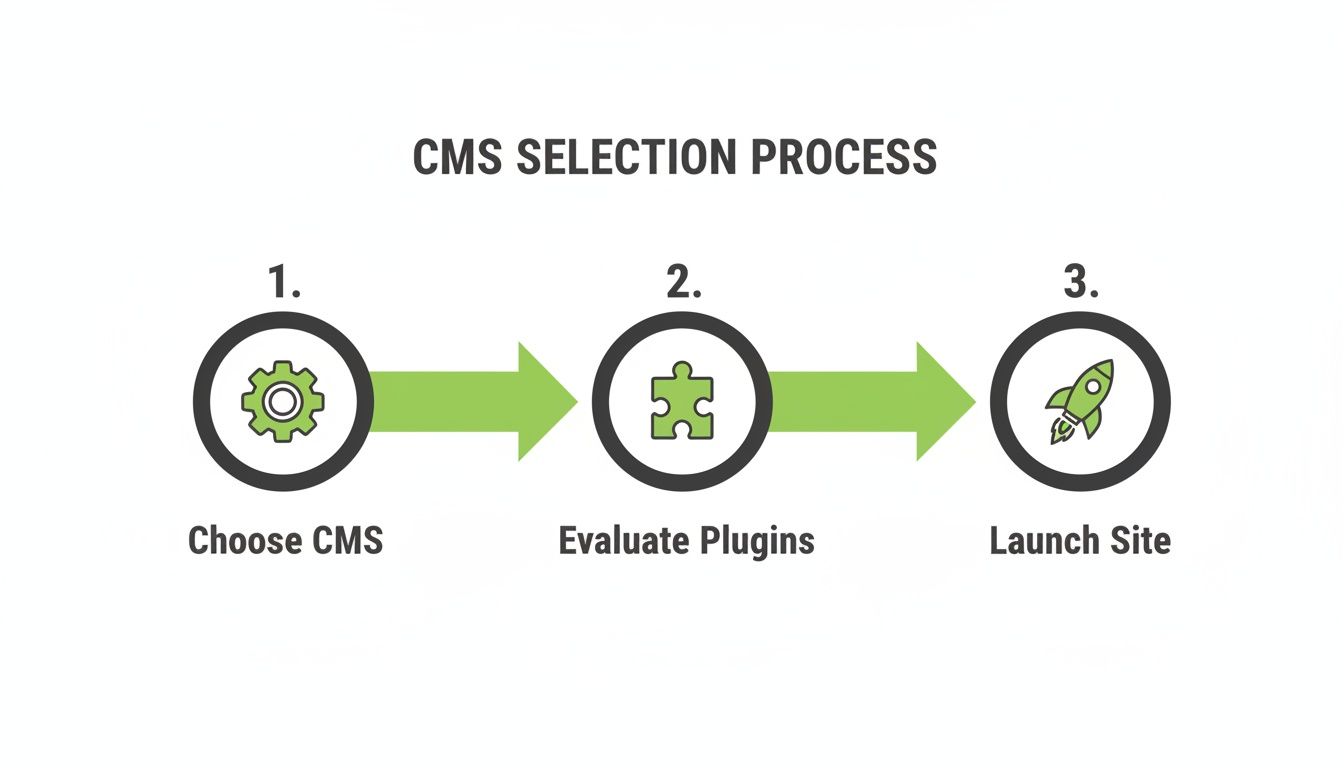
Here’s a step-by-step look at how the automation works:
- The Trigger: The process starts when you add a new row to your spreadsheet (e.g., a new town to target).
- Send to AI: Your automation tool (Zapier) sees the new row. It grabs the data (the town name) and the prompt from your template.
- Generate Content: Zapier sends this information to an AI like OpenAI's GPT-4. The AI follows your prompt (e.g., "Write a 2-sentence intro...") and creates a unique paragraph about cleaning services in that specific town.
- Publish to CMS: Zapier then takes the AI-generated text, combines it with the other data from your spreadsheet (like the title and H1), and automatically creates and publishes a new post or page in your CMS (like WordPress).
This entire workflow runs in the background. Every time you add a new city, product, or competitor to your list, a new, fully optimized page appears on your website. What would take a human writer days or weeks can be done in minutes.
This process highlights why choosing the right CMS and tools from the beginning is so important. When you combine a flexible CMS with smart automation, you can effectively scale your SEO for CMS efforts, capture thousands of specific search queries, and dominate your niche.
Optimising for Local and Mobile Audiences

The battle for organic traffic is increasingly fought and won on two fronts: local search results and mobile devices. Winning over these high-intent audiences is no longer a "nice-to-have"—and your CMS is your command centre for making it happen. It’s where you translate technical settings into real-world visibility for customers searching right in their local area, often while on the move.
This goes way beyond just having a website that looks okay on a phone. It’s about structuring your content and technical signals so that search engines instantly connect your business to a specific place and a seamless mobile experience. Properly configuring your CMS is the key to dominating these valuable search landscapes.
Implementing Local Business Schema
One of the most powerful tools in your local SEO arsenal is Local Business schema markup. Think of schema as a secret language you speak directly to search engines. It’s structured data that removes all guesswork, clearly telling them who you are, what you do, and where you're located.
Your CMS makes this ridiculously straightforward, usually through an SEO plugin. Instead of wrestling with code, you just fill out a simple form:
- Business Name: Your official registered name.
- Address: Your physical street address, city, and postal code.
- Opening Hours: Your exact hours of operation for each day of the week.
- Phone Number: Your primary contact number.
- Business Type: The specific category, like
PlumberorRestaurant.
Once you hit save, the plugin injects this information into your site's code in the correct format. Google then pulls this data to populate rich results like map packs and knowledge panels, which can dramatically boost your local visibility.
Correctly implementing Local Business schema is like handing Google your business card. It ensures there's no confusion about your location, services, or how customers can find you, giving you a distinct advantage in local search results.
Managing Location-Specific Landing Pages
For any business with multiple physical locations, a single "Contact Us" page just won't cut it. The gold standard is to create a unique, fully optimised landing page for each and every location. Your CMS is built to make this process efficient and scalable.
The goal is to create a dedicated content hub for each branch. For instance, if you run shops in Berlin and Hamburg, you’d build two distinct pages: yourwebsite.de/locations/berlin and yourwebsite.de/locations/hamburg.
Each of these pages needs to feature:
- Unique Content: Talk about local landmarks, neighbourhood details, or even customer testimonials from that specific area. Make it feel local.
- Location-Specific Schema: Apply the
LocalBusinessschema again, but this time with the unique address and phone number for that specific branch. - An Embedded Map: Always include a Google Map pinpointing the exact location.
This strategy signals powerful local relevance to search engines. For a much deeper dive into this tactic, check out our complete guide on building a winning local SEO strategy. Managing these pages within your CMS allows you to maintain brand consistency while tailoring content for each community you serve.
Beyond Basic Mobile Responsiveness
These days, having a mobile-responsive design is just table stakes. True mobile optimisation within your CMS focuses on pure speed and user experience to improve your Core Web Vitals—the key metrics Google uses to measure a site's health.
A fast, frictionless experience is crucial for converting that traffic into customers.
Focus on these tangible optimisations you can manage directly from your CMS dashboard:
- Image Compression: Use plugins or built-in CMS features to automatically compress images the moment you upload them. This slashes file sizes without sacrificing quality, making pages load much faster on mobile connections.
- Lazy Loading: Enable lazy loading for images and videos. This simple setting tells the browser to only load media when it's about to scroll into view, prioritising the content your visitor sees first.
- Above-the-Fold Content: Make sure your most important information—your headline, a call-to-action, or key business details—loads instantly without requiring any scrolling.
These technical tweaks have a direct impact on how quickly a user can interact with your page on their phone. By using your CMS to fine-tune these elements, you connect technical SEO with a genuinely better user experience, which is exactly what search engines want to reward.
Common Questions About CMS and SEO
When you're trying to marry your content management system with a solid SEO strategy, a lot of questions come up. It's a common friction point for many businesses. Let's cut through the noise and tackle the most frequent challenges I see, giving you clear answers to help your site perform better in search.
Which CMS Is Best for SEO?
This is the classic "it depends" answer, but for good reason. There's no single "best" platform because the right choice hinges entirely on your specific needs.
WordPress is the undisputed king of flexibility. With powerhouse plugins like Yoast or Rank Math, you get incredibly detailed control over almost every on-page SEO element you can think of. For e-commerce, Shopify is a champion, handling a huge number of product-related optimisations right out of the box.
Then you have headless CMS platforms. These offer maximum performance and technical freedom, which can be a massive win for Core Web Vitals. The "best" platform is the one that fits your team's technical skills, your business model, and your content ambitions. A small blog has completely different requirements than a global e-commerce brand.
Can I Switch My CMS Without Losing My Rankings?
Yes, you can, but this is a high-stakes operation. A CMS migration absolutely demands a meticulous plan. I've seen poorly handled migrations completely tank a site's organic traffic overnight, so this is one area where you can't afford to cut corners.
The single most critical piece of the puzzle is a comprehensive 301 redirect map. This map is your instruction manual for search engines, telling them exactly where every old URL has permanently moved to. You also have to ensure all your content, metadata, and structured data makes the journey over to the new site perfectly intact.
A CMS migration is like moving house. Your 301 redirect map is the mail forwarding service you set up with the post office. It ensures all your valuable link equity and ranking signals arrive at the new address instead of getting lost.
How Important Are SEO Plugins for My CMS?
For the vast majority of people, they're essential. While you could technically manage most SEO tasks by manually editing code, plugins democratise these complex jobs, making them accessible to marketers and content creators, not just developers.
They take fundamentally important SEO for CMS tasks and make them simple.
- XML Sitemaps: Automatically generating a map of your site and pinging search engines.
- Schema Markup: Easily adding structured data for things like reviews, products, or FAQs.
- Canonical Tags: Pointing search engines to the "master" version of a page to prevent duplicate content issues.
- Robots.txt Editing: Giving you a simple interface to control which parts of your site crawlers can access.
These tools are a cornerstone of modern SEO because they save a huge amount of time and drastically reduce the chance of a costly human error. Our guide on optimising internal linking with programmatic SEO dives deeper into building a solid site architecture, a task often made much easier with the right plugin.
Is a Headless CMS Better for SEO?
A headless CMS can deliver some serious SEO advantages, mostly around raw speed and performance. By decoupling the content backend from the presentation frontend, developers can build on modern, lightweight frameworks that create incredibly fast user experiences. This directly and positively impacts Core Web Vitals.
But that performance comes with a big trade-off: complexity. A headless setup requires significantly more technical expertise to build, maintain, and optimise. For many businesses, a well-optimised traditional CMS like WordPress is more than capable of getting top-tier SEO results without the added development cost and overhead of going headless.
At Programmatic SEO Hub, we provide the educational resources and toolkits you need to scale your content strategy with confidence. Learn how to unite classic SEO fundamentals with AI-powered methodologies by exploring our guides and systems. Start mastering programmatic SEO today.
Related Articles
Mobile friendly test google: A Practical Guide to Master Mobile SEO
Even though Google’s standalone Mobile-Friendly Test tool is a thing of the past, the principle behind it is more critical than ever. The simple truth is that Google now overwhelmingly uses its...

A Practical Guide to Competitive Analysis Keywords
When we talk about competitive analysis keywords, we're really talking about the search terms that are already making money for your rivals. By digging into these, you uncover their entire...

Landing Pages SEO A Practical Guide to Rank and Convert
When we talk about SEO for landing pages, we're not just talking about general website optimisation. We're getting hyper-specific. This is the art of building and refining standalone pages...