What Is a Parameter in URL and How Does It Work?
Ever ordered a coffee and specified exactly how you want it? "A large oat milk latte, extra hot." The core order is the latte, but those extra details—large, oat milk, extra hot—change the final product.
A parameter in a URL works the same way. It’s extra information you send to a web server to customize the content or action you get back. The main URL is the coffee shop, but the parameters are your specific instructions.
Decoding the Language of URLs

If you've ever looked up at your browser's address bar and seen a long string of characters after a question mark (?), you've seen URL parameters in action. That entire section, from the ? onwards, is called the query string. It’s where all these little custom instructions live.
These additions are the secret sauce that makes the web feel dynamic and interactive. Without them, we'd be stuck with a collection of static, one-size-fits-all pages. It's parameters that let websites show you personalized content, track where you came from, or filter a massive product catalog on the fly.
This capability was a huge driver of the web's growth. In Germany alone, internet usage exploded from a mere 4.1 million users in 1997 to over 67 million by 2022. This wasn't just about faster connections; it was about the dynamic, searchable experiences that technologies like URL parameters made possible. You can dig into more of this data over at Statista.
To really get a handle on this, let's break down how a parameter is structured. It’s surprisingly simple.
Anatomy of a URL with Parameters
This table breaks down a sample URL to show how each part works together.
| URL Component | Example | What It Does |
|---|---|---|
| Base URL | www.exampleshop.de/shirts |
This is the address of the core, unfiltered page. |
| Query Starter | ? |
A question mark signals the start of the query string. |
| Key | color |
The name of the instruction, like filter by... |
| Value | blue |
The specific choice for that instruction, like blue. |
| Separator | & |
An ampersand separates multiple key/value pairs. |
| Key 2 | sort |
The second instruction, like sort by... |
| Value 2 | price_low |
The choice for the second instruction, lowest price. |
As you can see, the query string is just a series of key=value pairs stitched together.
Combining Multiple Instructions
So, what happens when you need to give more than one instruction at once? You just string them together with an ampersand (&). It’s that easy.
Let's say you're browsing an e-commerce site for a blue shirt and want to see the cheapest ones first. The URL in your address bar would likely update to something like this:
www.exampleshop.de/shirts?color=blue&sort=price_low
Here, the query string starts right after the
?. It contains two distinct parameters: the first iscolor=blue, and the second,sort=price_low, is tacked on with the&. This elegant structure allows for a nearly infinite number of combinations, turning a single product page into a highly customizable tool. This simple concept is the foundation we’ll build on as we explore its massive impact on SEO and content scaling.
URL Parameters in Action: Real-World Examples
Alright, we've covered the anatomy of a URL parameter. Now, let's see how they actually show up in the wild. The truth is, you've probably encountered and used them thousands of times without even noticing. They're the invisible gears that make the modern web feel so dynamic and organized.

From filtering e-commerce products to tracking the success of a marketing campaign, these simple additions to a URL are fundamental. Let's walk through five common scenarios where you'll find them working hard behind the scenes.
Filtering and Sorting Products
This is the classic example, and one you’ve definitely used. Whenever you shop online and start narrowing down your choices, you're building a URL with parameters on the fly.
Imagine you’re on a shoe website, looking for blue trainers in size 43. As you tick those filter boxes, the site doesn’t take you to a whole new, static page. Instead, it reloads the current page by tacking instructions onto the URL:
.../trainers?color=blue&size=43&sort=price_low
Each filter adds another key-value pair, giving the server a precise list of what to show you. This clever system is called faceted navigation, and it’s absolutely essential for any site with a large inventory. It’s a surprisingly deep topic, and you can learn more in our dedicated guide on the SEO implications of faceted navigation.
Navigating Through Pages
Ever clicked "Next Page" on a blog or a product category? That simple action is almost always powered by a pagination parameter.
When you first land on the page, the URL is clean. But hit page two, and you’ll see something like this pop up in the address bar:
.../blog?page=2
This little snippet tells the server to skip the first set of items and display the next batch. It’s a straightforward but powerful way to break up massive amounts of content into user-friendly chunks, all without needing to create hundreds of individual HTML files.
Tracking Marketing Campaigns
For marketers, data is everything. They need to know which campaigns are actually driving traffic and which are falling flat. This is where UTM parameters come into play. UTM stands for Urchin Tracking Module, a system that lets you add "tags" to a URL to track its journey across the web.
You’ve likely clicked on a link in an email newsletter or a social media ad that looked something like this:
.../?utm_source=facebook&utm_medium=cpc&utm_campaign=summer_sale
These parameters don’t change a single thing about the page’s content. Their job is purely to pass information to analytics tools like Google Analytics. They act as digital breadcrumbs, explaining:
- utm_source: Where did the visitor come from? (e.g., Facebook, Google, a newsletter)
- utm_medium: How did they get here? (e.g., a paid ad (
cpc), an organic link) - utm_campaign: Which specific marketing push was this link part of?
This data is vital for measuring the return on investment for any campaign.
Search Engine Queries
When you type something into Google or any other search engine, your search term is bundled into a URL parameter and sent off to their servers.
A search for "best hiking trails" will land you on a results page with a URL containing that exact phrase:
.../search?q=best+hiking+trails
In this case, q (for query) is the key, and your search term is the value. This is how the search engine knows what information to retrieve and show you.
This simple principle of using parameters for user queries is a cornerstone of the internet. It has completely reshaped how we access information. In Germany, URL parameters are crucial for both public and commercial digital life. Eurostat data reveals that 72% of individuals have ordered goods or services online, often relying on URLs with parameters for secure and personalized shopping experiences.
Maintaining User Sessions
Finally, some websites use parameters to keep track of your unique visit, or session. This is how a site remembers things like what you’ve added to your shopping cart as you click from page to page.
You might see a URL with a long, random-looking string of characters attached:
.../cart?session_id=a1b2c3d4e5f6g7h8
Think of this session ID as a temporary nametag for your visit. It ensures that when you go from a product page to the checkout, the server still knows who you are and what you wanted to buy.
The Hidden SEO Dangers of URL Parameters
URL parameters are fantastic tools for building dynamic, user-friendly websites. But for an SEO, they're a classic double-edged sword. If you don't manage them carefully, they can silently wreck your search performance by spawning mountains of duplicate content, confusing search engines, and burning through your crawl budget.
Let’s stick with our e-commerce example for "women's trainers". A user can filter by color and sort by price. Suddenly, you have multiple URLs that all show basically the same collection of products:
.../womens-trainers(The original page).../womens-trainers?sort=price_low(Same trainers, just in a different order).../womens-trainers?color=blue(A filtered view, but still a page about women's trainers).../womens-trainers?color=blue&sort=price_low(Another variation)
To a search engine, these aren't just one page with options—they look like four separate pages. When Google finds multiple URLs with nearly identical content, it has to guess which one is the "real" version. Which one should it actually show in the search results?
This confusion is bad news. It forces Google to make a choice, which splits your ranking power. Instead of all your authority and link equity flowing to one strong page, it gets diluted across several weaker variations.
The Problem of Duplicate Content
Duplicate content is easily the biggest SEO risk that comes with using a parameter in a URL. It pops up whenever search engines can access the same (or very similar) content through more than one distinct address. This isn't just a minor issue; it's actively harmful.
When search engines have to choose between multiple versions of the same page, they might rank the wrong URL. Worse, they could filter all versions from the results, thinking they're low-quality or even manipulative. That can cause a serious drop in your organic traffic.
This duplication can spiral into another headache called index bloat. This is where a search engine's index gets clogged with thousands of low-value, parameter-driven pages from your site. We have a full guide on how to spot and fix this in our deep dive on controlling index bloat. At the end of the day, it wastes the limited time Google allocates to crawling your website—your precious crawl budget.
Your First Line of Defence: The Canonical Tag
Luckily, we have a powerful tool to fix this: the rel="canonical" tag. Think of it as a little signpost in your page's code that tells search engines, "Hey, I know this URL looks different, but the 'master' copy of this content lives over here."
It's just a single line of HTML you place in the <head> section of your page. For all those variations of your "women's trainers" page, you'd add this tag pointing back to the main one:
<link rel="canonical" href="https://www.yourshop.de/womens-trainers" />
This simple instruction does something magical: it consolidates all the ranking signals (like backlinks and user behavior) from the parameter-heavy URLs and funnels them directly to your preferred, canonical version. It's an elegant fix that clears up any confusion for search engines.
Taking Control with Google Search Console
Beyond the canonical tag, you can give Google even more direct instructions right from Google Search Console (GSC). The old URL Parameters tool in GSC is gone now, but Google's crawlers have gotten much smarter at figuring out parameter logic on their own, especially when you guide them with solid canonical tags.
Still, for any complex site, you absolutely need to monitor how Google is treating your parameters. You can do this by digging into your crawl stats and indexing reports inside GSC. If you see Google crawling a ton of parameter-based URLs you don't want indexed, that's a red flag. It probably means your canonical tags aren't set up right, or you might need to block those parameters from being crawled altogether using your robots.txt file.
By combining strong canonicalization with a watchful eye in GSC, you can take full control of how your parameter-based URLs are seen and indexed, making sure your SEO efforts hit their mark.
Best Practices for Clean and SEO-Friendly Parameters
Now that we’ve seen the SEO traps that URL parameters can lay, it’s time to get proactive. Managing them well isn’t about avoiding them entirely—it’s about using them with intention. By sticking to a few straightforward practices, you can build URLs that are clean for users and perfectly clear for search engines.
The golden rule here is simplicity. A URL should always be as short and descriptive as it can be. That makes unnecessary parameters your number one enemy.
Before you add any parameter, ask a simple question: "Does this fundamentally change the content on the page?" If the answer is no, you have to wonder if it needs to exist at all.
Keep Your URLs Tidy and Logical
A clean URL structure is a win-win. It helps both the people visiting your site and the search engine crawlers trying to understand it. Users are far more likely to trust and click on a URL that looks simple and makes sense. For search engines, a logical structure makes crawling more efficient and helps them map out your site's hierarchy.
Here are a few actionable rules you can put into practice right away:
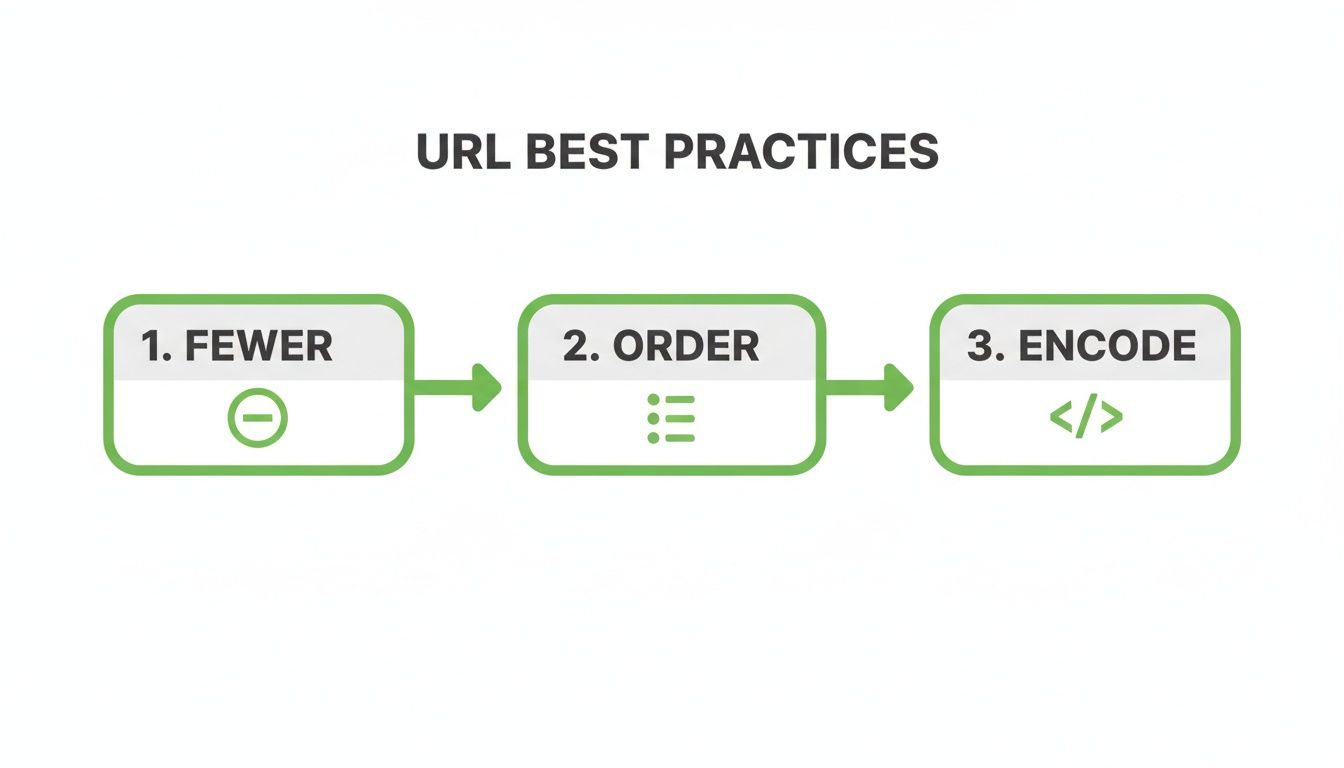
- Use Fewer Parameters: The best parameter is often no parameter at all. Only use them when they add real value, like for filtering products or tracking a specific campaign. Ditch parameters that don’t change the page's core content, such as
?source=internal-link. - Maintain a Consistent Order: If a page needs multiple parameters, always keep them in the same order. For example, always use
?color=blue&size=43and never link to?size=43&color=blue. This consistency helps search engines spot patterns and stops them from seeing two identical pages as unique. - Prefer Hyphens for Readability: When your parameter values have more than one word, use hyphens (
-) to separate them (e.g.,?style=running-shoes). Google generally prefers hyphens over underscores (_) for separating words, making your URLs a bit easier to read.
Handle Technical Details with Care
Getting the structure right is half the battle, but a few technical details can prevent common errors and ensure your URLs work everywhere. Overlooking these can easily lead to broken links and frustrating indexing problems.
A classic example of a parameter headache is the
?ref=parameter that some platforms add automatically. While it’s usually harmless if your site uses canonical tags correctly, it’s a perfect illustration of why you need to be in control. The best defense is to prevent unnecessary parameters from being added in the first place.
One of the most critical steps is URL encoding. URLs can only contain a specific set of characters, so anything special—like a space or an ampersand within a value—must be "encoded" to prevent the URL from breaking. A space, for instance, becomes %20. Most modern systems do this for you, but it’s something you absolutely need to be aware of.
Finally, always—and I mean always—use canonical tags to consolidate your ranking signals. If you have parameter-driven pages for filtering or sorting, make sure they all point to the clean, primary version of the URL. To really nail this, check out our in-depth guide to properly implementing canonical tags for programmatic SEO. This one tag is your most powerful tool for stopping duplicate content issues dead in their tracks.
URL Parameter Handling Good vs Bad Practices
To make this crystal clear, let's look at some common mistakes side-by-side with their SEO-friendly alternatives.
| Practice | Bad Example (Avoid) | Good Example (Do This) |
|---|---|---|
| Parameter Order | ?size=large&color=red and ?color=red&size=large on different pages. |
Always use a consistent order, like ?color=red&size=large. |
| Keyword Separators | ?product_category=running_shoes |
?product-category=running-shoes |
| Tracking Parameters | Allowing internal tracking parameters like ?source=sidebar to be indexed. |
Use a canonical tag pointing to the base URL or block them in robots.txt. |
| Empty Parameters | example.com/products?color=&size=large |
Only include parameters that have a value assigned to them. |
| Session IDs | example.com/page?sessionid=123xyz |
Use cookies to manage sessions instead of adding clutter to URLs. |
Following these "do this" examples will keep your URLs clean and prevent the vast majority of parameter-related SEO issues. It’s all about being deliberate and consistent.
How to Use Parameters for Programmatic SEO with AI
URL parameters are not just for filtering products; they are the engine behind a powerful strategy called Programmatic SEO (pSEO). The idea is simple: create one master page template and then use data to automatically generate hundreds or even thousands of unique pages for very specific search terms.
Think of a real estate website. Instead of manually creating pages for "flats for rent in Berlin," "houses for rent in Hamburg," and so on, pSEO does it automatically. A single template is combined with a database of property types and cities to create all the variations.
Adding Artificial Intelligence to this process makes it even more powerful. AI can write unique, genuinely helpful content for each of these automated pages, helping you rank for countless specific search queries without creating duplicate content.
A Practical Guide to AI-Powered pSEO
You don't need to be a developer to start with pSEO. Here’s a simple, step-by-step process anyone can follow using common tools.
Step 1: Find Your Keyword Patterns
First, identify the common ways people search for what you offer. These searches often follow a formula, like [service] in [location] or [product] for [audience]. For example, a cleaning company might target:
"office cleaning" in "Berlin""end of tenancy cleaning" in "Munich"
Step 2: Build Your Database
This is the heart of your operation, and it can be as simple as a spreadsheet. Use a tool like Google Sheets or Airtable. Create columns for each part of your keyword pattern. For the cleaning company, you'd have one column for Service and another for Location.
Step 3: Create a Master Page Template
Design a single "blueprint" page. This template will have placeholders that pull data from your spreadsheet. For example, the page title could be <h1>{{Service}} in {{Location}}</h1>. When a page is generated, these placeholders get replaced with the actual data from a row in your sheet. Learn more about setting up these placeholders in our guide to template variables for pSEO.
Step 4: Use AI to Generate Unique Content
This is the game-changer. Instead of just swapping out words, you can use AI to write unique content for every single page. This helps you avoid duplicate content issues and provide real value.
You can create an AI prompt that uses your database columns as variables. A simple prompt might look like this:
"Write a 150-word introduction for a webpage about our {{Service}} for customers in {{Location}}. Mention why this service is important for local residents and businesses."
By running this prompt for every row in your spreadsheet, you can instantly generate thousands of unique content blocks, turning your simple template into a massive set of valuable, targeted landing pages.
The Power of Precise Targeting
This level of precision is incredibly effective. Just look at the advertising reach of YouTube in Germany to see how parameters deliver localized content at a massive scale. A staggering 77.6% of the country's total population can be reached by YouTube ads, a feat made possible by parameters like gl=de, which tells Google’s systems to serve country-specific content. As you can find in the data on DataReportal.com, this makes platforms that master parameters essential for any local marketer.
By applying the same logic to your own website, you're using the parameter in a URL as a tool to create a uniquely relevant page for a very specific user need. It’s a low-code, high-impact strategy that modern businesses are using to dominate long-tail search traffic and build authority across countless niche topics.
Protecting Your Site from Parameter Security Risks

While a parameter in a URL is brilliant for creating dynamic web experiences, it can open the door to some nasty security and privacy risks if you’re not careful. The golden rule is simple but absolute: never, ever put sensitive information directly into a query string.
We’re talking about anything a user—or your business—would want to keep private. Think passwords, API keys, personal details, or specific account information. Once that data is in the URL, you might as well consider it public.
Why Query Strings Aren't Secure
The real danger is their visibility. Unlike data sent securely behind the scenes (like in a POST request), URL parameters are completely exposed. They leave a trail of digital breadcrumbs that can be easily picked up by the wrong people.
Just think about all the places a URL ends up after someone visits a page:
- Browser History: Anyone with physical access to a device can scroll through the full URLs of every page visited.
- Server Logs: Your web server diligently records every single request, including the complete URL with all its parameters.
- Shared Links: People copy and paste links all the time into emails, chats, or social media, often without realizing they’re sharing any data embedded in the URL.
- Referrer Headers: When a user clicks a link on your site that goes to another website, your full URL can be sent to that next site as part of the referrer information.
This exposure creates a huge attack surface. An attacker doesn't need to be some elite hacker; they might just need to glance over someone's shoulder or check the browser history on a public computer.
Adopting a security-first mindset means treating every single parameter as if it will be seen by everyone. This one simple assumption forces you to make much safer choices about what data you expose in the query string.
Common Parameter-Based Threats
Beyond just accidentally exposing data, insecure parameters can be actively exploited for attacks. One of the most common is Cross-Site Scripting (XSS). In an XSS attack, a bad actor injects malicious code into a URL parameter.
If your website isn't set up to properly sanitize its inputs, it might blindly execute that code. This could lead to stolen user data, hijacked sessions, or users being tricked into giving up their credentials.
The point isn't to scare you, but to drive home the importance of building secure habits from the ground up. By keeping all sensitive data out of your URLs from the very start, you eliminate the most common risks and build a safer experience for both your website and your users.
Common Questions About URL Parameters
When you start digging into URL parameters, a few common questions always seem to pop up. Let's clear the air and tackle some of the most frequent ones so you can manage them like a pro.
What Is the Difference Between a Parameter and a Fragment?
At first glance, a parameter (?) and a fragment (#) look pretty similar hanging at the end of a URL, but they do completely different jobs.
Think of it this way: a URL parameter is a message you send to the website's server before the page even loads. It’s like placing a specific order, asking it to show you products filtered by "blue" or sorted by "price." A fragment, on the other hand, is an instruction for the browser after the page has already arrived. It tells your browser to jump down to a specific spot on that page, like clicking a link in a table of contents.
So, the key distinction is timing and target:
- Parameters (
?) talk to the server to get specific content. - Fragments (
#) talk to the browser to navigate the content that's already there.
Can Parameters Slow Down Your Website?
Yes, they absolutely can. When a URL is loaded with lots of parameters, it can throw a wrench in caching mechanisms. Servers and browsers often won't cache a page with a complex query string because they assume it's a unique, dynamic request.
This means every time someone visits that URL, the server has to build the page from the ground up. That uses more resources and almost always leads to slower load times, especially when you've got a lot of traffic.
How Many Parameters Can a URL Have?
There isn't a hard-and-fast technical rule, but there's a very real practical limit. Most browsers cap the total URL length at around 2,000 characters.
More importantly, a super long URL packed with parameters is just a bad look. It's tough for a user to read or share, and it can be a red flag for search engines, signaling potentially low-quality or thin content. If you want to see exactly how Google is interpreting your URLs, it’s worth learning how to use the URL Inspection Tool.
As a rule of thumb, always chase simplicity. If a parameter isn't adding real value for the user or giving you essential tracking data, it’s probably better to just leave it out.
Ready to scale your content and master modern SEO? At Programmatic SEO Hub, we provide the guides, tools, and systems you need to build a powerful content engine. Explore our resources at https://programmatic-seo-hub.com/en.
Related Articles

Mobile friendly test google: A Practical Guide to Master Mobile SEO
Even though Google’s standalone Mobile-Friendly Test tool is a thing of the past, the principle behind it is more critical than ever. The simple truth is that Google now overwhelmingly uses its...

A Practical Guide to Competitive Analysis Keywords
When we talk about competitive analysis keywords, we're really talking about the search terms that are already making money for your rivals. By digging into these, you uncover their entire...

Landing Pages SEO A Practical Guide to Rank and Convert
When we talk about SEO for landing pages, we're not just talking about general website optimisation. We're getting hyper-specific. This is the art of building and refining standalone pages...