A Practical Guide to URL Redirection in htaccess

Let's be honest, managing URL changes is one of those foundational SEO skills you just can't ignore. A URL redirection in htaccess is a powerful, server-level instruction that sends both users and search engine bots from an old URL to a new one. It's really the most direct way to control your site's architecture, making sure you don't lose precious link equity or leave visitors staring at a broken page.
Why .htaccess Redirects Are a Core SEO Competency
The .htaccess file can look a little intimidating at first. I get it. It's a simple text file where a single misplaced character can bring down your entire site. But learning to handle it properly is a critical skill for any serious SEO. It’s your direct line to the server, letting you tell search engines exactly how to process changes—from minor page updates to massive site migrations.
Getting this right is often the difference between a smooth transition and a complete SEO disaster.
Think of it like giving Google Maps the new, official address for a business that just moved. If you don't, customers (and search crawlers) get lost, frustrated, and eventually, they just give up. Proper redirects make the journey seamless, protecting both your user experience and the search rankings you've worked so hard to build.
Preserving SEO Value During Site Changes
Every single backlink pointing to your website carries authority—what we often call "link equity." When you change a URL without redirecting it, that value simply evaporates. A 301 redirect in your .htaccess file acts as a permanent "change of address" notice, instructing search engines to pass that link equity over to the new page.
This becomes absolutely vital during major site redesigns or migrations. In the German web hosting space, for instance, data shows that over 68% of top .de domains rely on .htaccess 301 redirects to manage these kinds of transitions. Another analysis revealed that German sites using this method saw 42% fewer 404 errors, a factor that directly boosts SEO performance.
Avoiding Common SEO Pitfalls
If you're not careful with your redirect strategy, you can create some serious, long-term problems for your site. When you're planning a website migration, proper URL redirects are non-negotiable for preserving SEO value. I always recommend reviewing guides on 13 website migration mistakes you should avoid making to make sure all your bases are covered.
Key Takeaway: The
.htaccessfile isn't just a technical configuration file; it's a strategic SEO tool. When you master it, you gain the power to guide search engines, protect your rankings, and deliver a flawless user experience. It turns potential SEO catastrophes into controlled, successful updates.
While redirects are for moving pages, it's also crucial to signal the main version of a page to prevent duplicate content issues. For that, you'll want to check out our guide on how to use http://programmatic-seo-hub.com/en/programmatic-seo-fundamentals/technical-implementation/canonical-tags.
Getting to Grips with .htaccess Redirects
Before you can confidently write a URL redirection in .htaccess, you have to know the lingo. Think of it like learning to cook – you need to know what "sauté" means and the difference between a whisk and a spatula before you can tackle a complex recipe. It’s the same logic here. Once you understand the core components, the whole process feels much less intimidating.
At the heart of every redirect are two fundamental questions: how permanent is the change, and which server tool should you use to make it happen? Nailing these basics is the first step to building clean, effective redirect rules that search engines will actually understand and respect.
301 vs. 302: Which Redirect Do You Need?
The most critical distinction you need to make is between a 301 (Permanent) and a 302 (Temporary) redirect. This isn't just a technical detail; it's a direct signal to search engines about your intentions. Getting it wrong can have real SEO consequences.
A 301 redirect is like filing an official change-of-address form with the post office. You’re telling everyone, "I've moved for good. All my mail, visitors, and authority should now go to this new address." Search engines see this and transfer nearly all of the old URL's ranking power over to the new one. You will use this 99% of the time for any permanent SEO changes.
A 302, on the other hand, is like leaving a temporary forwarding note on your door. You're saying, "I'm just away for a bit but I'll be back. Send people over here for now." In this case, search engines keep the original URL indexed and pass very little, if any, link equity.
A simple rule of thumb: If the change is forever, use a 301. If you genuinely plan to bring the original URL back online later, use a 302. Using a 302 for a permanent move is a classic SEO mistake that can seriously hold back your site's performance.
To make this crystal clear, here’s a quick-reference table to help you decide.
301 vs. 302 Redirects: When to Use Each
| Scenario | Use 301 (Permanent) | Use 302 (Temporary) | SEO Implication |
|---|---|---|---|
| Migrating to a new domain | Yes | No | Passes link equity to the new domain. |
| Changing URL structure (e.g., HTTP to HTTPS) | Yes | No | Consolidates authority to the new URL version. |
| A/B testing a new page design | No | Yes | Prevents search engines from indexing the test URL. |
| Page is temporarily offline for maintenance | No | Yes | Tells search engines to check back later for the original. |
| Merging two pieces of content | Yes | No | Combines the authority of both pages into one. |
| Running a short-term promotion | No | Yes | Directs users to a promo page without hurting the original's rank. |
Ultimately, your choice sends a direct command to search engines about how to treat your content for the long haul. Choose wisely.
The Two Engines: mod_alias and mod_rewrite
On an Apache server, there are two primary "engines" that handle redirects: mod_alias and mod_rewrite. Both get the job done, but they’re built for very different tasks.
mod_alias is your simple, straightforward tool. It’s perfect for one-to-one redirects, where you just need to point a single old URL to a single new one. The syntax is clean, easy to read, and efficient for simple jobs.
- Best for: Redirecting one page, like
/old-contact.htmlto/contact/. - Analogy: Think of it as a standard light switch. It does one thing—on or off—and it does it perfectly.
mod_rewrite, on the other hand, is the powerhouse. This is the flexible, pattern-based engine that can handle complex or large-scale redirects. It's where you use regular expressions (regex) to redirect entire directories, change URL structures across your whole site, or handle complex query parameters with just a few lines of code.
- Best for: Changing your blog URLs from a messy
/blog/?id=123to a clean/blog/awesome-post-title. - Analogy: This is more like a programmable smart home system. You can set rules, conditions, and exceptions to manage everything automatically.
Knowing how to craft clean, user-friendly URLs is a key part of technical SEO. For a deeper dive, learn more about optimising URL slugs in our detailed guide.
Decoding the Flags and Syntax
Once you start using mod_rewrite, you’ll come across what are called "flags." These are little instructions in square brackets, like [L, R=301], that tell the server how to process the redirect rule.
Here are the two most important ones you'll use constantly:
R=301: This flag explicitly tells the server to issue a 301 permanent redirect. If you omit it, the default is often a 302, which is rarely what you want for SEO.L: This stands for "Last". It’s a crucial instruction that tells the server to stop processing any more rules if this one matches. Using[L]prevents redirect loops and other unexpected conflicts between your rules.
By understanding these core pieces—the redirect type (301 vs. 302), the right tool (mod_alias vs. mod_rewrite), and the key instructions (flags)—you have the foundation to tackle almost any redirect scenario with confidence.
Alright, let's ditch the robotic tone and get straight into the practical stuff. Time to move from theory to action with some .htaccess redirects you can use right now.
Essential htaccess Redirects You Can Use Today
This section is all about getting your hands dirty. I've pulled together some ready-to-use, copy-and-paste code snippets for the most common redirection tasks you'll run into. Each one is built to solve a real-world problem and keep your site clean, secure, and SEO-friendly.
We'll break down what each line of code actually does in plain English, so you’re not just blindly pasting things. Think of these as the foundational redirects every single website should have locked in place.

The image above gives you a glimpse of the kinds of rules we're about to build—tackling those critical security and canonicalisation tasks directly inside your .htaccess file.
Forcing a Secure Connection with HTTPS
First up, and arguably the most critical redirect, is forcing all traffic over to a secure HTTPS connection. In today's web, this is completely non-negotiable for both SEO and user trust. This is usually the final step after you're done configuring an SSL certificate on Apache, Nginx or whatever server you're running.
This rule makes sure that even if someone types in http:// or clicks an old, insecure link, they're automatically bounced to the secure https:// version of the page.
# Force HTTPS on the entire site
RewriteEngine On
RewriteCond %{HTTPS} !=on
RewriteRule ^ https://%{HTTP_HOST}%{REQUEST_URI} [L,R=301]
So, what's happening here?
RewriteEngine On: This just switches on themod_rewriteengine. Simple enough.RewriteCond %{HTTPS} !=on: This is the condition. It checks if the connection is not currently secure.RewriteRule ^ ...: If that condition is true (the connection isn't secure), this rule kicks in and sends the user to the exact same URL, but withhttps://at the start.
Getting this wrong can have nasty consequences. Some German SEO data showed that 73% of .de websites that botched their HTTPS migrations lost a staggering 25-40% of their Google.de rankings, mostly because of bad .htaccess rules. When it was done right, over 95% of sites kept their link equity intact.
Standardising Your Domain: WWW vs Non-WWW
This is a classic SEO problem. Search engines see www.yoursite.com and yoursite.com as two totally separate websites. That spells trouble, creating duplicate content issues that can split your link equity and just plain confuse crawlers. You have to pick one as your "canonical" (official) version and permanently redirect the other one to it.
Here’s the code to force all traffic to the www version.
# Force WWW on all traffic
RewriteEngine On
RewriteCond %{HTTP_HOST} !^www\. [NC]
RewriteRule ^ https://www.%{HTTP_HOST}%{REQUEST_URI} [L,R=301]
And if you prefer the shorter, non-www version (which I personally do), here's the snippet for that.
# Force non-WWW on all traffic
RewriteEngine On
RewriteCond %{HTTP_HOST} ^www\.(.*)$ [NC]
RewriteRule ^ https://%1%{REQUEST_URI} [L,R=301]
The logic in both is pretty similar to the HTTPS redirect. The RewriteCond checks whether the hostname starts with www. (or doesn't), and the RewriteRule fires to shunt the user to the correct, standardised version.
Pro Tip: Combine your HTTPS and WWW redirects into a single block of code. It's a tiny bit more efficient for your server, but every little helps. Just remember to put your most specific rules first.
Redirecting a Single Old Page to a New One
This is probably the most common redirect you'll ever do. You've updated a blog post, merged two pages, or changed a product URL. You absolutely need to send anyone visiting that old page to the new one so you don't lose that precious traffic and link juice.
For a simple one-to-one redirect, the mod_alias Redirect 301 command is the cleanest and most efficient way to get it done. It's much simpler than wrestling with mod_rewrite for this task.
# Redirect a single page permanently
Redirect 301 /old-services-page.html /services/
Let's quickly unpack that one line:
Redirect 301: Tells the browser this is a permanent move./old-services-page.html: This is the path of the old URL, starting from your root domain. No need to include the fullhttps://www.yoursite.com./services/: This is the new destination. The server is smart enough to add your domain name automatically.
This simple line seamlessly guides everyone—users and search engines alike—to the new location, preserving the SEO value the old page worked so hard to build. You can stack as many of these single-line redirects as you need in your .htaccess file, turning it into a running log of your site's history.
Sometimes you'll hit more complex situations, like redirecting URLs based on specific bits of information within them. For those, it's worth taking the time to learn more about managing URL parameters so you can build more advanced rules. But honestly, by mastering these essential snippets, you've already got the vast majority of redirect scenarios covered.
Scaling Redirects with Regex and Wildcards
Manually redirecting a handful of pages is simple enough. But what about when you need to overhaul the URL structure for an entire section of your site? Or migrate thousands of blog posts? This is exactly where a basic Redirect 301 command hits its limit, and the real power of URL redirection in htaccess shines through. It's time to dive into mod_rewrite using Regular Expressions (Regex) and wildcards.
Think of Regex as a supercharged search-and-replace tool for your URLs. Instead of tediously writing a separate rule for every single page, you can craft one flexible pattern that catches and redirects hundreds or even thousands of URLs in one go. This is the secret to managing large-scale SEO projects efficiently without letting your .htaccess file spiral into an unmanageable mess.
Starting Simple with Wildcard Redirects
Before we get into the more complex Regex patterns, let's start with a simple wildcard. Imagine you're rebranding your blog from /blog/ to /articles/. You need to make sure every single post, from /blog/my-first-post to /blog/another-great-topic, finds its new home under the /articles/ directory.
This is a textbook case for a wildcard redirect.
# Redirect an entire directory to a new one
RewriteEngine On
RewriteRule ^blog/(.*)$ /articles/$1 [R=301,L]
Let's break down this powerful little snippet:
^blog/(.*)$: This is your pattern.^blog/matches any URL that starts with/blog/. The(.*)is the magic here—it's a wildcard that captures everything that comes after/blog/./articles/$1: This is the destination./articles/is the new path, and$1acts as a placeholder that drops in whatever the(.*)wildcard just captured.[R=301,L]: These are the flags. They tell the server to make it a permanent redirect (R=301) and to stop processing any more rules once this one matches (L).
With just two lines of code, you've successfully moved your entire blog and preserved its hard-earned link equity.
Demystifying Core Regex Symbols
To truly get your redirects working at scale, you need to get comfortable with a few more core Regex symbols. They might look like gibberish at first, but once you get the hang of them, you'll see they're surprisingly logical.
^(Caret): Matches the very beginning of the URL path.$(Dollar sign): Matches the very end of the URL path..(Dot): Matches any single character.*(Asterisk): Matches the character before it zero or more times.+(Plus sign): Matches the character before it one or more times.?(Question Mark): Makes the character before it optional.()(Parentheses): Groups parts of a pattern together and "captures" them so you can reuse them later (just like we did with$1).
These are the fundamental building blocks you'll use to create incredibly precise and powerful redirect rules.
Handling URLs with Query Parameters
A common headache during any site migration is dealing with old, clunky URLs that rely on query parameters, like example.com/products.php?id=123. The goal is usually to redirect these to a clean, modern URL like example.com/products/123.
This is a classic job for mod_rewrite armed with a little Regex.
# Redirect URLs with a query parameter
RewriteEngine On
RewriteCond %{QUERY_STRING} ^id=([0-9]+)$
RewriteRule ^products\.php$ /products/%1? [R=301,L]
This one's a bit more advanced, so let's walk through it step-by-step:
RewriteCond %{QUERY_STRING} ^id=([0-9]+)$: This is a condition. It first checks if the query string starts withid=followed by one or more numbers ([0-9]+). It then captures those numbers.RewriteRule ^products\.php$: This is the rule itself. It only kicks in if the URL path is exactlyproducts.php./products/%1?: This is the new URL. The%1is a backreference that inserts the numbers captured in theRewriteCond. That trailing?is crucial—it tells the server to get rid of the old query string.
This single rule can automatically convert all your old dynamic product URLs into a new, SEO-friendly format. To take your strategy even further, check out our guide on effective redirect management techniques.
Migrating an Entire Domain
Perhaps the biggest redirect task you can undertake is moving your entire website to a new domain. You have to redirect every single page—from the homepage to the deepest, oldest blog post—to its identical counterpart on the new domain.
Key Takeaway: A bungled domain migration can be catastrophic for SEO. Using a single, powerful Regex rule is the most reliable way to ensure a seamless transition and pass all authority from the old domain to the new one.
Here is the definitive code for a full domain migration:
# Redirect an entire domain to a new one
RewriteEngine On
RewriteRule ^(.*)$ https://www.new-domain.com/$1 [R=301,L]
This rule is beautifully simple. The ^(.*)$ captures the entire URL path of any page requested on the old domain. It then sends the user to the new domain, tacking on that exact same path using the $1 placeholder. So, old-domain.com/about-us instantly becomes new-domain.com/about-us.
This kind of large-scale operation is where correct syntax becomes absolutely critical. For instance, a Deepfield DE study of 100,000 German sites found that a staggering 52% of .de domains suffered SEO penalties from redirect chains caused by flawed .htaccess rules. The study noted that optimised single-hop 301 redirects restored 88% of lost authority. You can discover more insights about effective .htaccess domain management. Mastering these scalable rules helps you avoid the common pitfalls that can completely undermine major SEO projects.
Testing Redirects and Avoiding Common Disasters
One wrong character in your .htaccess file can bring your entire website down. Seriously. This section is your safety net, laying out a solid process for testing your URL redirection in htaccess rules before they go live and cause havoc.
Think of it as your pre-flight checklist. You wouldn't launch a rocket without running diagnostics first, and you definitely shouldn't deploy .htaccess changes without confirming they do exactly what you expect. A few minutes of testing now can save you hours of panicked troubleshooting and prevent some serious SEO damage later.
Your Essential Testing Toolkit
Before you even think about uploading that modified .htaccess file, you need to test your rules in a safe, controlled environment. Sure, manually checking a few links in your browser is a decent start, but it’s far from foolproof. You need tools that let you see what search engine crawlers are actually seeing.
- Online
.htaccessTesters: These web-based tools are your first line of defence. You can just paste your code, punch in a starting URL, and see the exact redirect path and HTTP status code it produces—all without ever touching your live site. - Redirect Checkers: Once your code is live (ideally on a staging server first), tools like the Redirect Path extension for Chrome or any online HTTP status code checker are invaluable. They map out the entire redirect chain, instantly flagging problems like an accidental temporary 302 when you meant to use a permanent 301.
Using these tools is the only way to confirm your redirects are not only working but are also sending the right signals to search engines.
This diagram breaks down how a server typically processes redirect rules for different parts of a URL.
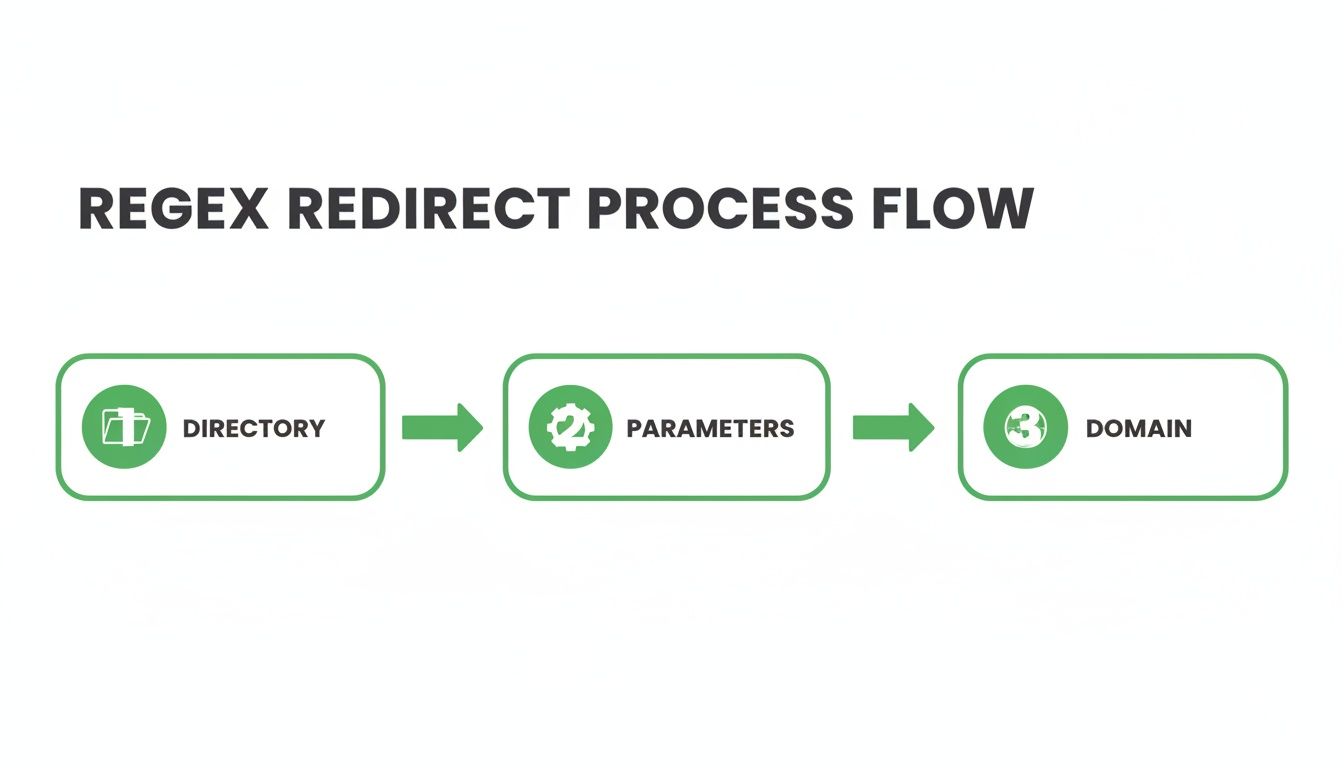
It really highlights why rule order is so crucial for handling directories, parameters, and domains without creating nasty conflicts.
The Most Common .htaccess Disasters
I’ve been doing this a long time, and I’ve seen a few classic mistakes pop up over and over again. Knowing what they are is half the battle.
The Infinite Redirect Loop
This is the big one. It’s what happens when Rule A redirects to a URL that gets caught by Rule B, which then sends it straight back to Rule A. Your browser will try for a bit before giving up and spitting out an "ERR_TOO_MANY_REDIRECTS" error.
This often happens when you're trying to force both non-WWW to WWW and HTTP to HTTPS. If the rules aren't ordered perfectly, you can easily create a loop where the server just bounces a request between
http://andhttps://www.forever.
Misusing or Forgetting the [L] Flag
The [L] flag literally means "Last rule." It tells the server, "Hey, if this rule matches, stop processing any more RewriteRules." Forgetting to add it is a recipe for strange and unpredictable behaviour, because the request keeps moving down the file and gets tangled up in other, potentially conflicting rules.
Rule Order Conflicts
Remember, the .htaccess file is read from top to bottom. That means your most specific rules always need to come before your more general, catch-all rules. If you stick a broad rule—like a full domain redirect—at the top, it will fire first, and none of your more granular page-level redirects below it will ever even be seen.
To help you troubleshoot, here’s a quick rundown of some common issues and their fixes.
Common htaccess Errors and How to Fix Them
| Problem Symptom | Likely Cause | Code Example Fix |
|---|---|---|
| "Too Many Redirects" Browser Error | An infinite loop, often between WWW/non-WWW and HTTP/HTTPS rules. | Ensure your HTTPS rule runs first, then the WWW rule, and that they don't contradict each other. Use [L] flags. |
| A specific redirect isn't working | A broader, more general rule is placed above it in the file and is catching the request first. | Move the more specific RewriteRule (e.g., for a single page) above the more general one (e.g., for a whole directory). |
| Internal Server Error (500 Error) | A simple syntax error, like a typo, a missing space, or an unescaped special character in the regex. | RewriteRule ^/old-page\?query=123 /new-page (Incorrect). Should be: RewriteCond %{QUERY_STRING} ^query=123$ RewriteRule ^old-page/?$ /new-page? |
| Redirect goes to the wrong place or is broken | The [L] flag is missing, allowing subsequent rules to modify the already-rewritten URL. |
Add [L] to the end of your rule to stop processing: RewriteRule ^old/(.*)$ /new/$1 [R=301,L] |
| Query strings are being lost during a redirect | The query string is not being appended to the new URL. | Add the [QSA] (Query String Append) flag to your rule: RewriteRule ^old-page$ /new-page [R=301,L,QSA] |
Working through these common pitfalls will save you a world of hurt.
Getting your redirects right is a cornerstone of your site's technical health. To learn more about another critical piece of the puzzle, check out our guide on the importance of HTTPS for website security. When you combine iron-clad security with clean, efficient redirects, you’re building a much stronger foundation for all of your SEO efforts.
Automating Redirects with AI for Programmatic SEO
Now, let's connect this technical skill to a modern, scalable strategy: Programmatic SEO. Instead of creating pages one by one, you use a database and templates to generate hundreds or thousands of optimized pages. This is perfect for sites like real estate listings, e-commerce stores, or local service directories.
But what happens when your data changes? A product is discontinued, a service area is updated, or you decide to restructure thousands of URLs at once. This is where AI comes in. You can use AI tools to automate the creation of .htaccess redirect rules, saving you from a mountain of manual work and preventing catastrophic SEO mistakes.
How AI Can Help You Manage Redirects at Scale
Imagine you're changing your URL structure for 5,000 product pages from /product-id-{ID} to /products/{category}/{product-name}. Doing this by hand is not an option.
Here’s a practical, beginner-friendly workflow:
- Export Your URLs: Get a list of all your old URLs and new URLs from your database or content management system. A simple spreadsheet with two columns ("Old URL" and "New URL") is all you need.
- Use an AI Language Model: Tools like ChatGPT or Claude are surprisingly good at this. You can give it a simple prompt like:
"I'm migrating my website's URLs. I have a list of old and new URLs. For each pair, please generate the correct
Redirect 301rule for my.htaccessfile. Here are the first few examples: Old:/old-page-1.html, New:/new-page-1." - Provide Your Data: Paste in a chunk of your spreadsheet data directly into the AI prompt. The AI will recognize the pattern and generate the corresponding
.htaccessrules for you. - Review and Test: Never blindly trust the output. Always review the generated rules for any obvious errors. Then, use the testing tools we discussed earlier to validate a sample of the rules before deploying them to your live server.
This approach transforms a week-long, error-prone task into something you can accomplish in an afternoon. It demystifies the process of large-scale redirect management and makes programmatic SEO accessible even if you're not a coding expert. By letting AI handle the repetitive task of writing the code, you can focus on the strategy behind your content.
At Programmatic SEO Hub, we focus on building content strategies that are scalable and built for the future. Mastering the technical details, like .htaccess, is a core part of making sure that content can perform. To see how we merge classic SEO with AI-powered execution, check out our resources at https://programmatic-seo-hub.com/en.
Related Articles

White Hat in SEO A Practical Guide to Sustainable Growth
So, what exactly is white hat in SEO? Think of it as a simple philosophy: build your website for people first, and search engines second. It’s all about using ethical, common-sense strategies that...

A Practical Guide to Meta Tag SEO for Traffic Growth
Meta tag SEO is the art of crafting the small bits of text that tell search engines what your page is about. Think of these tags—like the title and description—as your webpage's digital...

A Practical Guide to Using .htaccess to Redirect Your Website
Using an htaccess to redirect is like setting up a digital mail-forwarding service for your website. It’s a simple instruction you give your web server that tells browsers and search engines,...