SEO Website Audits That Actually Drive Growth
Think of an SEO website audit as a complete health check for your website. It's a step-by-step process designed to find all the technical, content, and authority issues that are holding back your ability to rank on search engines like Google.
This isn’t about just ticking boxes on a generic checklist. A good audit gives you a clear, actionable plan to boost your site's performance, drive more organic traffic, and ultimately, grow your business.
Why Most SEO Audits Fail And How Yours Can Succeed
So many SEO audits end up as massive, intimidating spreadsheets that gather digital dust. They're often just a long list of "errors" without any context, priority, or clear link to business goals. This is exactly why they fail. They treat the audit as a purely technical chore instead of what it really is: a strategic health check for your digital presence.
For an audit to actually drive growth, you first need to understand what a website audit is at its core. It’s not about finding every single tiny flaw. It’s about identifying the critical issues that will genuinely move the needle for your business. Uncovering problems like broken links, weak site security, or slow-loading pages isn't just about making Google happy—it’s about creating a better experience for your users and building a foundation for sustainable growth.
A Real-World German E-commerce Scenario
Let’s look at a real example. A mid-sized German e-commerce site selling home goods had hit a plateau. Their organic traffic was flat for months, even though they were consistently adding new products and running ad campaigns. The team was convinced they just needed "more content."
A proper SEO website audit told a different story. Instead of a generic report, this audit zeroed in on the high-impact areas. It quickly uncovered that over 60% of their product pages had duplicate meta descriptions, essentially forcing them to compete against themselves in search results. On top of that, a messy chain of old redirects from a previous website migration was confusing search engine crawlers and weakening their page authority.
But the audit didn't just point out the problems. It laid out a clear, prioritised roadmap:
- Priority 1: Fix the redirect chains immediately to reclaim lost authority.
- Priority 2: Methodically rewrite the duplicate meta descriptions, starting with the highest-traffic product categories.
- Priority 3: Tackle the slow mobile page load speeds that were causing a painfully high bounce rate.
By focusing only on these specific, high-impact fixes, the site saw a 28% increase in organic traffic and a 15% lift in sales in just three months. They didn't do everything; they did the right things. Your audit can achieve the same results when you shift from a simple checklist to a strategic improvement plan.
Common Audit Findings And Their Business Impact
Here's a quick look at some of the most frequent issues we uncover during audits in the German market and how they directly impact your bottom line.
| Technical Issue | Prevalence in DE Websites | Impact on SEO & Business |
|---|---|---|
| 3XX Redirect Chains | 95.2% | Wastes Google's time crawling your site and weakens page authority. |
| No HTTP to HTTPS Redirect | 88.0% | Creates security warnings that scare away visitors and hurts user trust. |
| Missing Image Alt Text | 80.4% | Missed opportunities for traffic from image search and poor accessibility. |
| Empty Meta Descriptions | 72.9% | Lowers click-through rates from search results, costing you valuable traffic. |
These are not minor slip-ups; they are foundational cracks that can completely undermine your SEO efforts and stunt your growth potential.
The Hidden Issues Holding Your Site Back
The scenario described above is far from unique. The numbers don't lie. A staggering 95.2% of German websites suffer from redirect chains, and another 88.0% don't properly implement HTTP to HTTPS redirects. It gets worse: 80.4% are missing alt text on images, and 72.9% have missing or empty meta descriptions that kill their click-through rates.
This highlights a critical truth: fundamental errors are often the biggest roadblocks to growth. While focusing on content quality signals is absolutely vital, even the most brilliant content will fall flat without a solid technical foundation. A successful audit cuts through the noise to find these foundational cracks and turns them into your biggest opportunities.
A Practical Framework For Your Technical SEO Audit
Diving into a technical SEO audit shouldn't feel like you're trying to crack a secret code. Think of it as a methodical health check for your website’s foundation. We're just making sure everything is solid so search engines can explore it without running into problems. The goal is simple: make it incredibly easy for Google to find, crawl, and understand what your site is all about.
The audit always starts with crawlability. This is all about ensuring search engine bots can actually get to your content without hitting dead ends or "keep out" signs. A common culprit is the robots.txt file – a simple text file that tells bots where they can and can't go. One misplaced character in this file can accidentally tell Google to ignore your most important pages.
Checking Your Crawlability and Indexability
You don’t need a bunch of expensive tools to get started. Your best friend here is Google Search Console, and it's free. Just head over to the 'Pages' report, which you'll find under the 'Indexing' section. This dashboard is gold; it tells you exactly which pages Google has indexed and, more importantly, which ones it hasn't and why.
Look for errors like “Blocked by robots.txt” or “Crawled - currently not indexed.” These are bright red flags that need your attention. The first error often points to a problem with your robots.txt file. The second one is more subtle—it could mean Google sees the page but thinks it’s low-value, which is your cue to improve the content.
Another key piece of the puzzle is your XML sitemap. This is essentially a map of your website that you hand directly to search engines. For it to be useful, it needs to be clean and up-to-date.
- Remove Junk URLs: Your sitemap should only list your important pages. Get rid of any duplicates, redirected pages, or anything that shows an error.
- Keep It Updated: Make sure your sitemap updates automatically when you publish new content. This tells Google to come crawl your fresh pages.
- Submit to Google: Double-check that your sitemap is submitted and error-free within Google Search Console.
A clean, accurate XML sitemap is one of the most direct ways you can communicate with Google. You're essentially saying, "Hey, these are my most valuable pages, please pay attention to them." It’s fundamental for efficient crawling.
Nailing Your Site Structure and Security
Once you're sure Google can find your pages, it’s time to look at how they're all connected. A logical site structure makes navigation easy for both users and search engines. A messy one creates confusion and a poor user experience.
Think about your URLs. A good URL structure is clean and descriptive:yourshop.de/mens/shoes/sneakers
A bad one is just a jumble of random characters:yourshop.de/cat.php?id=8&product=1147
The first one tells you exactly what to expect. The second one doesn't. Creating simple, keyword-rich URLs is a small change that can make a big difference. To see how your site compares to others, it's always a good idea to run through a competitor SEO audit checklist.
This simple process flow visualises how to turn your audit findings into an actionable strategy, moving from discovery to a clear roadmap.
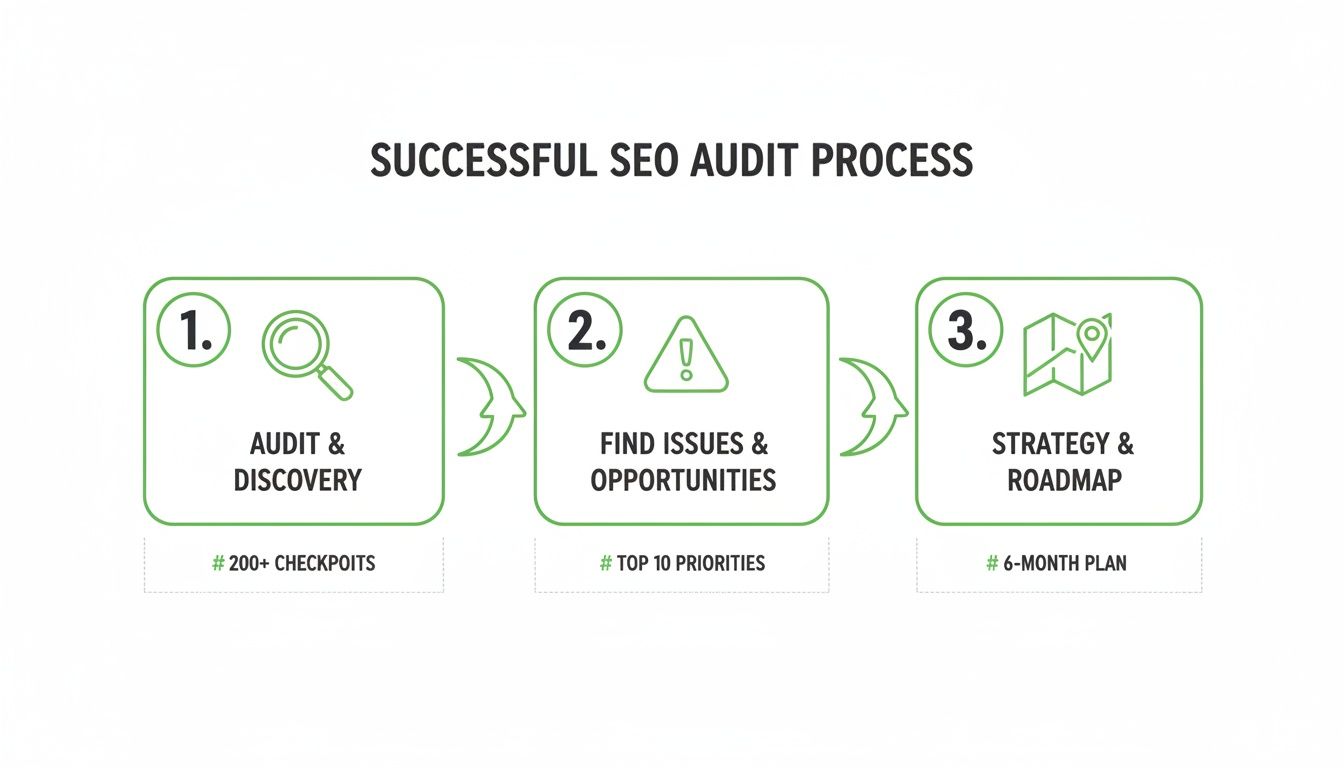
The key insight here is that an audit is not the final step but the beginning of a cycle of continuous improvement.
Finally, let's talk about two absolute non-negotiables for any modern website: security and mobile-friendliness.
- HTTPS Security: Your site must use HTTPS. It’s a confirmed ranking signal, but its real power is in building user trust. Browsers will show a "Not Secure" warning on non-HTTPS sites, which is a great way to scare potential customers away.
- Mobile-Friendliness: Google switched to mobile-first indexing years ago. This means the mobile version of your site is what truly counts for rankings. A clunky mobile experience will directly hurt your visibility. You can quickly check your pages with Google's Mobile-Friendly Test.
By working through these core areas—crawlability, site structure, and security—you create a solid framework that tackles the most common and impactful technical problems. This process also helps you manage your crawl budget more effectively, ensuring Google spends its time on your most important content. You can learn more about how to optimise your crawl budget in our guide.
Diving Into On-Page Content and User Experience
A technically sound website is a great start, but it's only half the battle. Once you've made sure search engines can crawl your site easily, the real work begins. Your content and the overall user experience are what convince people to stick around, engage, and become customers. This part of the SEO website audit shifts our focus from the technical mechanics to what's actually happening on the page.

First, we need to identify any content that might be actively hurting your rankings. This often includes pages that are thin, outdated, or duplicates of other content on your site. Think of it like pruning a garden—by trimming the dead weight, you allow the healthier parts of your site to thrive.
Spotting Problematic Content
Your first task is to hunt down any content that offers little to no real value to your visitors. A straightforward content audit can uncover some surprisingly simple fixes that have a huge impact.
Here's what to look for:
- Thin Content: These are pages with very little text. A classic example is a product category page with just a grid of images and no descriptions. They don't offer much to users and are often seen as low-quality by search engines.
- Duplicate Content: This happens when the exact same content lives on multiple URLs. It confuses search engines, forcing them to guess which page is the "real" one, which usually means none of them rank well.
- Outdated Content: An article about the "Top Smartphones of 2019" isn't helpful today. This kind of content can damage your site's credibility and should either be updated with current information or removed.
Once you’ve found these problem pages, you can either improve them with more useful information, merge several weak pages into a single stronger one, or delete them and redirect the URL to a more relevant page.
Optimising the On-Page SEO Basics
With the junk content cleared out, you can now focus on the foundational elements of on-page SEO. It's surprising how many websites get these basics wrong, leaving easy ranking opportunities on the table.
For every important page, your audit should check these three key areas:
- Title Tags: This is the clickable headline in search results. It must be unique, include your main keyword, and be compelling enough to make someone want to click.
- Meta Descriptions: While not a direct ranking factor, this little snippet of text is your sales pitch in the search results. A well-written meta description can dramatically increase your click-through rate.
- Headers (H1, H2, H3): Headers give your content structure, making it easier for both people and search engines to understand. Every page should have one H1 tag that acts as the main heading, with H2s and H3s organising the sub-topics.
Think of your on-page elements as signposts. A clear title tag and meta description tell a user what to expect, while well-structured headers guide them through the content once they arrive. Getting these right is fundamental to a good user experience.
Demystifying Core Web Vitals
A great user experience isn't just about good content; it's also about how the page feels to use. This is where Core Web Vitals (CWV) come in. Don't let the technical name scare you. They are simply three measurements of a user's real-world experience on your page.
Let's break them down in plain English:
- Largest Contentful Paint (LCP): How long does it take for the most important part of the page—like a big image or a block of text—to load? This measures loading speed.
- First Input Delay (FID): How quickly can a user interact with the page? This measures how fast someone can click a button or fill out a form after the page loads.
- Cumulative Layout Shift (CLS): Does the page layout jump around as it loads? This tracks visual stability, preventing users from accidentally clicking the wrong thing because an ad suddenly appeared.
Core Web Vitals compliance is still a major issue in Germany, with only 54.6% of websites meeting Google's standards. Audits consistently find that 72.3% of DE domains load too slowly, with Largest Contentful Paint often being too high. This isn't a minor issue; it leads to 32% higher bounce rates and 14.6% revenue shortfalls.
A free tool like Google's PageSpeed Insights is a great place to start checking your site's performance. Just enter a URL, and it will give you a full report with scores for each of the Core Web Vitals, plus specific recommendations for how to improve. The usual culprits are often large, unoptimised images or clunky scripts slowing everything down. Fixing these issues doesn't just help your SEO—it makes your site far less frustrating for visitors. For a deeper dive, check out our guide on what Core Web Vitals are and why they matter.
Evaluating Your Backlink Profile And Authority
Your website’s authority isn't just about the content you publish. A huge part of it comes from who links to you. Think of backlinks as votes of confidence from other websites. The more high-quality, relevant sites that "vote" for you, the more Google will see your site as a credible source.
This is why a thorough backlink analysis is a crucial part of any serious SEO website audit. It's not just about counting links; it's about understanding the story they tell. A strong profile can launch you to the top of the search results, while a weak or toxic one can hold you back no matter how good your content is.
Identifying Harmful and Helpful Backlinks
First, you need a complete picture of every site linking to you. Tools like Ahrefs or Semrush are great for this. Just enter your domain, and they will generate a comprehensive report of your entire backlink profile.
But don't just focus on the total number of links. You have to dig in and separate the good from the bad.
Here’s what to look for to spot potentially harmful links:
- Irrelevant Websites: A link from a casino website to your German bakery blog is a huge red flag. Links should come from sites that are related to your industry.
- Low Authority Sites: A link from a brand-new, spammy-looking blog carries almost no weight. Pay attention to the authority scores of the websites linking to you.
- Suspicious Anchor Text: If you see a ton of links with the exact same, keyword-stuffed anchor text like “best cheap running shoes online,” it’s a clear sign of old-school link building tactics that Google now penalises.
On the other hand, a healthy link comes from a reputable, relevant website and uses natural-sounding anchor text. These are the links that genuinely boost your authority.
When And How To Use The Disavow Tool
So, you've found a list of potentially toxic links. What now? This is where Google's Disavow tool comes in, but you need to be very careful with it. The disavow tool is basically you telling Google, "Hey, please ignore these specific links pointing to my site. I didn't ask for them."
You should only use the disavow tool if you have a large number of spammy, artificial, or low-quality links pointing to your site AND if you're confident those links are causing a real problem. For most websites, Google is smart enough to simply ignore bad links on its own.
In a market dominated by Google, it's surprising how many businesses are held back by old tactics. In fact, toxic links from outdated strategies continue to drag down rankings for 40% of mid-sized service providers.
One case study of a medium-sized German firm showed that after a proper audit, they used the disavow tool to clean up their profile and focused on building high-quality links. This simple shift increased their authority by 25-30% and led to a 32% uplift in conversion rates. It’s a powerful reminder of how cleaning up your link profile can produce real business results.
Uncovering Opportunities In Your Competitor's Backlinks
A backlink audit isn't just about defense. It’s also one of the best ways to find new link-building opportunities. A clever strategy is to systematically analyse your competitors' backlink profiles.
Think about it: if a high-quality website in your industry is linking to one of your competitors, why shouldn't they link to you, too? This process, often called a "link gap analysis," gives you a ready-made list of high-potential targets.
Here’s a simple process you can follow:
- Identify Your Top 3-5 Competitors: Pick the ones who consistently rank for the keywords you’re targeting.
- Analyse Their Backlinks: Use a tool like Ahrefs to see who links to them but not to you.
- Find the High-Quality Links: Filter that list to find the most authoritative and relevant sites.
- Determine Why They Linked: Did your competitor publish a great study or create a useful tool? Figure out what content earned them the link.
- Create Something Better: Use that insight to create a piece of content that is even more valuable, more up-to-date, or more comprehensive.
- Reach Out: Contact the website owner, show them your superior resource, and politely suggest they might want to link to it as well.
This approach turns your backlink audit from a reactive chore into a proactive growth strategy. To really nail this, it helps to understand the fundamentals. You might be interested in our guide on the core concepts of backlinks and their importance.
How to Use AI to Make Your SEO Audits Practical and Scalable
Auditing a site with a handful of pages is one thing. But what about auditing a site with thousands of URLs? That's when a manual SEO website audit becomes completely impractical. This is where you can use automation and AI to turn an overwhelming task into a manageable one.
This approach lets you create hundreds or thousands of optimized pages by combining data with AI-powered content generation. It's perfect for e-commerce sites, directories, or any business that needs to create content at a massive scale.
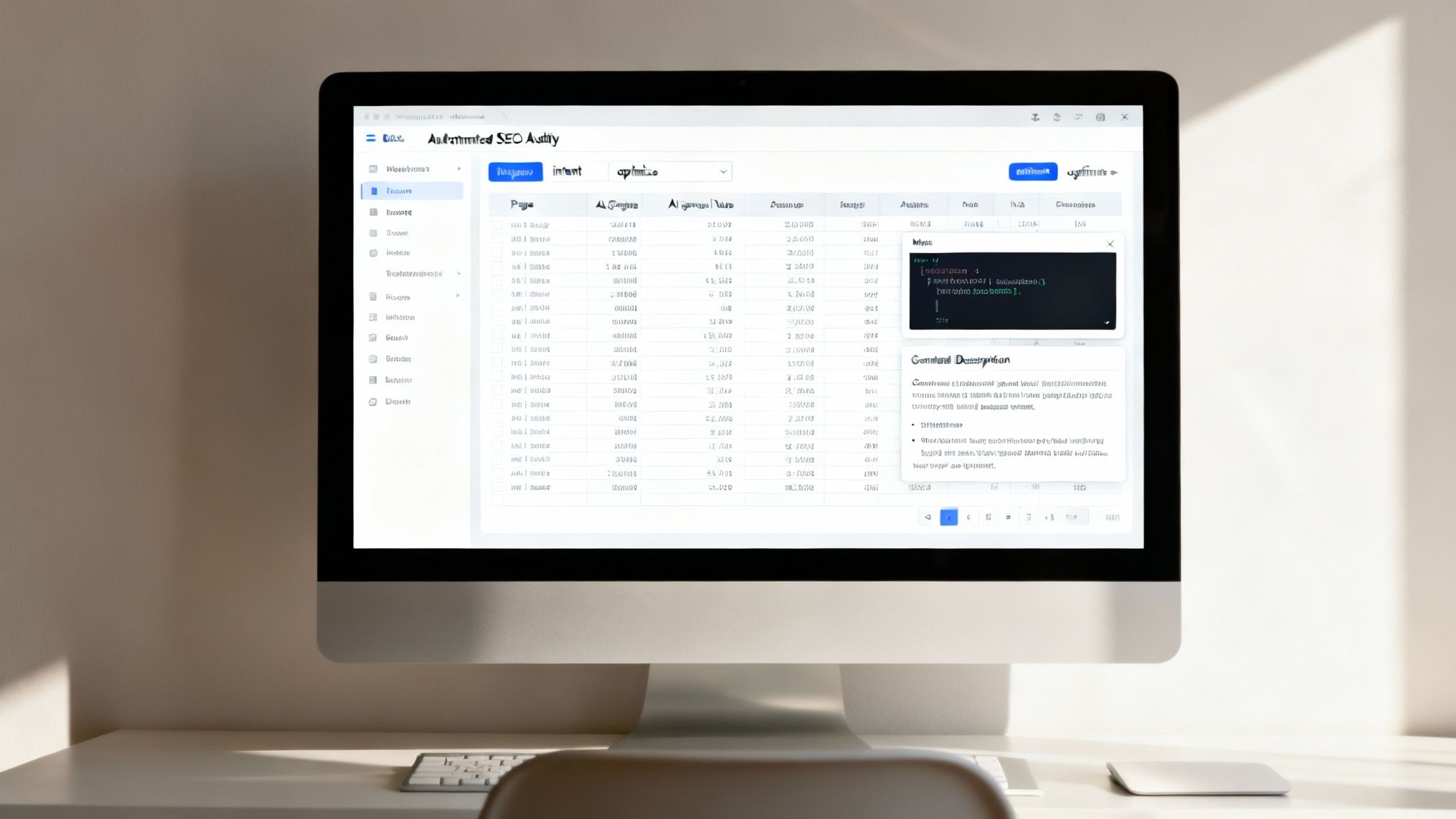
The first step is gathering your data. Forget checking pages one by one. Use a tool like Screaming Frog to automatically crawl your entire site. This gives you a massive spreadsheet with crucial info for every single URL, like word count, meta tags, and internal link counts. This data is the foundation for your AI-powered strategy.
Turning Data into Actionable Insights with AI
Now, imagine feeding that huge spreadsheet to an AI model like ChatGPT or Claude. This is where you can get answers to big strategic questions in minutes instead of weeks. The trick is giving the AI clear instructions. You can simply upload your data and use a straightforward prompt to get powerful insights. This makes AI a practical assistant, not a complex technical beast.
AI's real power in an SEO audit isn't just speed; it's the ability to spot patterns across massive datasets that a human might miss. It turns a mountain of data into a clear, prioritised action plan.
Let’s say you need to find all your "thin content" pages. Manually checking thousands of pages is impossible. With AI, it's a simple request.
Practical AI Prompts for Your Audit
You don't need to be a programmer to use AI effectively. Here are a couple of simple, copy-and-paste style prompts you can adapt for your own audits.
Example Prompt 1: Finding Thin Content
"Here is a list of URLs and their word counts. Identify all URLs with a word count under 300 words. Categorise these pages as 'Product Page', 'Category Page', or 'Blog Post' based on the URL structure. Present the output as a table with three columns: URL, Word Count, and Page Type."
Just like that, you have a prioritized list of pages that need improvement.
Example Prompt 2: Generating Meta Descriptions at Scale
"I have 500 product pages with missing meta descriptions. Here is a CSV with the URL, product name, and a short product summary. Using this data, write a unique, compelling meta description for each page. Each description should be under 155 characters, focus on benefits, and include a call to action like 'Shop Now'."
This transforms a mind-numbing task into a quick, automated workflow. The AI handles the repetitive work, leaving you to focus on strategy. For a deeper look into this process, our guide on leveraging natural language generation offers more context.
By combining automated data collection with practical AI analysis, you can scale your SEO website audits far beyond what's manually possible. This approach allows you to maintain an efficient, ongoing audit process that powers a much bigger and more effective content strategy.
Common Questions About SEO Website Audits
Even with a solid plan, a few questions always come up during an audit. Let's walk through the most common ones so you can move forward with confidence.
How Often Should I Run An SEO Audit?
There's no single magic number. For most sites, a comprehensive, deep-dive audit at least once a year is a good starting point. Think of it as your annual health check-up.
However, if you're running a larger, more dynamic site—like an e-commerce store that's constantly adding new products—a lighter, more focused audit every quarter is a smarter move. These quarterly check-ins help you catch small issues before they become major problems.
Many people fall into the trap of only auditing when traffic drops. The sites that achieve sustained growth are the ones that are proactive, running audits on a regular schedule instead of just putting out fires.
What Are The Best Tools For A Beginner?
You don't need a huge, expensive set of tools to get started. In fact, you can uncover tons of critical issues with just a few free or low-cost options.
If you’re just starting out, these are the essentials:
- Google Search Console: This is non-negotiable. It's Google telling you exactly how it sees your site, flagging everything from indexing problems to mobile usability errors. And it's completely free.
- Google PageSpeed Insights: Another free gem. It gives you a clear report on your site's performance and Core Web Vitals, along with specific, actionable recommendations for how to fix things.
- A free crawler: A tool like Screaming Frog has a free version that lets you crawl up to 500 URLs. This is perfect for smaller sites to check for broken links, find missing meta tags, and map out your site structure.
Master these three first. Once you're comfortable with the insights they provide, you can start exploring more advanced platforms.
Should I Fix Every Single Issue The Audit Finds?
Absolutely not. This is probably the biggest mistake beginners make. A good SEO audit isn't about creating an endless to-do list; it's about smart prioritisation.
Your audit might uncover hundreds of "issues," but only a small fraction of them will actually have a meaningful impact on your performance. You have to focus on the high-impact, low-effort wins first.
For instance, fixing a broken internal link on a critical service page is far more important than optimising an image on a five-year-old blog post that gets zero traffic. Always ask yourself: "Will fixing this actually help me achieve my business goals?"
At Programmatic SEO Hub, we provide the frameworks and tools to help you turn audit findings into scalable growth strategies. Discover guides, templates, and systems to master modern SEO. Learn more at Programmatic SEO Hub.
Related Articles
A Practical Site Audit SEO Guide for Real Results
A site audit for SEO is just a health check for your website. Think of it like a doctor's check-up: it helps you find and fix the hidden problems that are stopping you from getting more visitors...